Chapter 4: DNA Analysis 79
4 With the DNA experiment icon selected, verify in the Inspector that the Use
global instrument settings checkbox is checked (Figure 3-3 on page 56).
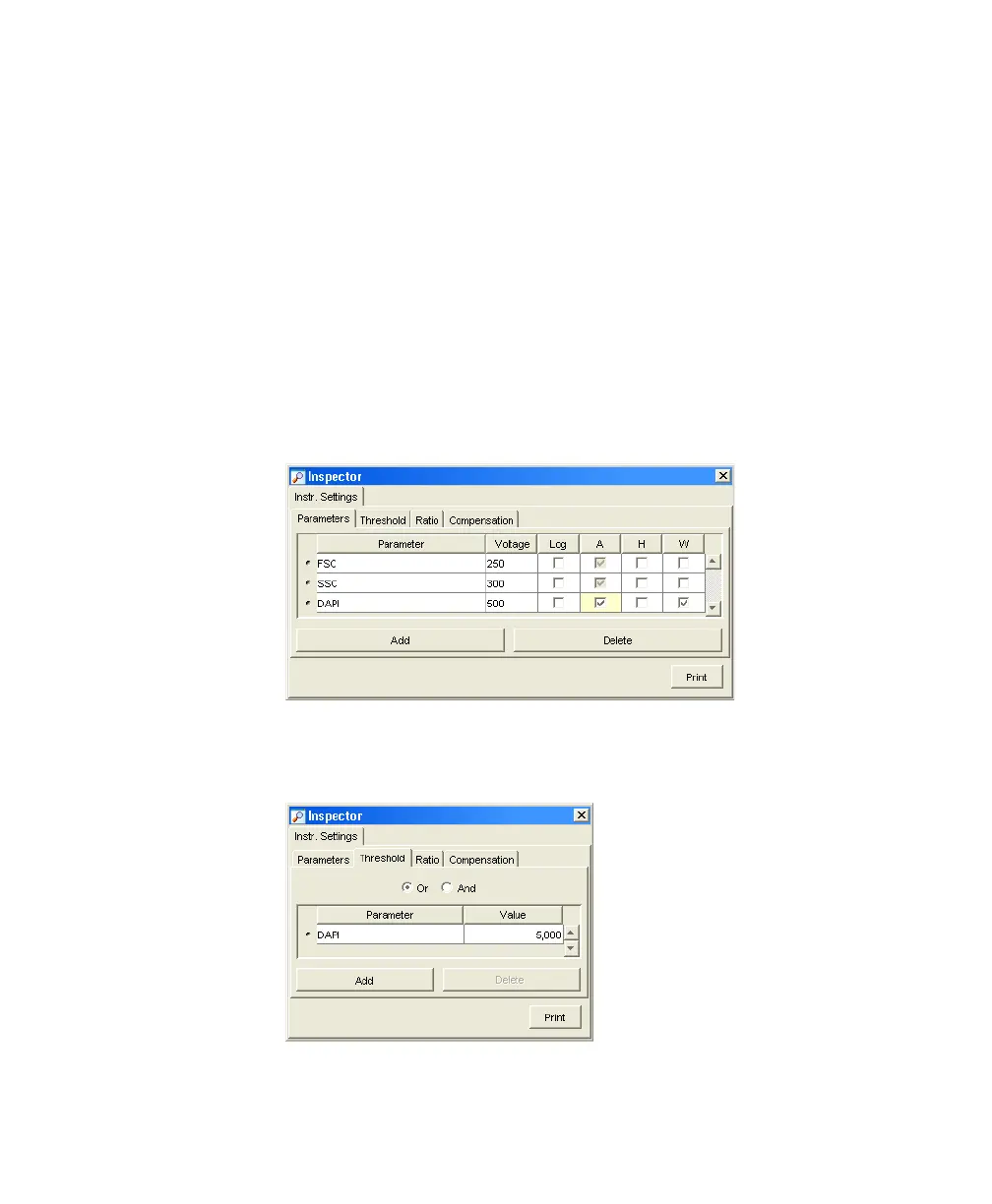
5 Select the Instr Settings icon in the DNA experiment, and use the Inspector
to specify the parameters and threshold setting for your experiment.
• Click the Parameters tab in the Inspector.
• For this experiment, delete all parameters except FSC, SSC, and DAPI.
• Verify that the Log checkbox is deselected for all parameters.
• For DAPI, verify that the A (area) checkbox is selected, and select the
W (width) checkbox.
• Click the Threshold tab and change the threshold parameter to DAPI;
verify that the threshold value is set to 5,000.
LSR2.book Page 79 Tuesday, April 25, 2006 3:34 PM



 To Next Page