Chapter 5: Calcium Flux 91
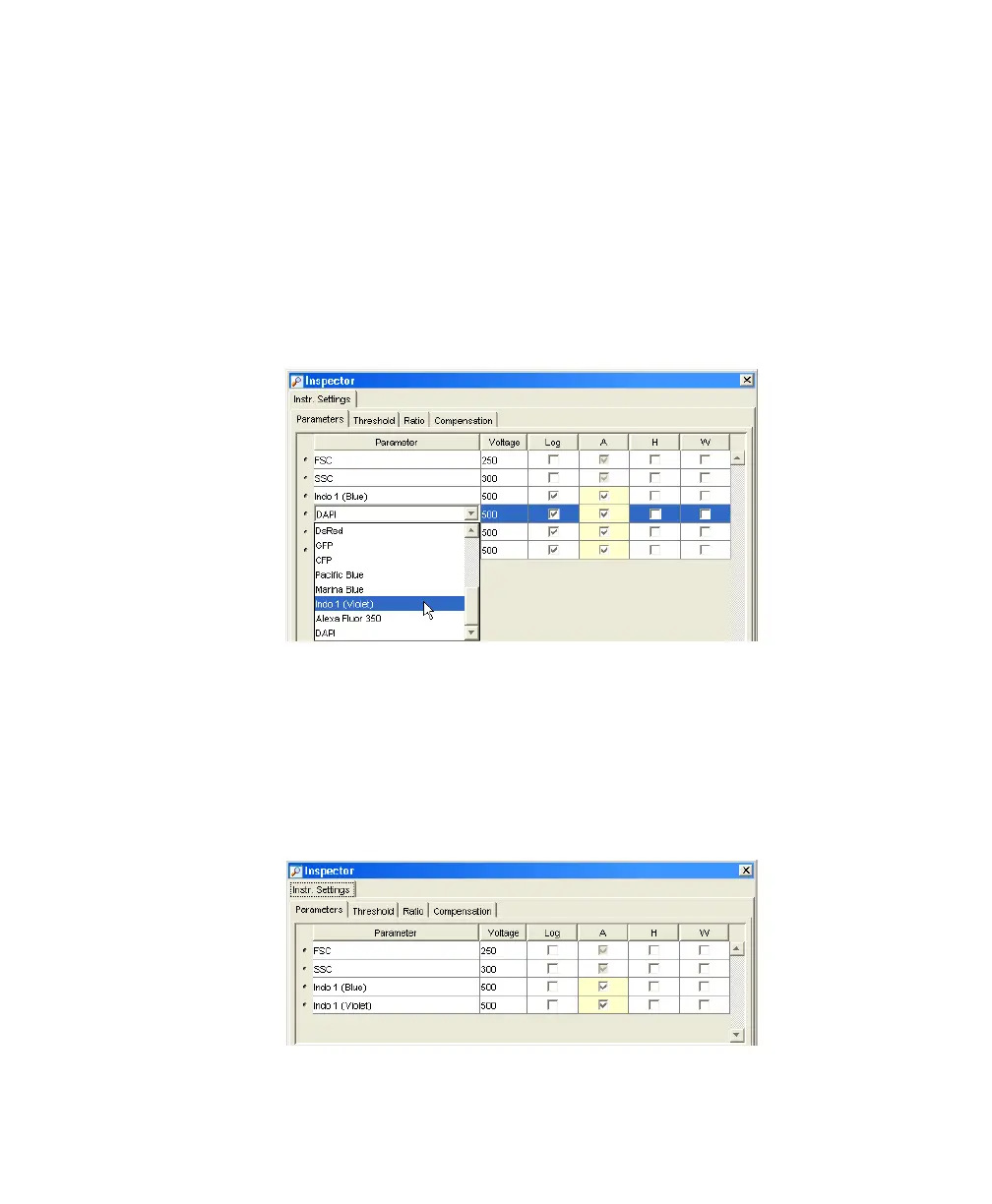
5 Select the Instr Settings icon in the CalciumFlux experiment, and use the
Inspector to specify parameters and settings for your experiment.
•
Make sure the parameters you need appear on the Parameters tab.
If more than one parameter is available for a particular PMT, you
might have to select the one you need from a menu.
For the example shown here, choose Indo-1(Violet) from the DAPI
menu.
• For this experiment, delete all parameters except FSC, SSC, Indo-1
(Blue), and Indo-1 (Violet).
• Verify that the Log checkbox is deselected for all parameters.
• Verify that the A (area) checkbox is selected for Indo-1 (Blue) and
Indo-1 (Violet).
LSR2.book Page 91 Tuesday, April 25, 2006 3:34 PM



 To Next Page