9-16
TotalAlert Innity™ HTM Medical Gas Notication System
4107 9016 60.01
Figure 295
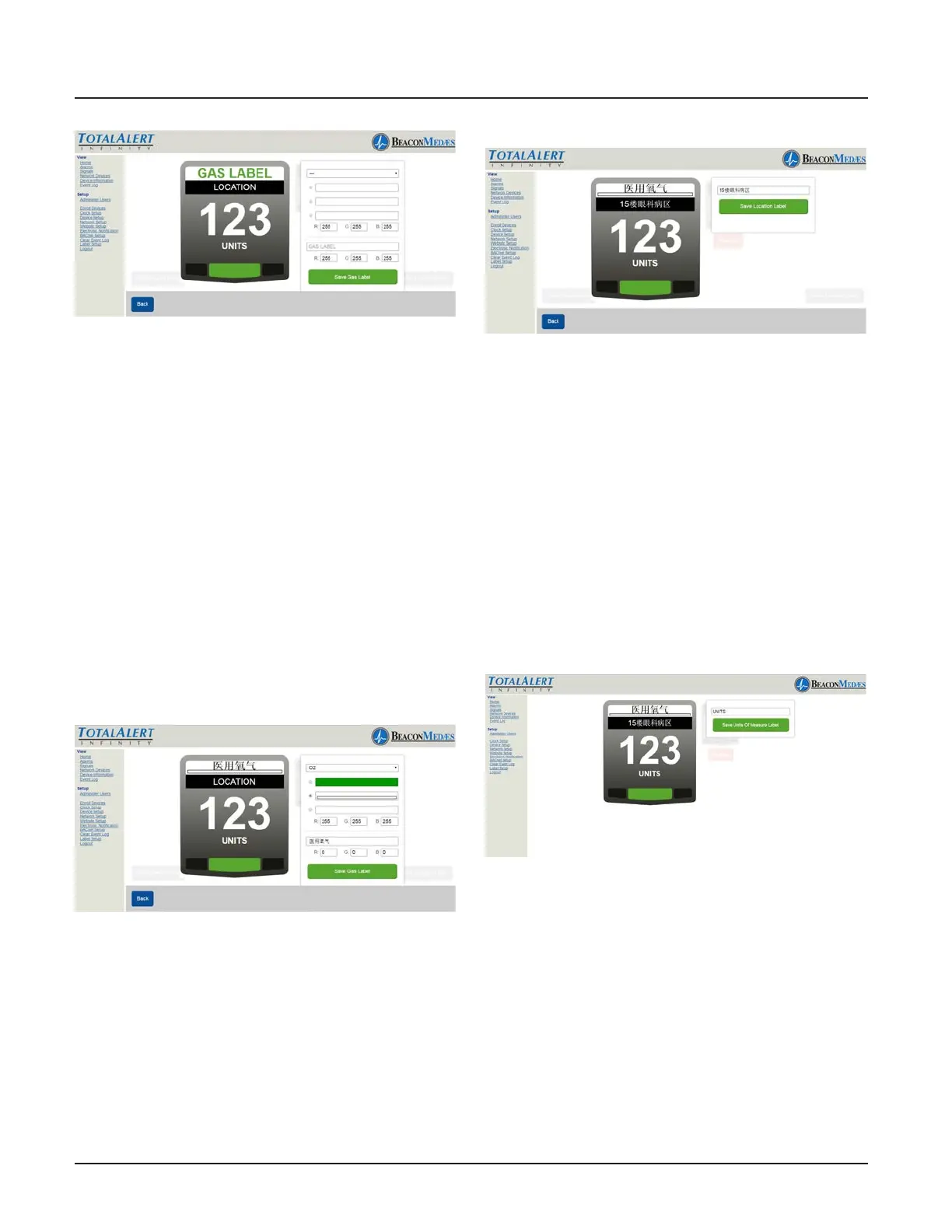
17. Starting at the top of the Area Badge
parmeter box, select gas type from pull
down menu (Gas color options will be up-
dated by default). Then select the Gas color,
based from the required standard (NFPA,
HTM, ISO). Custom colors can also be added
by entering the RGB numbers.
The non-latin language input eld (located
at the bottom of the parameter tab) de-
faults in English with the gas previously se-
lected. Enter the non-latin language in this
eld. The badge will update with the new
input on the website page. (See Figure 296)
18. To save, select “Save Gas Label” button.
Figure 296
19. To setup location of gas monitored,
select Location tab on badge (located just
under the gas label). Enter non-latin lan-
guage characters for the location of gas
being monitored. (See Figure 297)
20. To save, select “Save Location Label”
button.
Figure 297
The TotalAlert Innity alarm allows for set-
ting up custom Units which is typically done
for 4-20mA devices. Units have to match
the pressure or vacuum numerical values.
21. To setup units of measure (other than
the defaults on the alarm) select UNITS tab
on badge. Enter non-latin language charac-
ters for the Units of Measure of gas being
monitored. (See Figure 298)
22. To save, select “Save Units of Measure
Label” button.
Figure 298
TotalAlert Innity alarm allows for custom-
ized instructions for each high and low
pressure fault condition.
23. To setup the instructions for a low pres-
sure fault condition, select the lower left
corner of the badge (location of the red
blinking light when alarm goes into fault).
Enter non-latin language characters for the
low pressure alarm instructions. (See Figure
299) This can be two lines of text. Press the



 To Next Page