4-41
TotalAlert Innity™ HTM Medical Gas Notication System
4107 9016 60.01
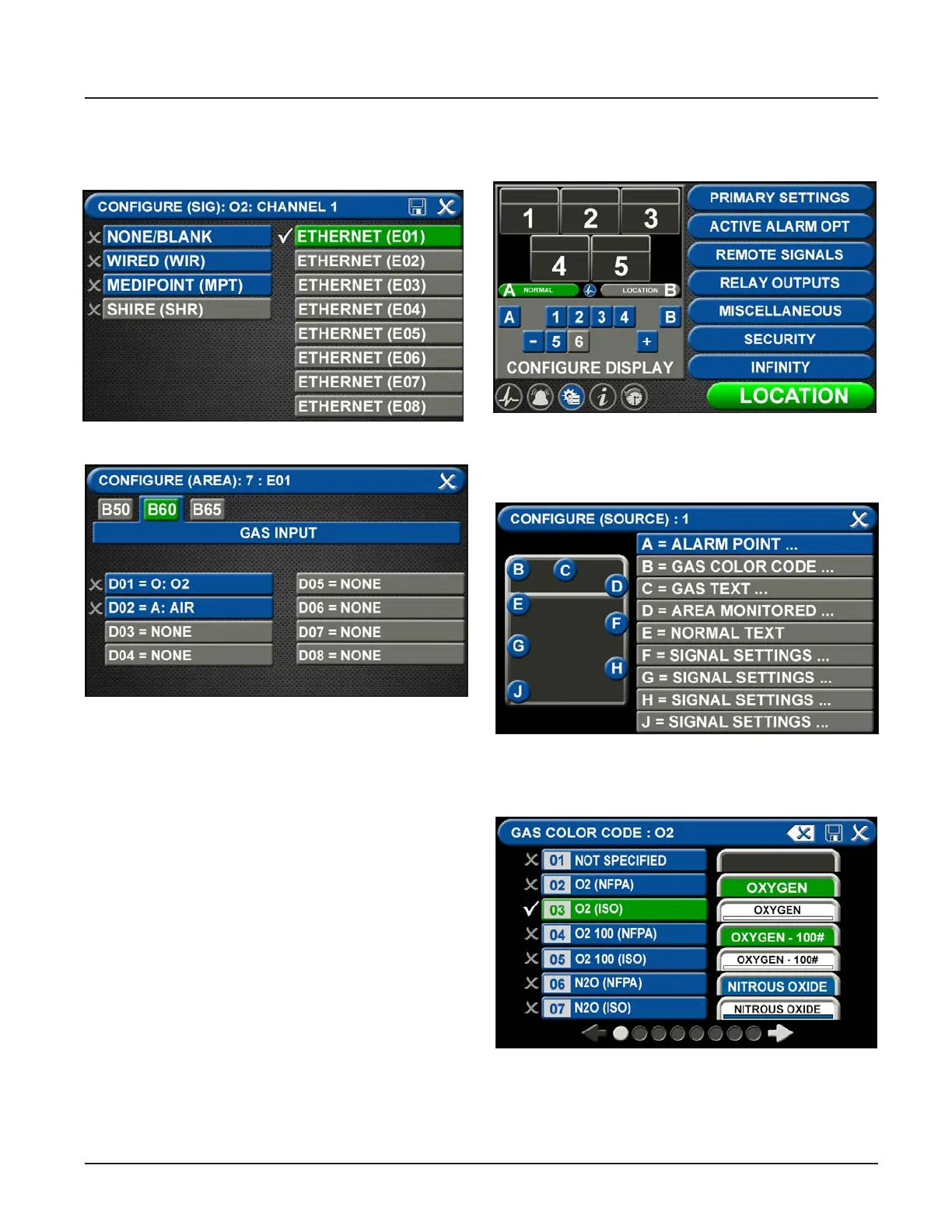
• Touch the ETHERNET tab that corresponds to
the alarm panel providing the gas pressure to be
mirrored.
Figure 142: Congure Area Screen
• At the CONFIGURE (AREA) screen (B60 Gas Input),
touch the gas to be mirrored.
• Touch the save button.
• Follow the steps for conguring gas badges listed
in Section 4.3.
Figure 141: Ethernet Screen
Central Signals
• Go to the Conguration screen
Figure 143: Conguration Screen
Figure 145: Congure Source Locations
• Touch the GAS COLOR CODE tab to select the
proper gas color code.
Figure 146: Gas Color Code Screen
A = [Gas Color Code] Tab
• Choose the source signal badge that represents the
source gas to be mirrored.
• Select the proper gas color code and standard.
• Touch the save button.



 To Next Page