4-53
TotalAlert Innity™ HTM Medical Gas Notication System
4107 9016 60.01
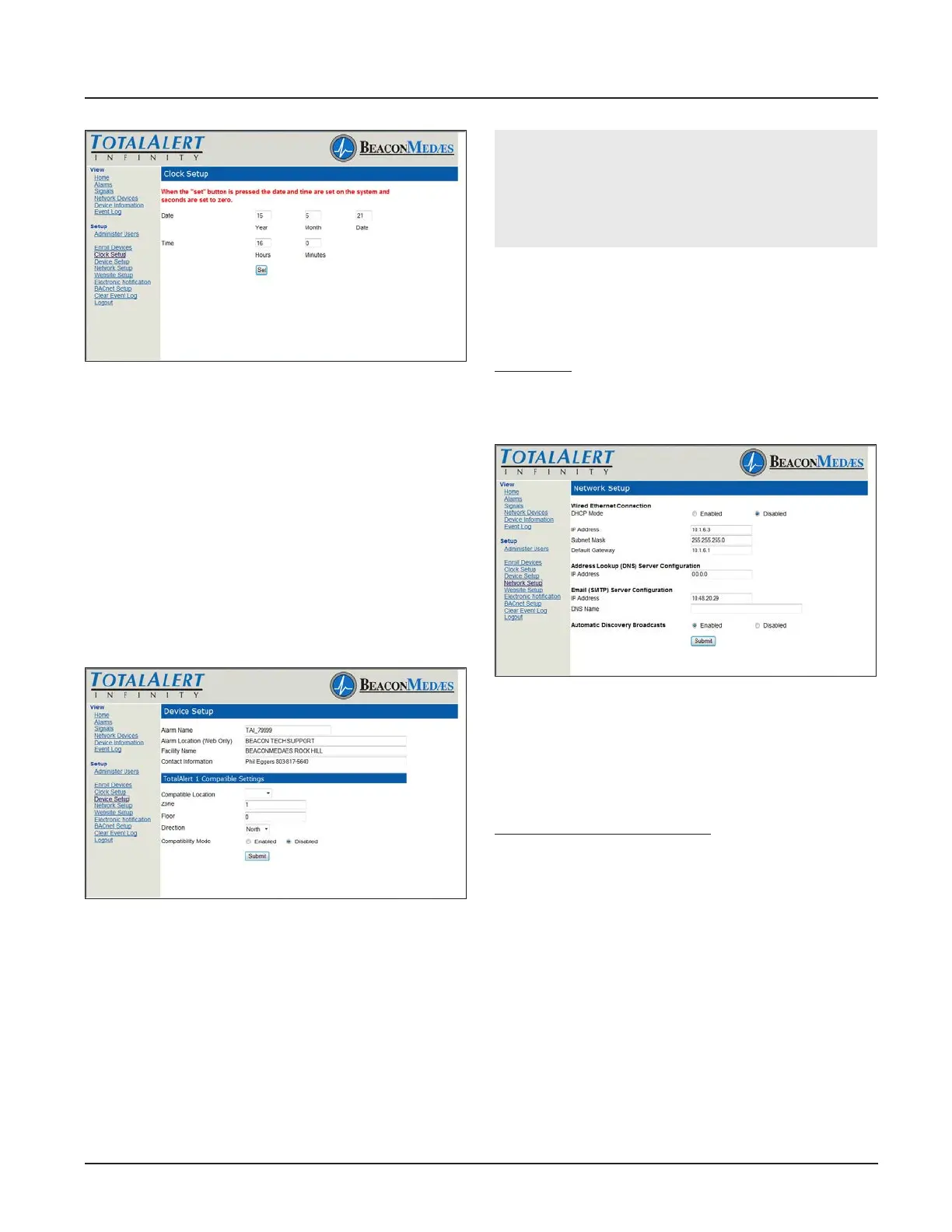
Figure 188: Clock Setup
Device Setup
This setup page is used to congure alarm name,
location, facility name, and contact information. The
page also provides input for TotalAlert1 compatibility if
the TotalAlert Innity™ needs to be enrolled on the
TotalAlert 1 network.
1. Click Device Setup to access the Setup Device page
(Figure 4.171).
2. Enter the Alarm name.
3. Enter the location.
4. Enter the facility name.
5. Enter the Contact Information.
6. Click Submit.
Figure 189: Setup Device Page
To provide input for the TotalAlert 1 network:
1. Click Device Setup to access the Setup Device page
(Figure 4.171).
2. Select Compatible Location of the TotalAlert
Innity™ alarm by using pull down menu.
3. Enter the Area for the TotalAlert Innity™.
4. Enter Floor location.
5. Enter Direction.
6. Enter Compatibility Mode.
7. Click Submit.
CAUTION:
The Information Systems personnel should be no-
tied before changing any of the network settings.
Changing the settings may prevent the equipment
from working properly.
Network Setup
1. Click Network Setup to access Network setup page
(Figure 4.172)
2. Select the DHCP Mode (Enabled/Disabled).
If Disabled:
1. Enter the IP Address.
2. Enter the Subnet Mask.
3. Enter the Default Gateway
Figure 190: Network Setup Page
The TotalAlert Innity™ Alarm allows for Automatic
Discovery Broadcast on other TotalAlert devices. This
setting allows for other TotalAlert devices to nd the
TotalAlert Innity™ alarm on the network and automat-
ically enroll the device.
To enable Automatic Discovery:
1. Select Enabled on the Network Setup page to set
Automatic Discovery Broadcasts.
2. Click Submit.
Website Setup
The TotalAlert Innity™ Website has several options
for the Auto-refresh feature on the web page. This
determines the frequency by which Status pages are
automatically updated.
1. Click Website Setup to access Auto-refresh time
menu (Figure 4.178 from 5 seconds to 4 minutes to
refresh. Select Disable to remove Auto-refresh and
manually update data when needed.
2. Click Submit.



 To Next Page