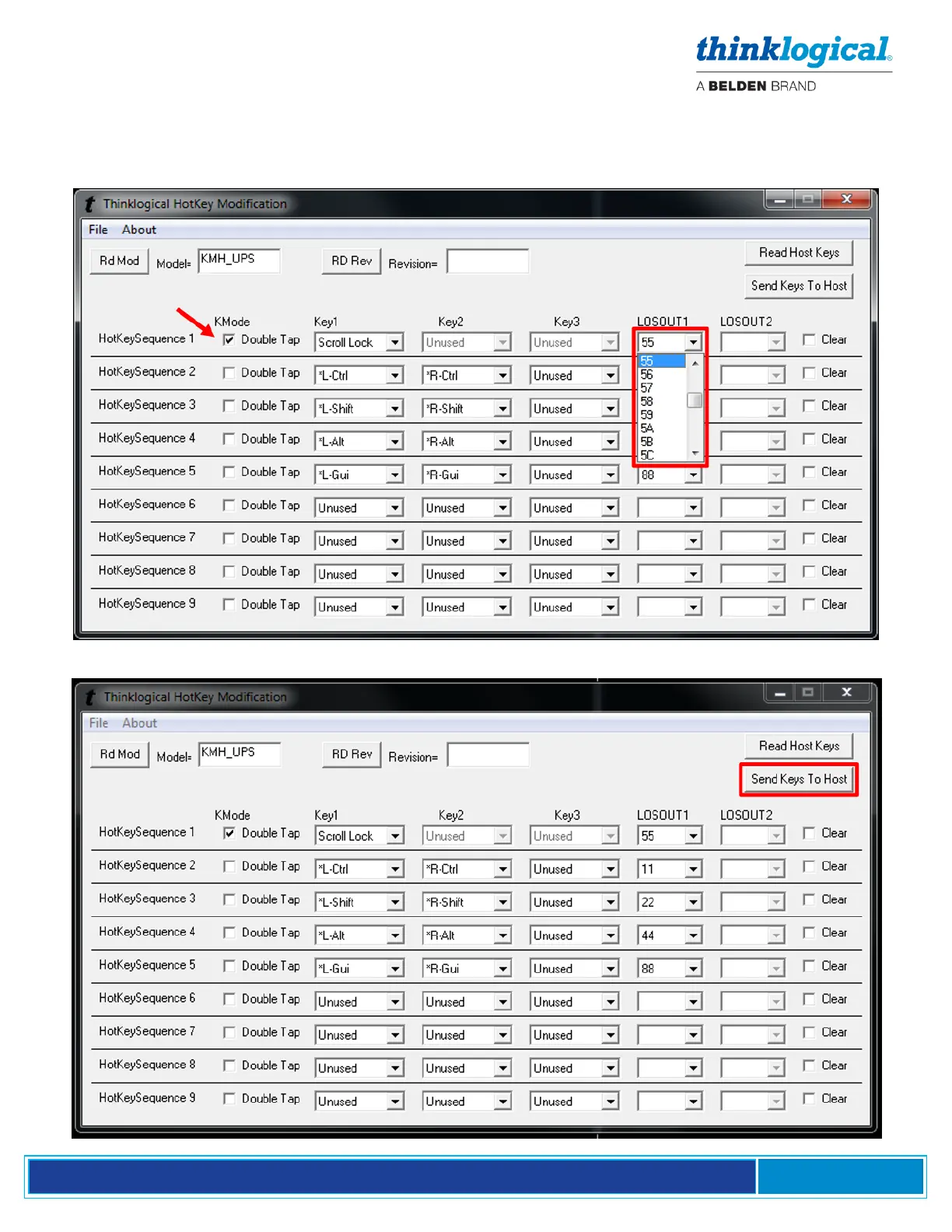
5. Select the code desired, which may reflect a matching code in the SMP2’s Hot Key Manager or
may be a unique code for this application. A Code used here must be entered manually into the
SMP2’s Hot Key Manager for the action to be applied. Selecting Double Tap (as in “Scroll lock/Scroll
lock”) requires only one key. Non-Double Tap can use a sequence of up to three keys.
6. When the desired settings are selected, click on Send Keys to Host to apply the new settings.



 To Next Page