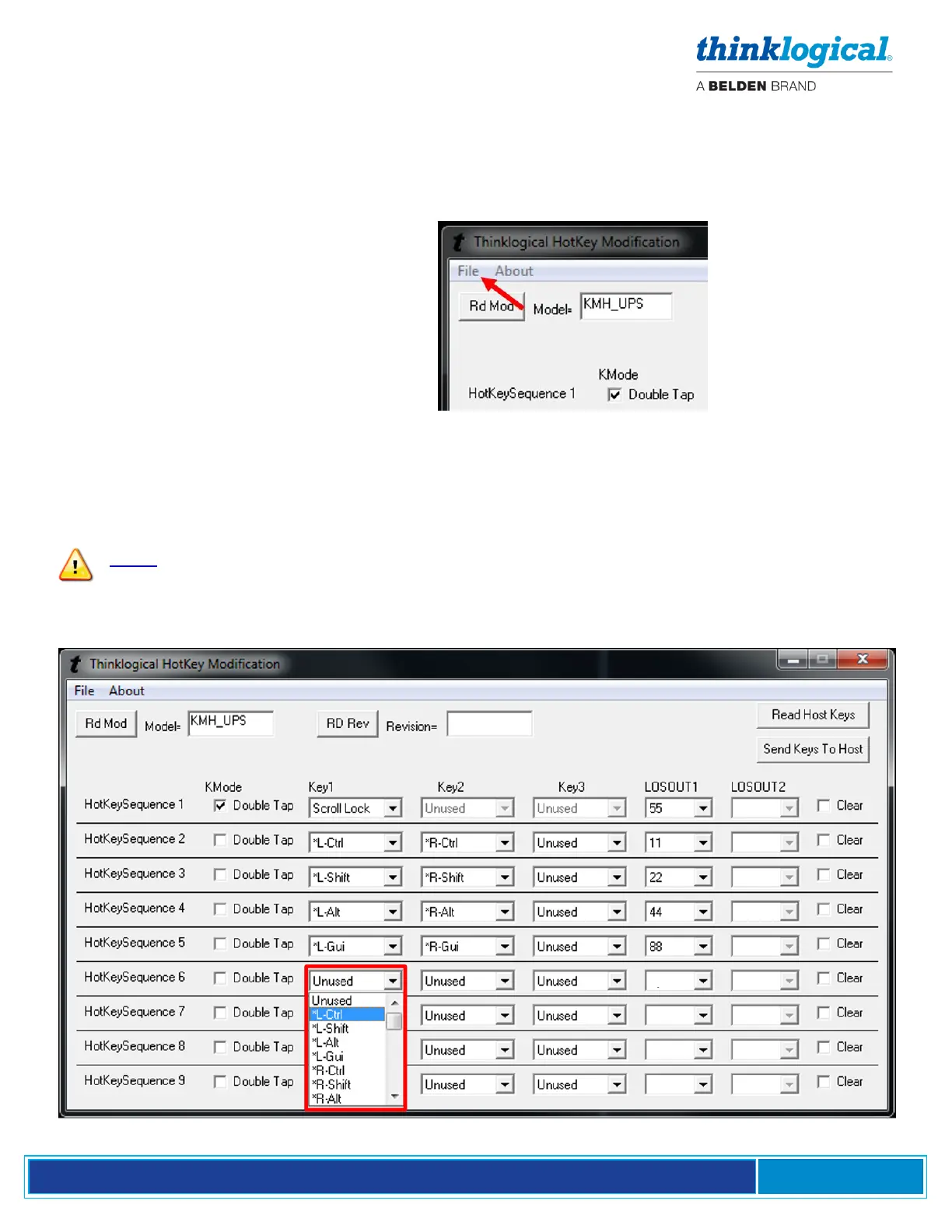
7. To restore a Receiver to its default settings:
a. Open Flex Keys without reading the device. (No USB cable to the PC.)
b. Click on Send Keys to Host. This will send the default Key Table to the device.
c. Click on Rd Mod to verify that the keys have returned to their default settings.
Or:
a. Click on File (Upper left)
b. Open default.conf
c. Click on Save
Creating Custom Actions
Some situations may require more than (9) key sequences. Users can then create a special key
sequence requiring a two-digit number from 1 to 99, entered by the user.
Note: If using single digit numbers, then 01 through 09 are entered here. Corresponding
SMP2 code values in the HOT KEYS tab will be 1-9.
By left-clicking on an “unused” Key1 drop-down menu, users can select from a list of key sequences.
In this case, Left Ctrl is selected for Key 1.



 To Next Page