Overview
T3300 Diagnostic Ultrasound System | 28 | B00601-010 4/10/17
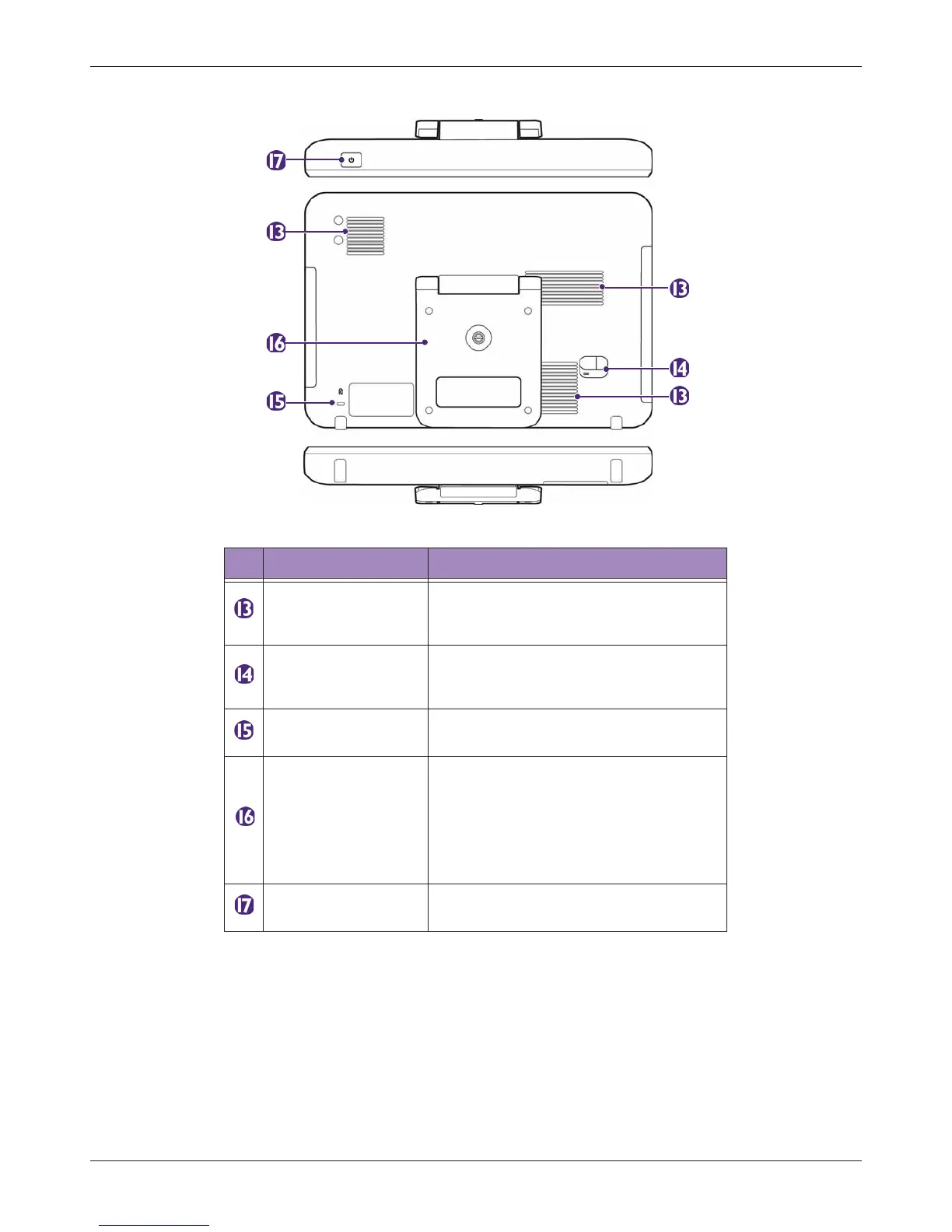
3.2.2 Rear and Top/Bottom Views
Table 2 Rear and Top/Bottom Views
No. Component Function
Ventilation slots
Release excessive heat during
operation to keep the system in a safe
operating temperature.
Power input socket
Used to connect the system to power.
(See "Charging the System" on
page 33)
Anti-theft lock slot
Used to lock the system securely to a
solid surface to protect it from theft.
System stand
• Lift the stand to sustain the system
on a flat surface. (See "Using the
Stand" on page 33)
• Can be used as a handle to carry the
system around. (See "Using the
System On The Go" on page 37)
Power button
Press and hold the Power button to turn
on/off the system.



 To Next Page