Preparing the System
T3300 Diagnostic Ultrasound System | 39 | B00601-010 4/10/17
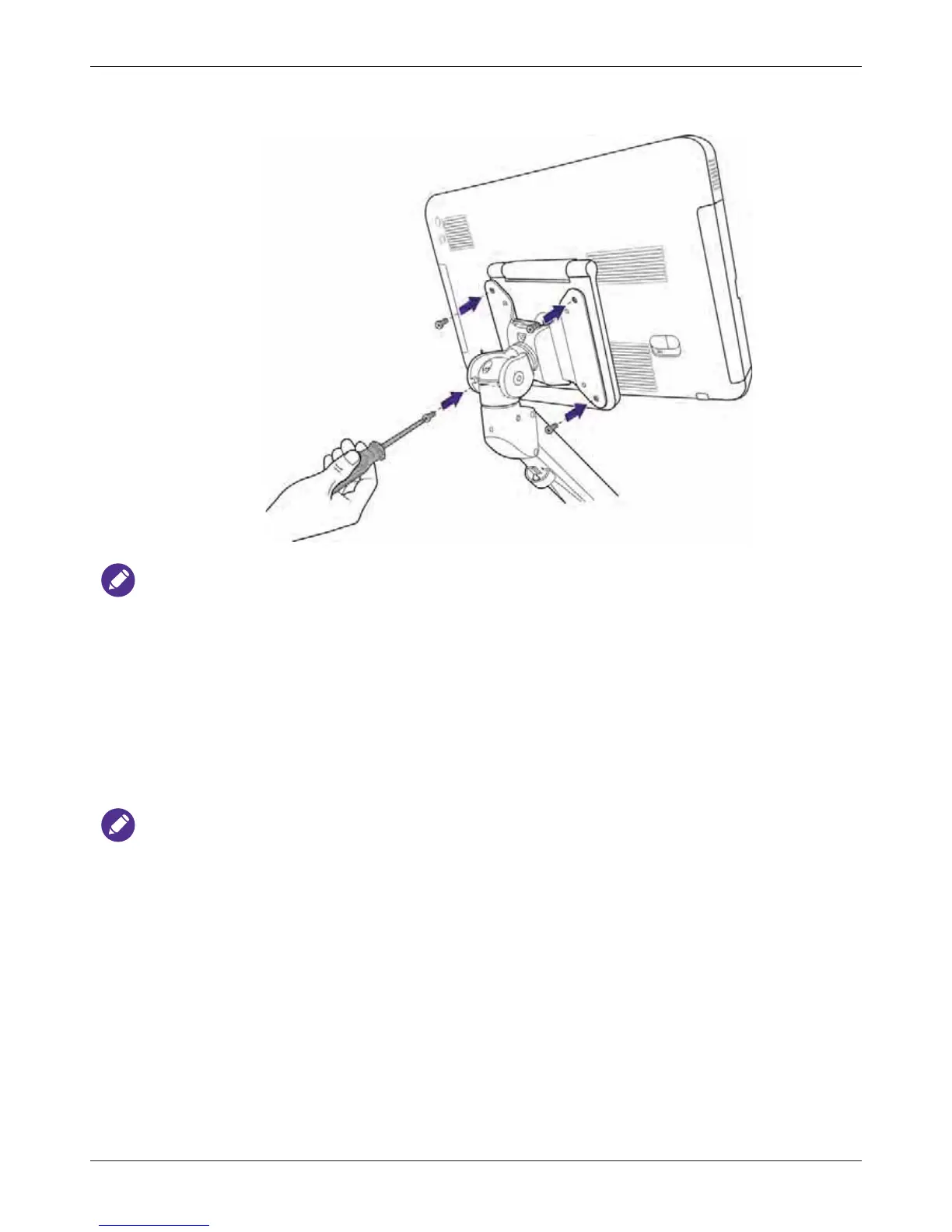
3. Secure the system to the mounting plate by carefully tightening the four screws using a suitable
screwdriver.
Wall-mounting is suggested to be operated by two people.
4.9 Outputting the System Display to an HDMI-Enabled TV or
Monitor
1. Insert one end of an HDMI cable to the system’s HDMI port. Ensure that the arrow side faces up.
2. Insert the other end of the HDMI cable to your HDMI-enabled TV’s or monitor’s HDMI port.
3. Connect the TV or monitor to power.
4. On the TV or monitor, select the proper input source.
NOTES
• We suggest using a monitor or TV which supports 1080p (1920x1080) resolution as an external
display for your system.
• See the documentation of your HDMI-enabled TV or monitor for detailed information on
connections and settings.



 To Next Page