Using Image Controls
T3300 Diagnostic Ultrasound System | 84 | B00601-010 4/10/17
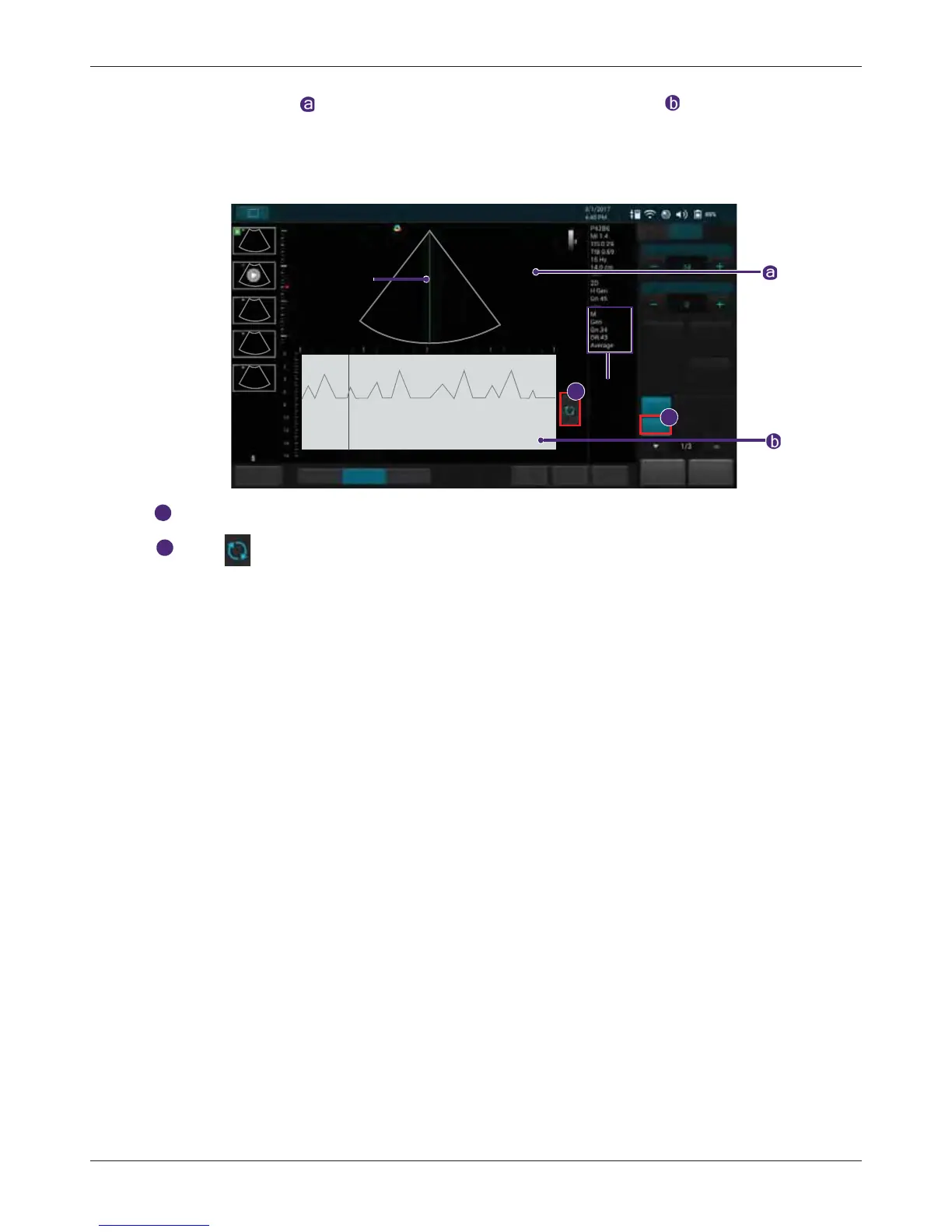
2D Imaging window , and the motion scan in the Time Series window . The M-Mode cursor line
(M-line) appears vertically in the central area of the active 2D image, indicating the position of the M-
Mode beam. Typically, this mode is used for viewing motion patterns of the heart.
Drag the M-line to the target position to determine the presence of motion occurred along the
singular line.
Touch M to enable M-Mode image controls.
Touch to initiate the M-Mode trace which produces a scrolling display of movement (along
the vertical Y axis), plotted against time (along the horizontal X axis).
7.3.2 Using Steer M
Allow steering the sample volume to any angle you choose by adding multiple M-lines, rather than
sampling in a strict vertical position. This function is particularly useful in cardiology applications.
1. Touch Steer M +/-.
2. A crosshair cursor appears on the image. Drag the cursor to where you want to start sampling
and release it.
3. Drag the cursor to where you want to end sampling and release it.
4. Touch Steer M +/- to display a second crosshair cursor. Repeat step 2-3 to place the second
line. Up to 3 M-lines can be added.
7.3.3 Adjusting Sweep Speed
Adjust how fast the timeline is scanned across the Time Series window.
Touch Speed repeatedly to select a desired velocity.
7.3.4 Selecting M Process
Select the detection method processing the M-Mode trace display. The system provides retrieving
average or peak scan data from the M-Mode trace.
Touch M Process +/- to select a desired method.
7.3.5 Inverting the M-Mode Trace Display
Invert the M-Mode trace display in relation to brightness.
Touch Video Invert to swap the colors on the M-Mode trace display.
Save
Freeze
HomeTGC
ResolutionGeneralPenetration
Gain
Steer M
Full Screen
B Color PW
M Power
M
Cardiac
B
M- mode
image
information
Video Invert
Speed
1/2x
End Exam
Update
M line
1
2
Fn Key



 To Next Page