Using the System
T3300 Diagnostic Ultrasound System | 45 | B00601-010 4/10/17
5.4.3 Gestures for Controlling the Frozen Imaging Screen
5.5 Setting the System Language
To set the system language you are using, touch > Settings > General > Language. The
system reboots automatically to enable the new language.
If you are unsure of a function displayed in localized languages, switch the system language back to
English, and check again the function you want to use. If the problem persists, contact technical
support (See "Contact Information" on page 2)
5.6 Identifying the Main Screen Layout
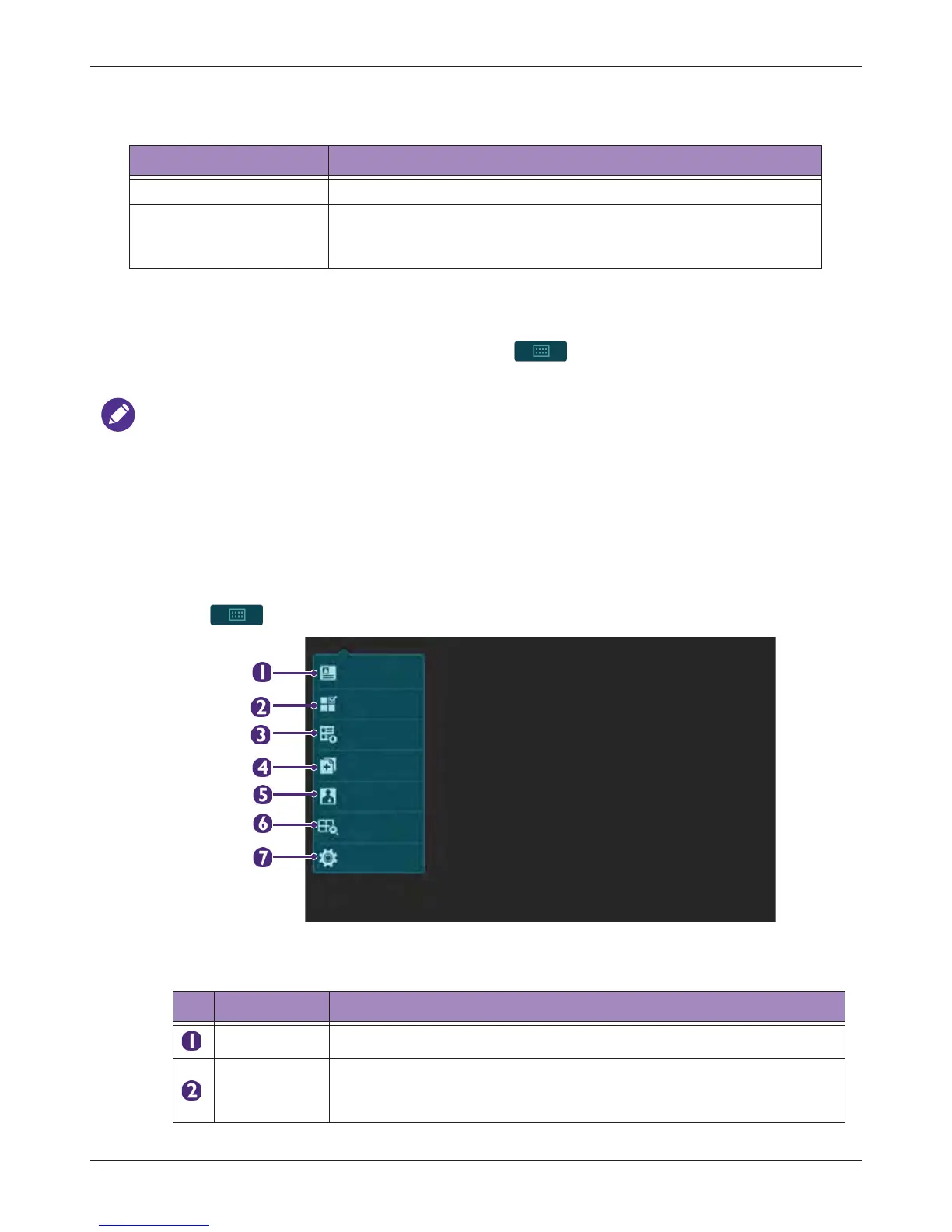
5.6.1 System Menu Screen
Touch to display the following system menu screen. Touch an icon to perform its function.
Table 4 Gestures for Controlling the Frozen Imaging Screen
Action Gesture
Play/pause image loops (Available in full screen mode only) Two-finger tap on the scan area.
Scroll frames
(Available in full screen mode only) Flick horizontally on the scan
area/time series window to scroll through the image frames/
waveforms.
Table 5 Function and Description of System Menu
NO. Function Description
Patient Edit current or add new patient information.
Worklist
Load the DICOM Modality Worklist (MWL) that contains patient
information as well as the requested procedure electronically via the
MWL query.
Patient
Worklist
Exam History
Report
Preset
Review
Settings



 To Next Page