Preparing the System
T3300 Diagnostic Ultrasound System | 33 | B00601-010 4/10/17
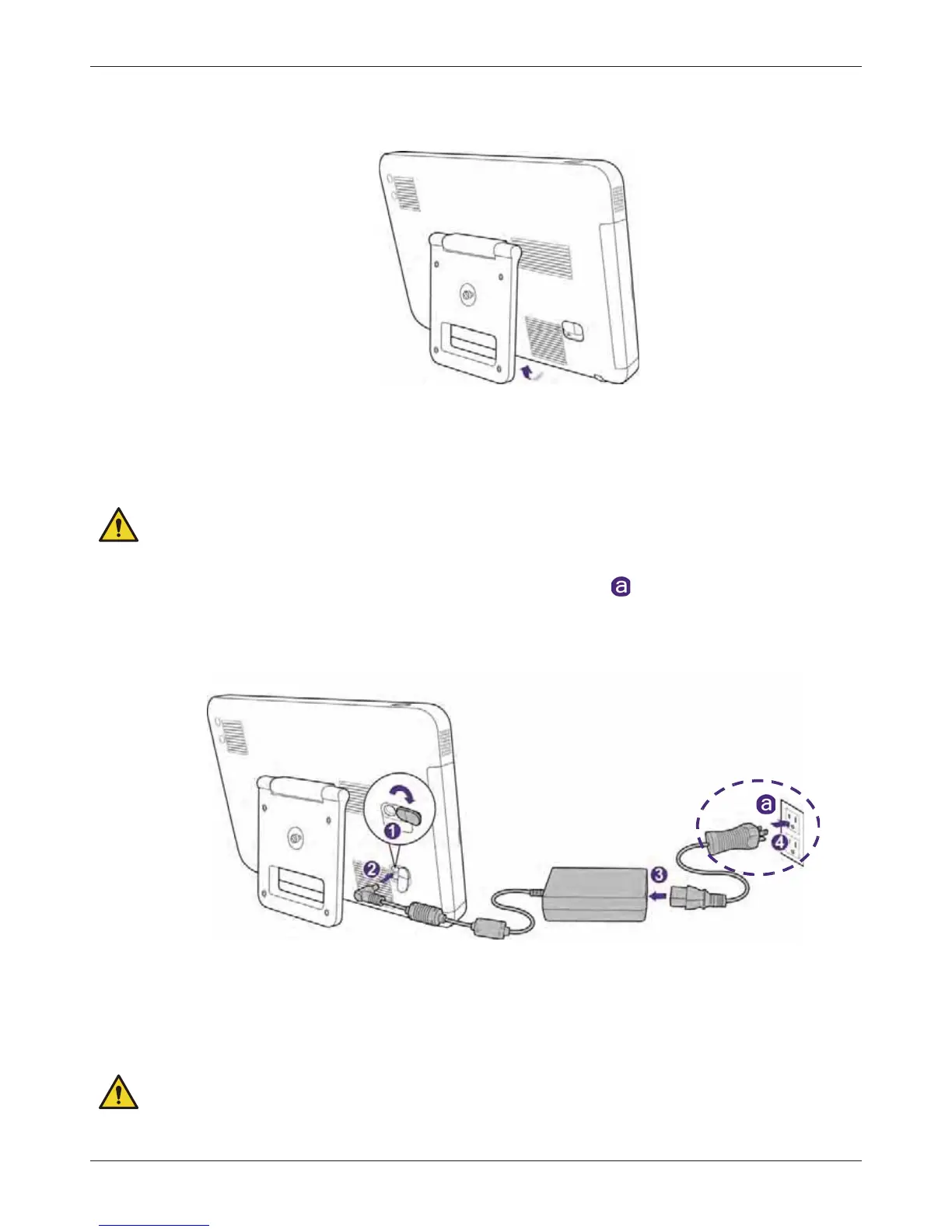
4.2 Using the Stand
Lift the stand to the degree that suits your preferred viewing angle.
4.3 Charging the System
The system is only partially charged when first unpacked. Charge the battery fully for 5 hours before
using the system for the first time.
WARNINGS
• Use only the supplied power adapter and AC plugs for charging.
• AC plug and electric outlet types vary by country/region .
• Do not try to repair or replace the battery or the power adapter. Any attempt to
disassemble the system and the supplied accessories may cause damage to the system
or result in personal injury.
1. Lift the protective rubber cover open.
2. Connect the power adapter’s connector into the system’s power input socket.
3. Insert the matching AC plug fully into the power adapter.
4. Plug the AC plug of your power adapter into an electric outlet to start charging. The battery
indicator lights up in solid orange.
WARNINGS



 To Next Page