Preparing the System
T3300 Diagnostic Ultrasound System | 34 | B00601-010 4/10/17
• Keep good ventilation during charging. Do not cover the power adapter with paper or
objects that will reduce cooling.
• Do not interrupt the connection during charging to avoid possible damage.
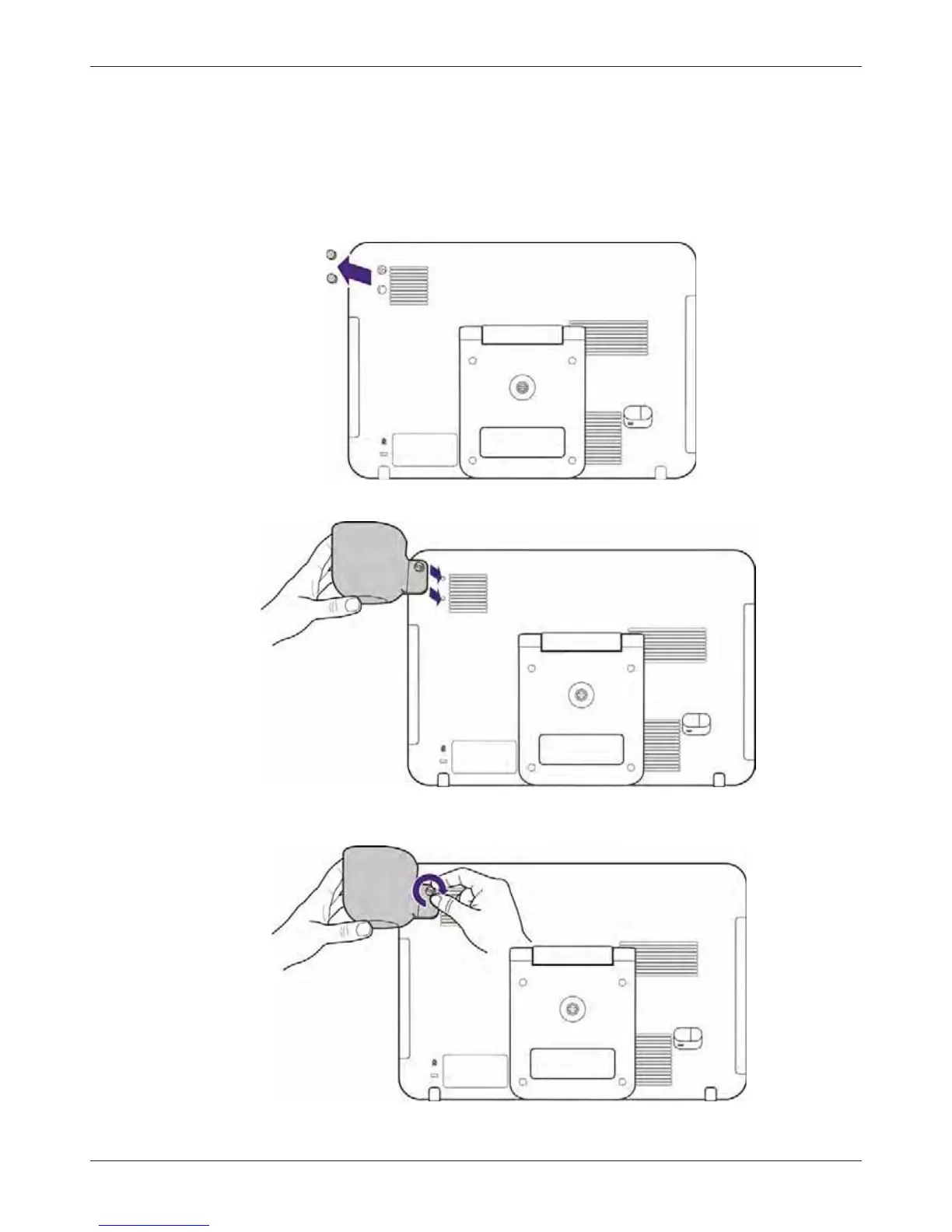
4.4 Installing the Transducer Holder
1. Use your fingertip to remove the protective rubber covers from the rear side of the system.
2. Align the hole on the transducer holder with the hole patterns of the system.
3. Rotate the screw clockwise through the upper hole of the transducer holder to tighten the
transducer holder to the system.



 To Next Page