Performing an Exam
T3300 Diagnostic Ultrasound System | 76 | B00601-010 4/10/17
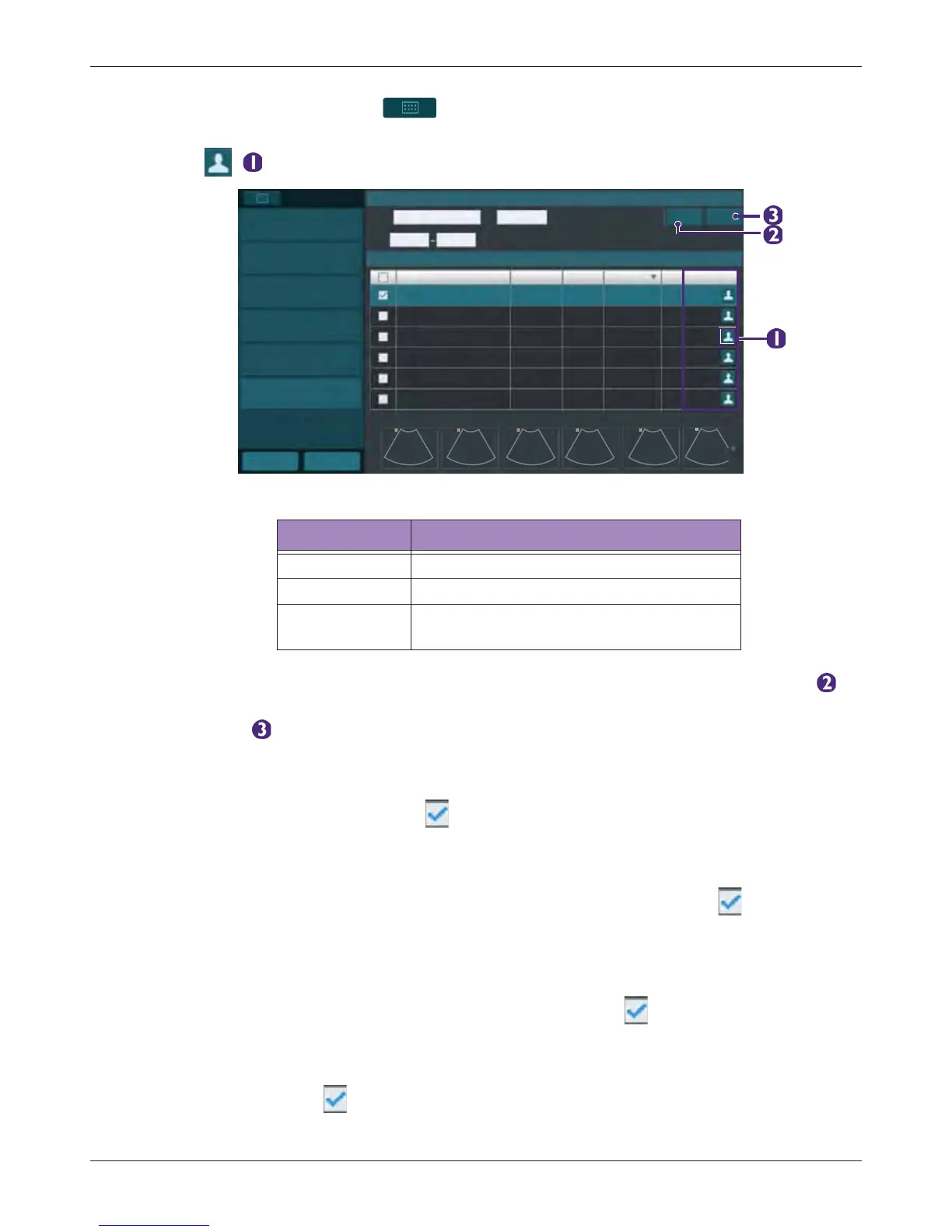
On the imaging screen, touch > Exam History. Refer to the Status column to check the
status of each exam (See "Exam status" on page 76). To review images/video clips of an exam,
touch ( ).
Alternatively, you can enter the query in any of the Name/ID/Date fields, and touch Query () to
start the query. Patients matching the query will be listed on the screen. To clear all search criteria,
touch Clear ().
6.14.1 Resuming an Exam
To resume an exam, check the exam and touch Continue to enter real-time scanning.
6.14.2 Starting a New Exam
To start a new exam from a patient with an existing exam, check the exam and touch New
Exam.
6.14.3 Finishing Exams
To update the exam status as “Complete”, multi-check the exams and touch Complete.
6.14.4 Deleting Exams
Multi-check the exams and touch Delete Exam to delete exams.
Table 1 Exam status
Exam status Meaning
Complete Ended exam
Processing Ongoing exam
Pause
Proceed to the next exam while leaving the
currently ongoing exam not ended
Exam History
New Exam
Continue
Exam History
Name
Home Previous
Complete
Delete Exam
Export Exam
Import
ID
Date
Query Clear
Name ID Type Study Date Image Status
Processing
Pause
Complete
Exam Image & Clip
Search Exam



 To Next Page