Preparing the System
T3300 Diagnostic Ultrasound System | 38 | B00601-010 4/10/17
4.8 Wall-mounting Your Tablet
The hole pattern on the rear side of the tablet is compliant with VESA (75mm x 75mm/100mm x
100mm) standard. Therefore, you can install your system on any VESA wall mounts or desktop
mounts.
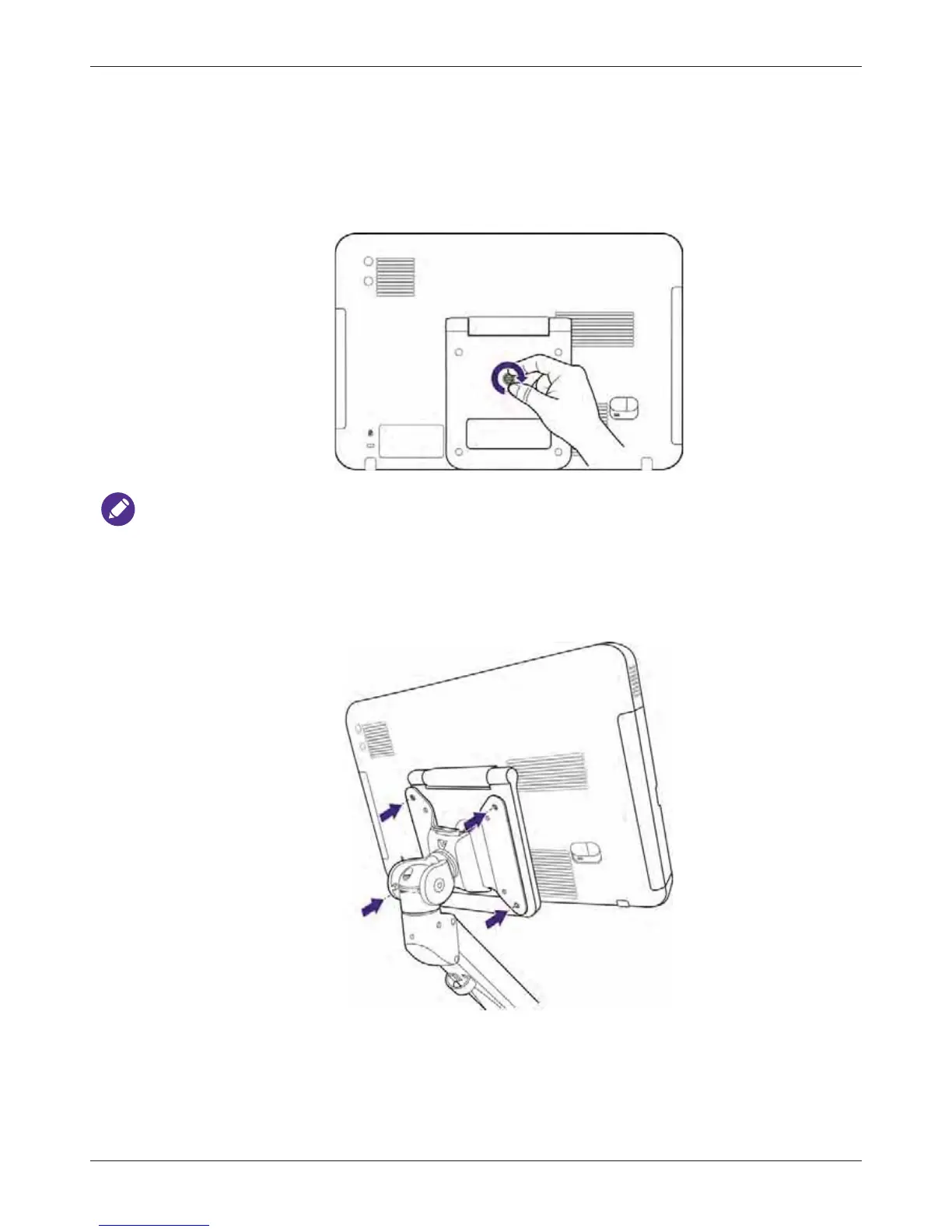
1. Rotate the fixed screw clockwise on the rear side of the stand to fix the stand firmly onto the
tablet.
To facilitate your operation without scratching the touch screen, lay the system face-down on a
cushioned surface before fixing the stand.
2. Position the system precisely to the front of the mount plate where the hole patterns on both the
back of the system and the plate meet.



 To Next Page