Preparing the System
T3300 Diagnostic Ultrasound System | 32 | B00601-010 4/10/17
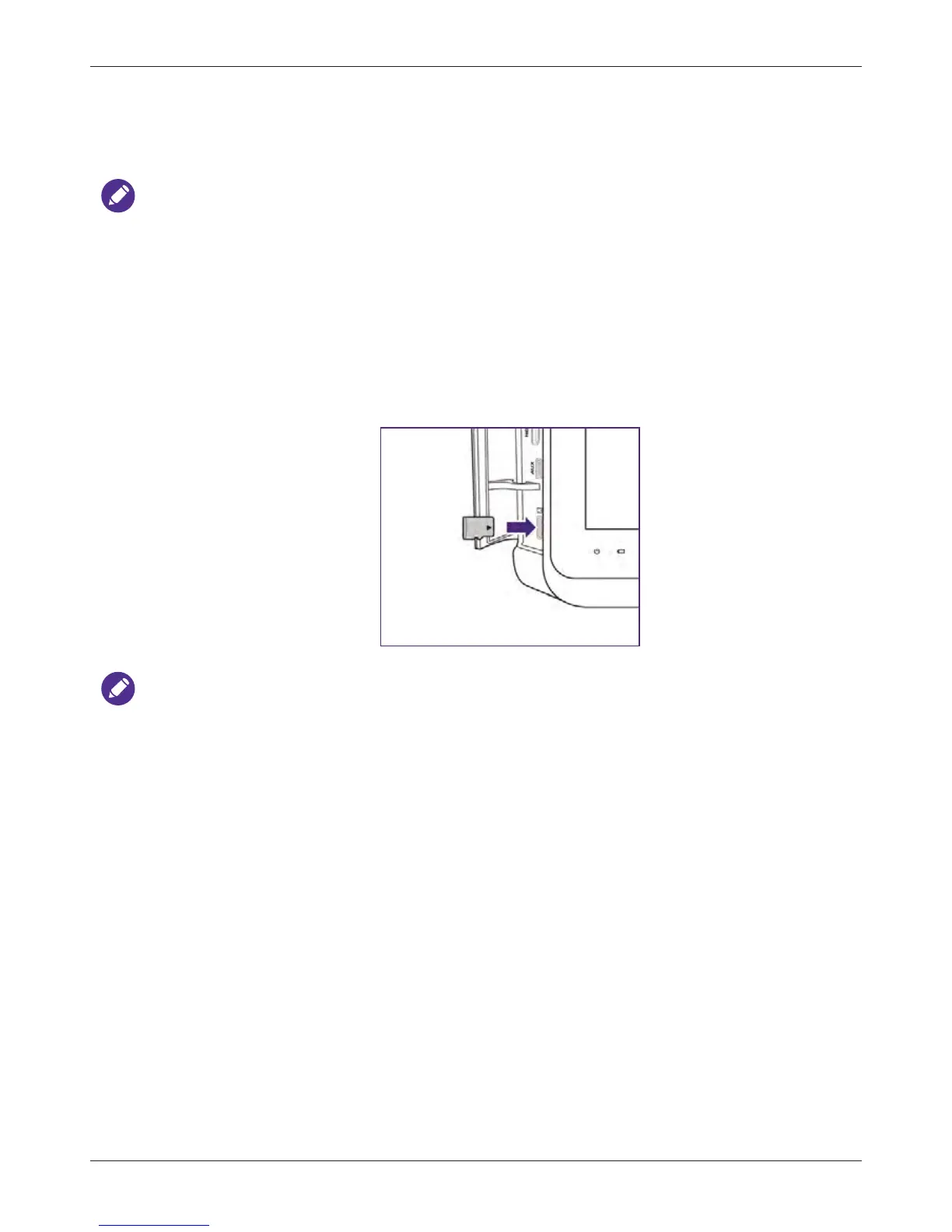
4.1 Inserting a microSD Card
Use the microSD card to import/export data to/from your system, such as patient information or user
settings.
NOTES
• Supported microSD card format: SDXC (up to 128GB); SDHC Class 10 (up to 32GB)
• The microSD card is not supplied with the system.
• You can also use external USB 2.0 or 3.0 flash drives to import/export data through USB ports.
Both the microSD card and the USB flash drives must be formatted in FAT32 format.
1. Flip the port cover open.
2. Align the microSD card with the mark next to the microSD card slot.
3. Fully insert the microSD card into the card slot until it clicks into place.
NOTES
• You can use the system’s service tools to back up system settings and patient data when the
system is connected to an external storage device. For more information, see "Backing Up
System Settings and Patient Data" on page 92.
• The system supports access to only one external storage device at a time. If you connect more
than one external storage device, they function in the following priority order: USB 3.0 > USB
2.0 > microSD card.



 To Next Page