140 Biodex Medical Systems, Inc. © 2017
Calculation of Sway Index from the CSV file data
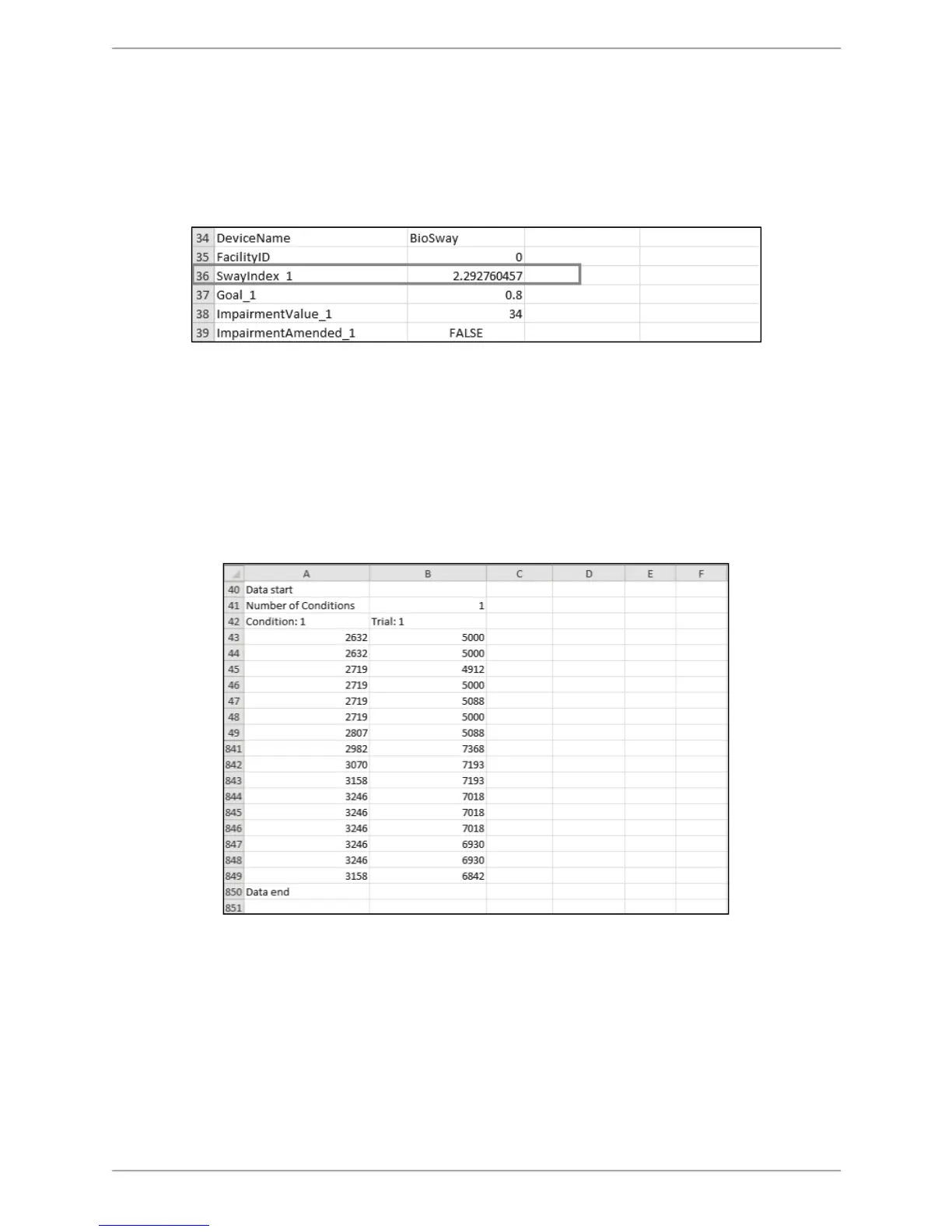
The sample CTSIB test result below was a 20-second trial of a single condition ‘Eyes Open Firm
Surface’ only.
From the file, it is easy to see that the displayed Sway Index is 2.292.
Figure C.4. CSV File Format Explanation – Data Points.
The following section describes the Sway Index and how to verify/obtain the same data using
the Excel spreadsheet.
Calculation Using the Formula on an Excel Sheet – CTSIB Test – Single Trial:
Figure C.5 is the Data segment of the sample CSV file. In order to calculate the Sway Index, it is
necessary to include a few formulas. On the Excel spreadsheet, cell A and cell B represent
original data. In Excel, columns are often referred as cells.
Figure C.5. CSV File Format Calculation – Data Point Segment of the Original Exported CSV File
In Figure C.5, the data starts from the 43rd row and ends in the 849th row. Therefore, the total
number of records/rows of data is: [(849-43) + 1] = 807. This will vary with each test since the
40Hz sample rate is an approximation. 807 is used as the total number of data points in this
example, but that number is different in each test.
Please note that some of the rows in following figures have been hidden for better
representation. For an original calculation, it is not required to hide any of the rows.



 To Next Page