S10/S12/S10A/S12A Patient Monitor User’s Manual
18-7
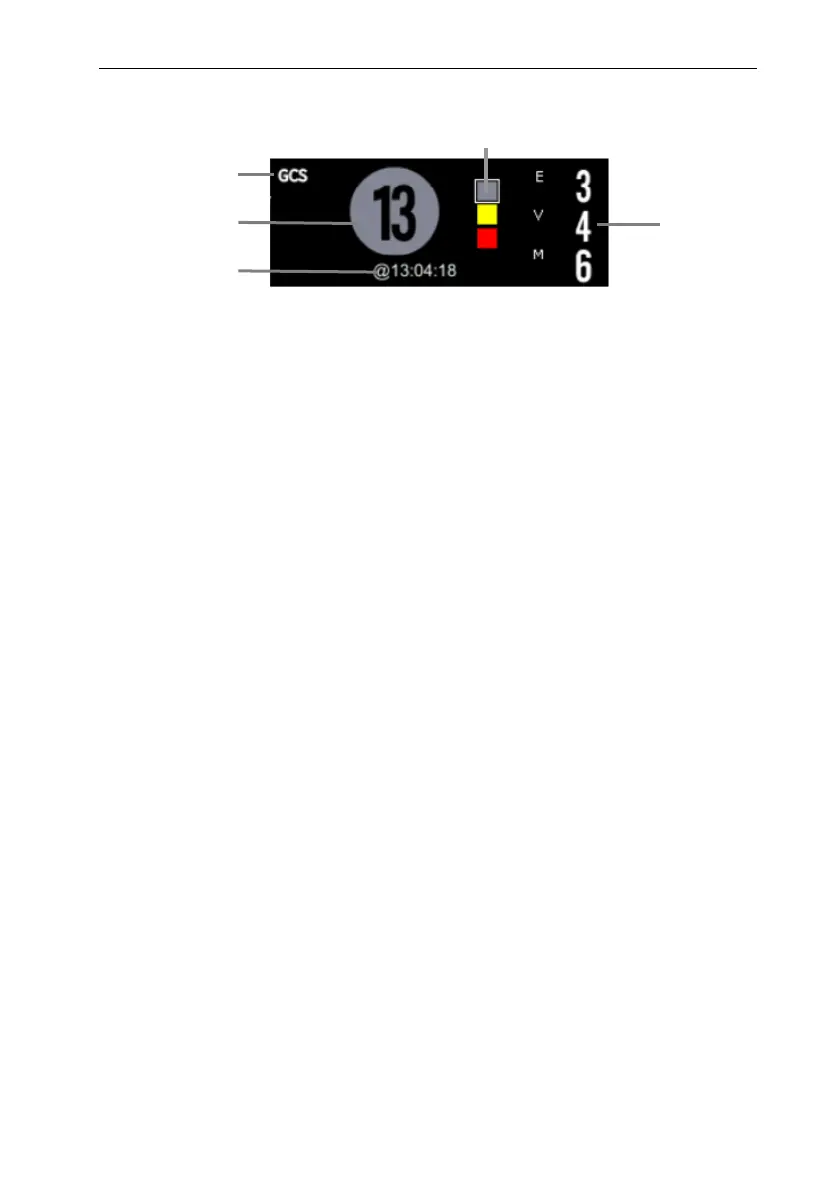
GCS parameter area varies depending on the setting.
(1) Scoring system name
(2) The total score (coma index), the color of the circle indicates the current
scoring level.
(3) This scoring time
(4) Indicator of scoring grade: increasing from top to bottom according to the
degree of early warning danger. The current level is shown in the box.
(5) Subscores:
Eye opening
Verbal response
Motor response
18.2.2. Entering GCS screen
Choose one of the following methods to enter the GCS interface:
Select 【GCS】 parameter area.
Select 【Main Menu】quick key → select 【GCS】 from 【CAA】column.
The GCS interface is shown below. The actual interface display will vary
depending on the settings.
4
5
1
2
3



 To Next Page