S10/S12/S10A/S12A Patient Monitor User’s Manual
18-8
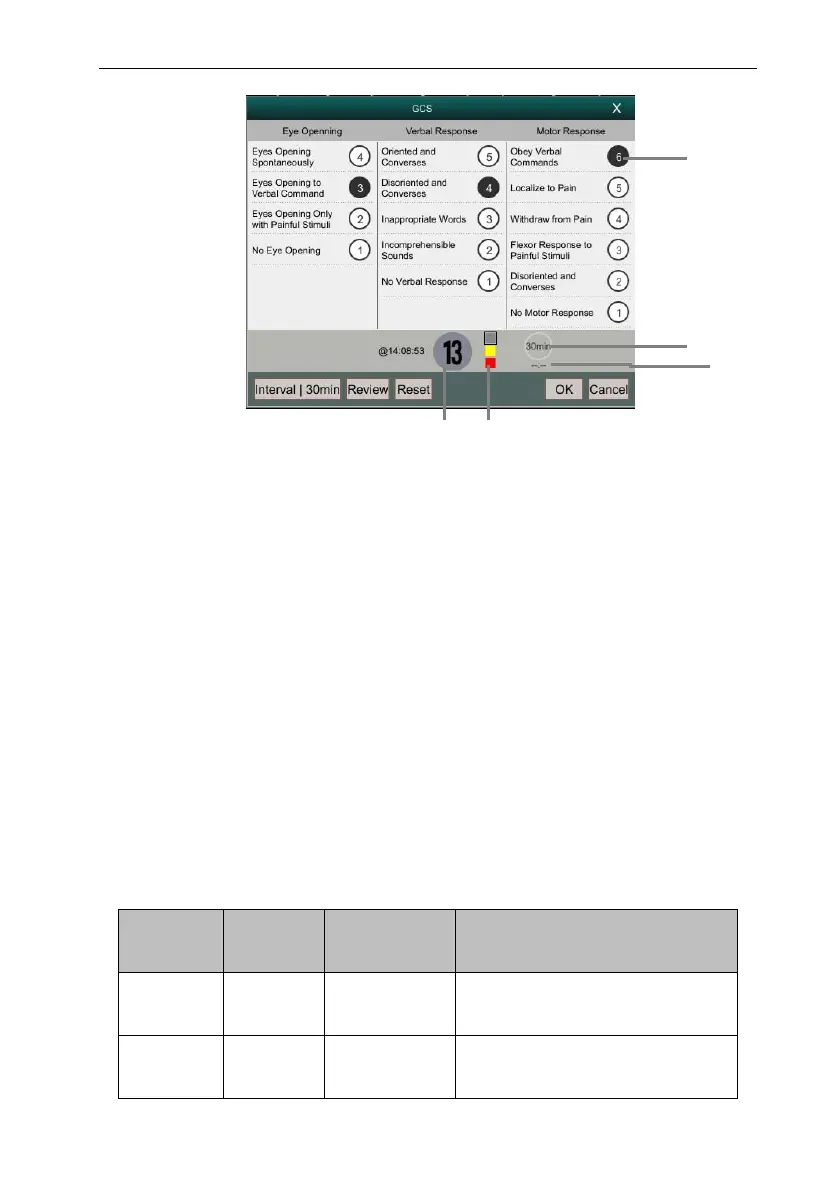
(1) The total score, the color of the circle indicates the current scoring level.
(2) Indicator of scoring grade: increasing from top to bottom according to the
degree of early warning danger. The current level is shown in the box.
(3) Subscores
(4) Total score invalid time
(5) Score invalidation countdown
18.2.3. Performing GCS Scoring
Follow these steps to perform a GCS score:
1. In the 【GCS】 menu, select an option corresponding to the patient status
from the three areas of 【Eye opening】, 【Verbal Response】, and 【Motor
Response】.
2. Select 【OK】 to confirm the score.
The table below lists the default score ranges and colors for each scoring level:
Level Score
range
Background
color
Description
Mild 12-15 Gray The brain function is normal or
mildly damaged.
Moderate 5-11 Yellow The brain function is suffered
from moderate to severe damage.
1 2
3
4
5



 To Next Page