S10/S12/S10A/S12A Patient Monitor User’s Manual
1-10
1.5.2.1. Quick keys list
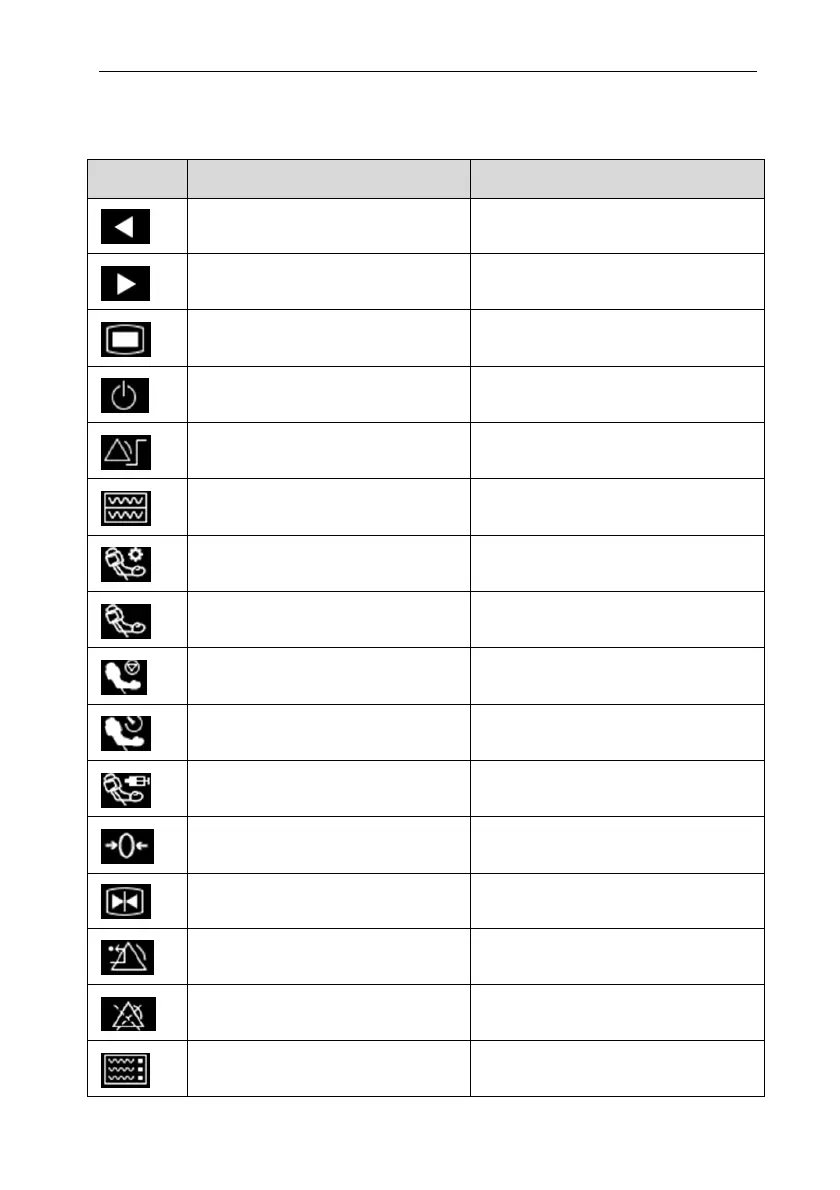
The symbols on the quick keys are shown as follows:
Symbol Quick key Note Function
/ Previous page
/ Next page
Main menu Enter the main menu
Standby Enter the Standby mode
Alarm Setup
Enter the【Alarm Setup】menu
Review Enter the【Review】interface
NIBP measurement
Enter the【NIBP Measure】menu
NIBP Start/ Stop Start/Stop NIBP measurement
NIBP Stop All Stop all NIBP measurement
NIBP STAT NIBP STAT measurement mode
Assistant venipuncture Start/Stop Auxiliary venipuncture
Zero Start IBP, CO2 Zero
Freeze waveforms
Enter the【Freeze】menu
Alarm Reset Alarm reset
Alarm Pause Pause current alarm
Screen setup Enter the 【Screen Setup】 menu



 To Next Page