411829-L, Operation April 2012 Page 4-4
4
8. To increase or decrease the length of a gradient segment or change the solvent mix:
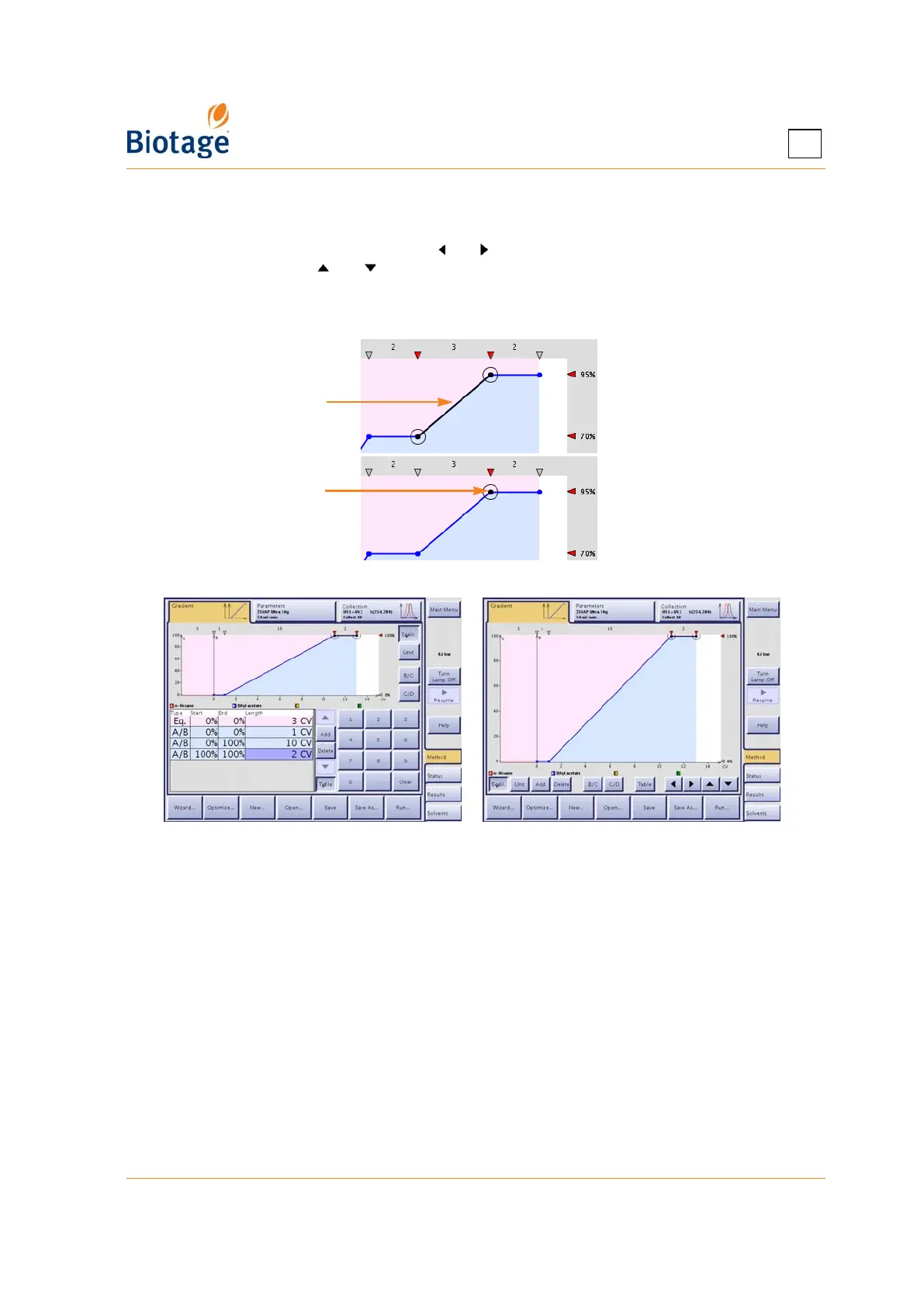
• Using the gradient graph: Drag the segment or node to the desired position (with 0.5 CV
and 5% resolution). To fine tune (with 0.1 CV and 1% resolution), select a segment or
node (see Figure 4-2) and use the and buttons to increase or decrease the length of a
segment and the and buttons to increase or decrease the solvent percentage. The
fine tuning buttons are only available when the gradient table is not shown.
• Using the gradient table: Select the value you want to change and enter the desired value
using the keypad.
Figure 4-2. Selected Gradient Segment and Node
Figure 4-3. Gradient Tab With and Without Gradient Table
(System With Four Solvent Inlets Shown)
Specify the Method Parameters at the Parameters Tab
1. Select the Parameters tab.
2. Select the User text box and select your user name. If you have not been assigned a user
name, please contact your system supervisor.
3. Select the Cartridge Type text box and select the cartridge type to be used. If you do not want
to use the default flow rate and/or equilibration flow rate for the cartridge type, select the
corresponding text box and enter the desired flow rate. See Table 4-3 on page 4-21 for
recommended flow rates. The maximum flow rate that can be used depends on:
• the maximum fill rate(s) defined for the used solvent(s) in the Data Administration mode,
and
• the maximum dispense rate of the system (200 ml/min for Isolera Prime, One and Four,
and 500 ml/min for Isolera LS) or, if using an external detector, the maximum dispense
rate defined for the external detector in the System mode.
Selected segment
Selected node



 To Next Page