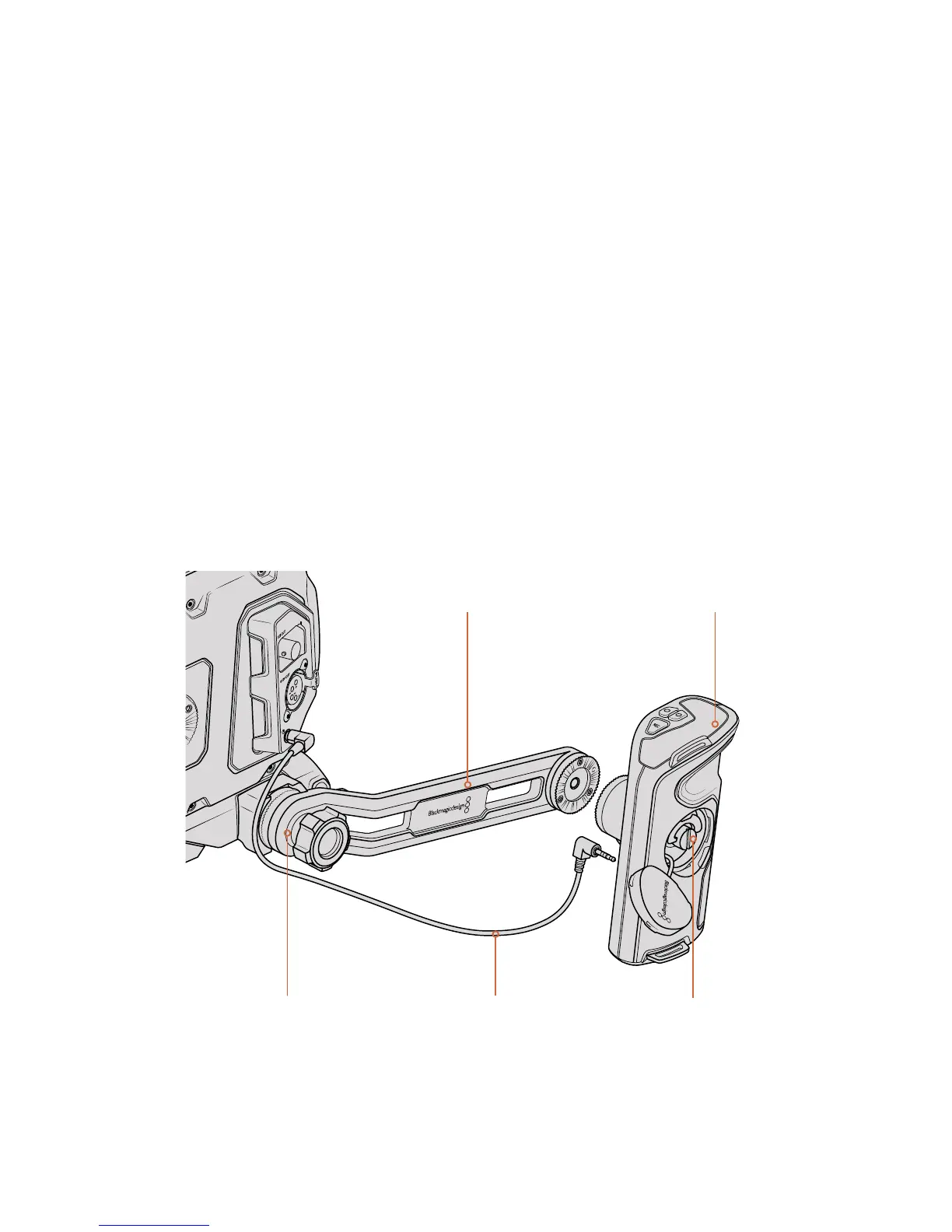
Attaching the extension arm
When using the URSA Mini shoulder mount kit, you’ll need to reposition URSA Mini’s side
handle for comfortable shoulder based shooting. Use the bundled extension arm and longer
LANC cable to move the side handle to a more ergonomic position.
To attach the side handle extension arm:
1 Place your URSA Mini on a flat, stable surface allowing room next to the camera to
lower the extension arm. Mounting URSA Mini to a tripod is helpful for this purpose.
2 Attach the indented end of the extension arm to the baseplate rosette, lower the arm to
suit, and fasten with the supplied rosette thumbscrew.
3 Attach the side handle to the extension arm’s front rosette. Fasten by tightening the
side handle screw with the large flat head screwdriver, or by twisting the D ring with
your thumb and forefinger.
4 Connect the side handle LANC output to the camera LANC input using the long LANC
cable supplied with your shoulder mount kit.
You can easily adjust the extension arm and side handle to suit your preference by loosening
the rosette screws, making your adjustment, then retightening.
With your URSA Mini Shoulder Mount Kit now attached, you have additional speed for fast
shooting on the run, plus the ability to quickly mount your camera on a tripod for tight,
stable shots!
Connect the side handle to the camera using
the long LANC cable supplied with the kit
Side handleSide handle extension arm
Extension arm attaches
to baseplate rosette
Tighten via side
handle screw
139URSA Mini Shoulder Mount Kit










 To Next Page