6
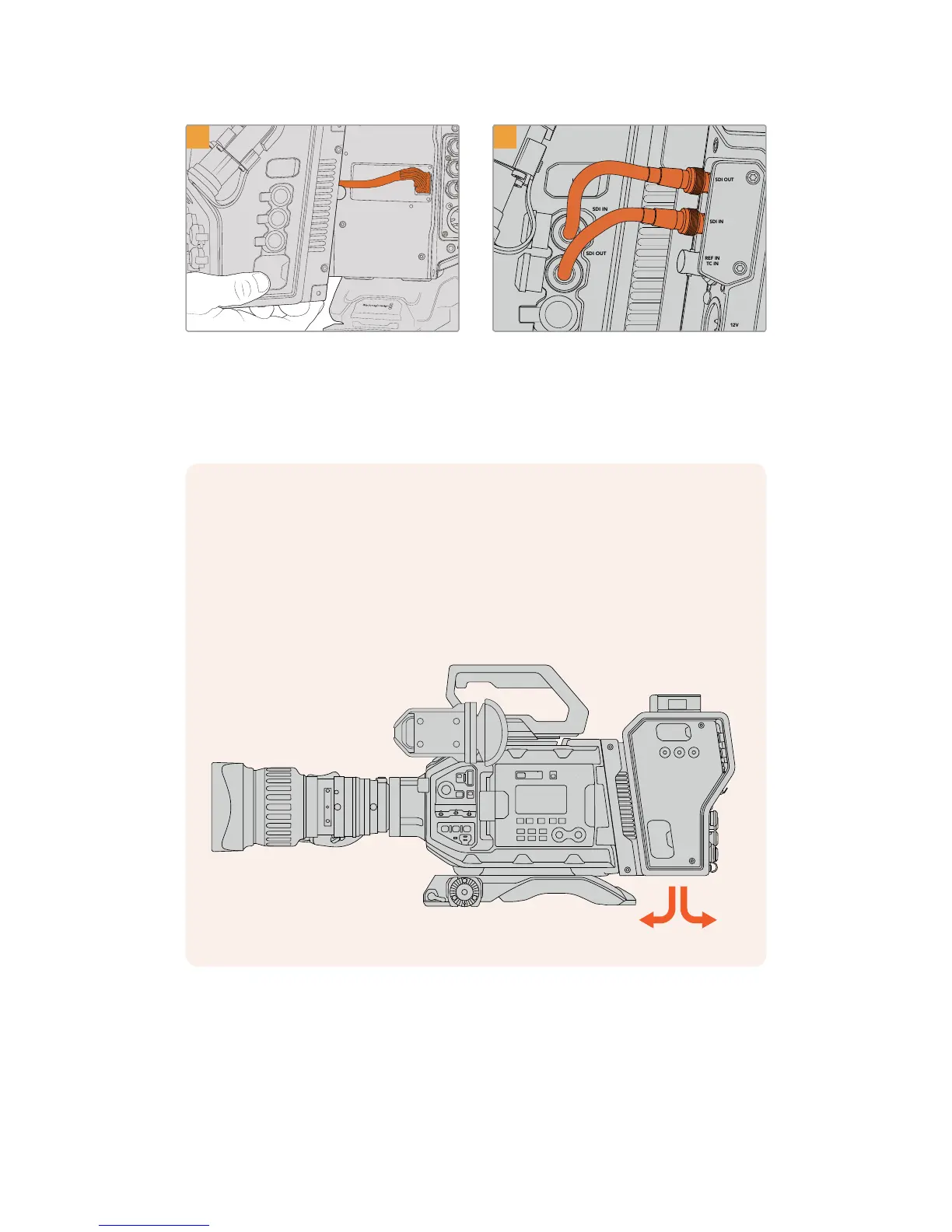
Slide the Blackmagic Camera Fiber Converter
onto the mounting bracket, and attach it using
2x2.5mm Hex screws on each side of
the bracket.
Use the included BNC cables to connect the
SDIoutput on the back of your camera to the
SDIinput on Blackmagic Camera Fiber Converter,
and the SDI output from the fiber converter to the
SDIinput on the rear of your camera.
NOTE When setting up your production and using URSA Mini or URSA Broadcast with
the fiber unit attached, it's important to maintain some clearance underneath the fiber
unit to allow adequate ventilation.
As your camera will often be used on a tripod, or shoulder mounted, clearance will
already be provided. However, if you are operating the unit sitting flat on a surface it is
a good idea to attach the URSA Mini shoulder mount pad, or third party baseplate or
bridge plate as this will maintain the cooling fan's air flow in the underside of the
FiberConverter.
173Getting Started with BlackmagicFiber Converters










 To Next Page