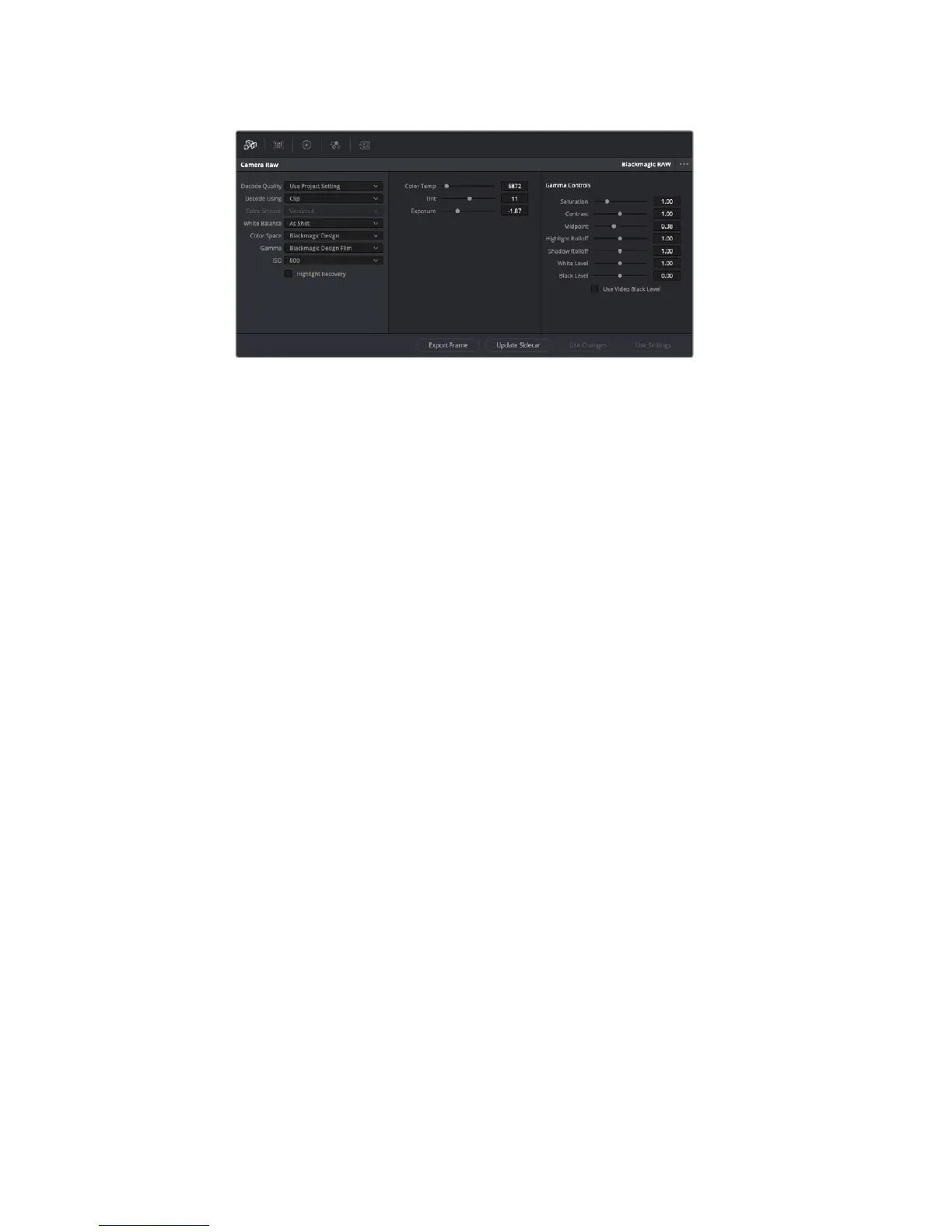
Highlight Recovery
Check the box to reconstruct highlight information in clipped channels using
information from non-clipped channels.
Saturation
Saturation controls default at 1 and range from -1 for the minimum saturation to +4
formaximum saturation.
Contrast
Defaulting at 1.0, drag the slider to the left for the least amount of contrast at 0 or to
theright to increase the contrast up to 2.
Midpoint
In Blackmagic Design Film, your middle gray value defaults to 0.38, or 38.4%. Dragthe
slider to the left to lower your midpoint or to the right to raise it to 100.
When contrast is adjusted away from the default setting, you can modify your highlight
and shadow rolloff.
Highlight Rolloff
Adjust the highlights by dragging the slider to the left to lower the value to 0, or to
theright to increase the highlights to 2. The default value is 1.
Shadow Rolloff
Drag the slider to the left to lower your shadows to 0 or to the right to raise your
shadows to 2.
White Level
Adjust the white point of the gamma curve by dragging the slider from the highest
value of 2 to the lowest value of 0. The default value is 1.
Black Level
Raise the black point of the custom gamma curve by dragging the slider to the right
from the lowest value of -1 to a maximum of 1. The default value is 0.
Use Video Black Level
Check the box to set your black levels to video.
Any changes you have made to your Blackmagic RAW clips will be identified by the gamma
setting changing to Blackmagic Design Custom.
214Using DaVinci Resolve










 To Next Page