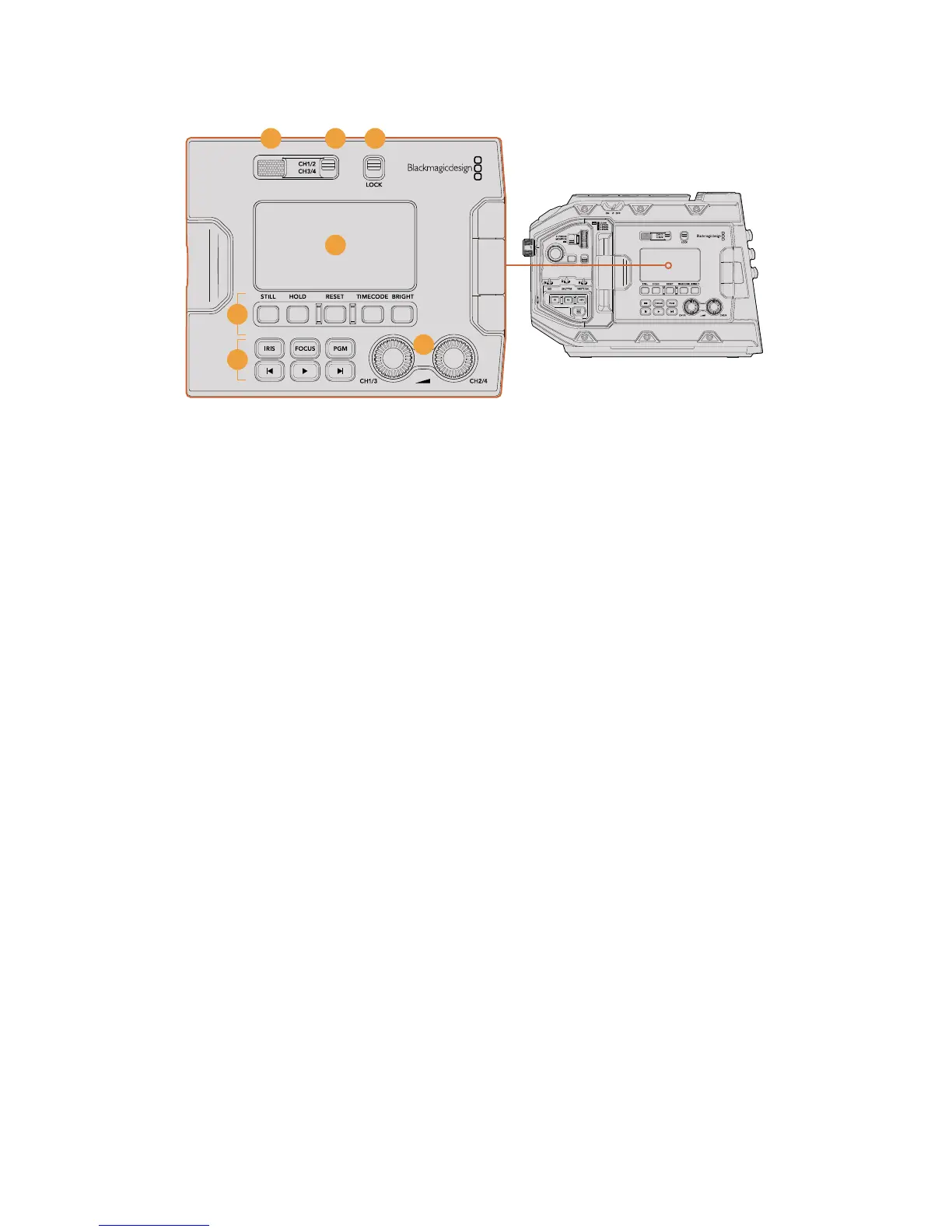
URSA Mini Pro 4.6K ergonomic control panel
9 Monitor Speaker
The small speaker built into the outside control panel lets you monitor audio when
inplayback. It is located where your ear would normally be when shooting with the
camera on your shoulder.
To adjust the volume of the speaker, simply rotate the settings wheel as described
inthe 'URSA Mini Pro 4.6K Control Buttons' section.
10 Monitor Channel Select
Your URSA Mini Pro 4.6K currently supports two channels of audio. In a future software
update, up to four channels will be available, divided into pairs. You will be able to
choose the pair monitored by your LCD status display and monitor speaker by using
this switch.
11 Lock
Use this switch to lock all of the settings on your URSA Mini Pro 4.6K's ergonomic
control panel. The only controls that will remain active while the lock switch is 'on'
arethe monitor channel select switches.
12 Status LCD
This display shows you your URSA Mini Pro 4.6K’s essential settings at a glance,
without needing to open the internal touchscreen. This screen is designed to be
visibleeven in bright daylight. The following information is available:
15
14
10 11
13
16
12
62URSA Mini Pro 4.6K Control Buttons










 To Next Page