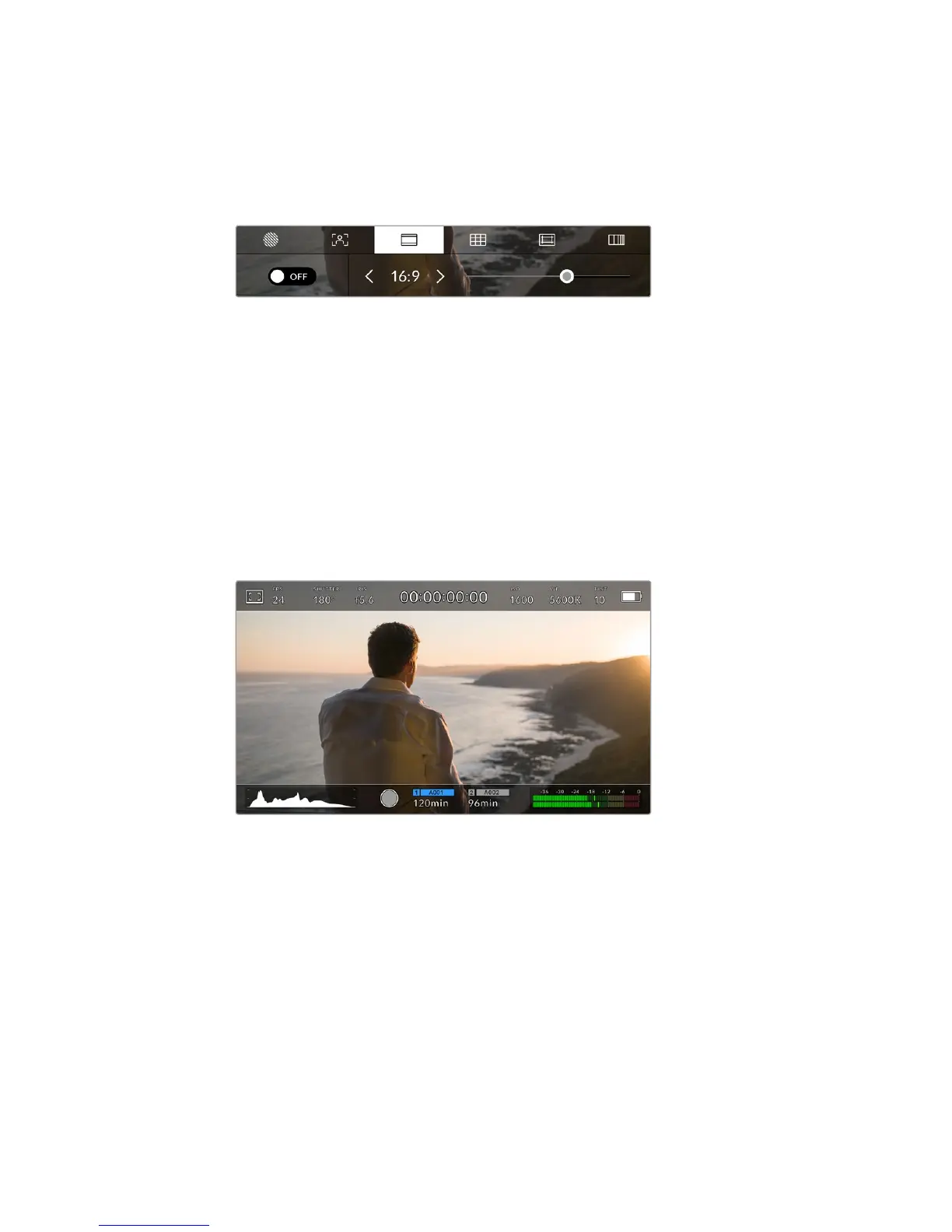
Frame Guides
The ‘frame guide’ setting toggles the appearance of frame guides on the LCD touchscreen.
Youcan also choose from eight frame guide options for all outputs on your URSA Mini.
Frame guides include aspect ratios for various cinema, television and online standards.
Tap the 'frame guides' icon while accessing 'LCD monitor options'
to access your URSA Mini's frame guide settings
To toggle the appearance of frame guides on your URSA Mini's LCD touchscreen, tap the switch
icon in the bottom left of the screen.
Choose the frame guide you want to use by dragging the slider left and right, or tapping the
arrow buttons on either side of the currently selected aspect ratio.
The available guides are:
2.35:1, 2.39:1 and 2.40:1
Displays the broad widescreen aspect ratio compatible with anamorphic or flat
widescreen cinema presentation. The three widescreen settings differ slightly based
on the changing cinema standards over time. 2.39:1 is one of the most prominent
standards in use today.
URSA Mini LCD touchscreen with 2.40:1 frame guides enabled
2:1
Available on the URSA Mini Pro 4.6K, this displays a ratio slightly wider than 16:9 but
notas wide as 2.35:1.
1.85:1
Displays another common flat widescreen cinema aspect ratio. This ratio is slightly
wider than HDTV 1.78:1 but not as wide as 2.39:1.
16:9
Displays a 1.78:1 aspect ratio compatible with 16:9 HD television and computer screens.
This ratio is most commonly used for HD broadcasting and online videos. The same
aspect ratio has also been adopted for Ultra HD broadcasting.
72Touchscreen Controls










 To Next Page