14:9
Displays a 14:9 aspect ratio used by some television broadcasters as a compromise
between 16:9 and 4:3 television sets. Ideally, both 16:9 and 4:3 footage remains legible
when center cropped to fit 14:9. You can use this as a compositional guide if you know
your project may be broadcast by a television station that uses 14:9 cropping.
4:3
Displays the 4:3 aspect ratio compatible with SD television screens, or to help with
framing when using 2x anamorphic adapters.
Grids
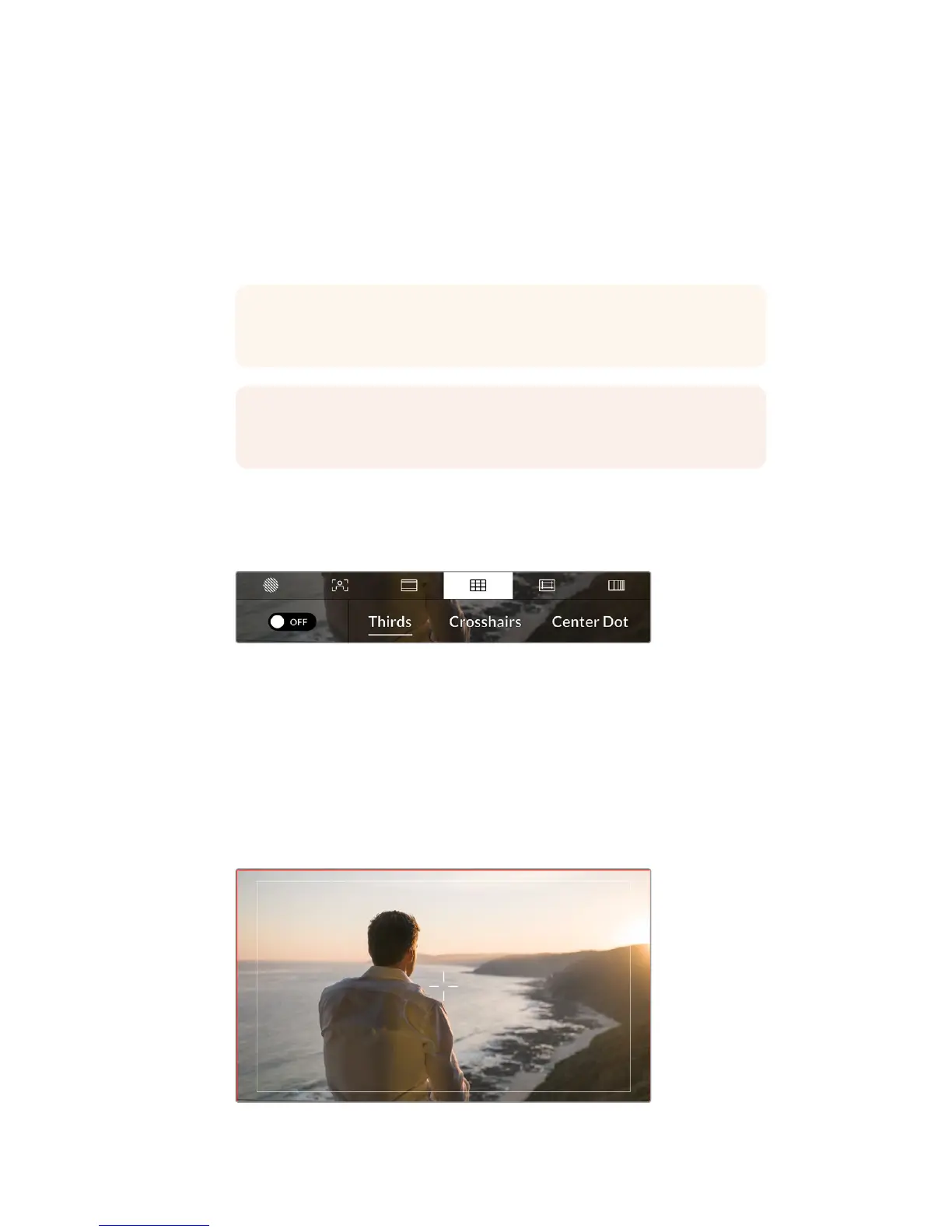
The ‘grids’ setting toggles the appearance of a rule of thirds grid, crosshair or center dot on the
LCD touchscreen, as well as setting the overlay that will be visible on all URSA Mini outputs.
Tap the 'grids' icon while accessing 'LCD monitor options'
to access your URSA Mini's grid settings
Grids and crosshairs are overlays that can help with image composition. When ‘grids’ are
enabled, your URSA Mini can show a rule of thirds grid, crosshairs, or center dot.
To toggle the appearance of grids on your URSA Mini touchscreen, tap the switch icon in the
bottom left of the screen while in the 'frame guides' tab.
When your URSA Mini is set up and connected to an ATEM switcher as the current program
source, and 'grids' are set to 'on', the red 'program' tally outline will automatically illuminate
on your LCD.
When connected to an ATEM switcher sending a tally signal, a red border will
appear around your camera's image preview when grids are set to 'on'
TIP You can change the opacity of frame guide overlays. For more information
see the ‘monitor settings’ section of this manual.
NOTE For information on enabling frame guides on your camera’s front and
main SDIoutputs, see the ‘monitor settings’ section in this manual.
73Touchscreen Controls










 To Next Page