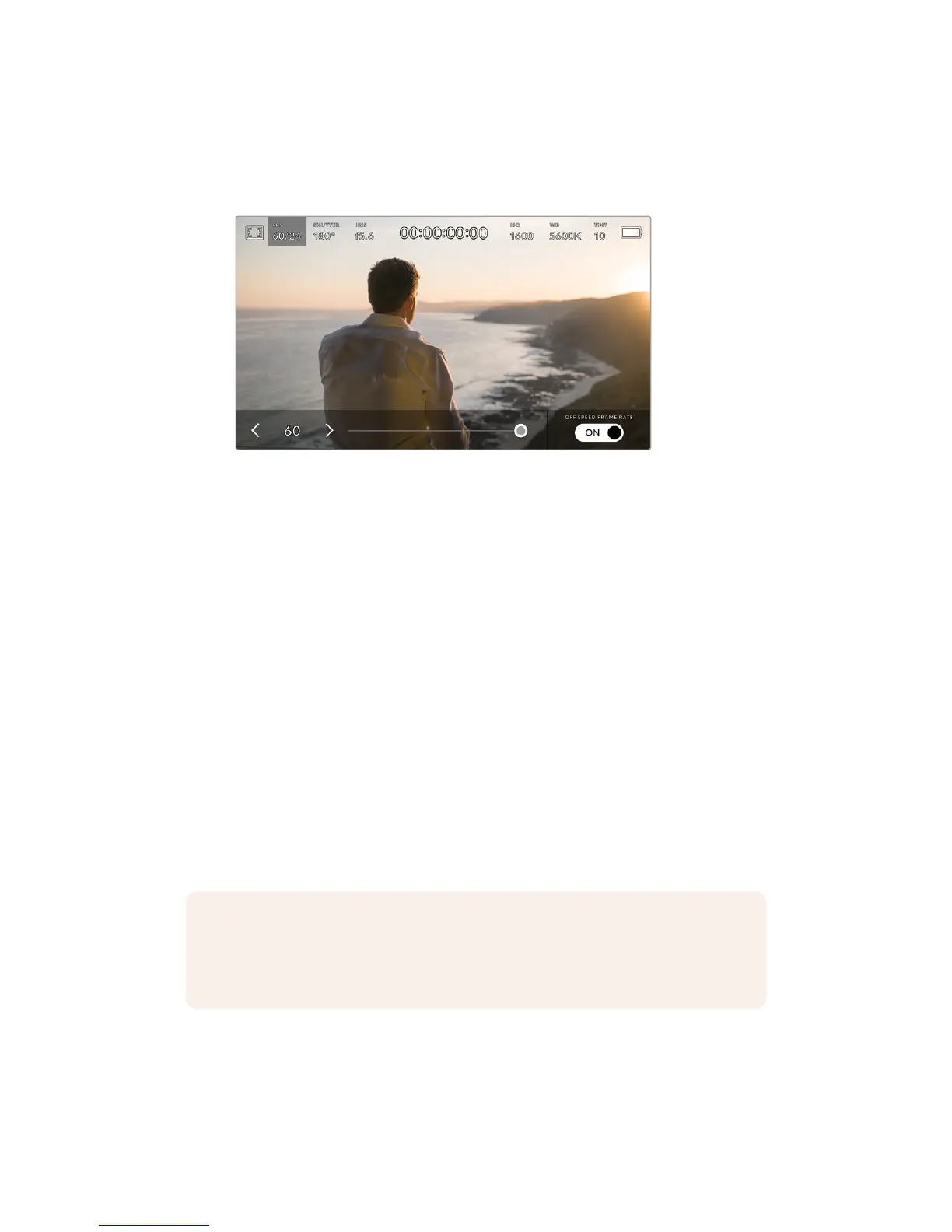
Sensor frame rate
The sensor frame rate sets how many actual frames from the sensor are recorded every
second. This frame rate will affect how fast or slow your video will play back at your set
project frame rate.
With 'off speed frame rate' enabled, tap the arrows on either side of
the sensor frame rate or move the slider to make adjustments
By default, your URSA Mini’s project and sensor frame rates are matched for a natural
playback speed. However, by tapping the ‘off speed frame rate’ switch icon in the
bottom right hand side of your URSA Mini’s ‘FPS’ menu, you can independently set your
sensor frame rate.
To change your sensor frame rate, tap the arrows next to the sensor frame rate
indicator in the lower left of your touchscreen. You can also drag the slider left or right
to increase or decrease the frame rate. Once you release the slider, the sensor frame
rate will be selected.
You can create dynamic and interesting speed effects in your clips by varying the
sensor frame rate. Setting the sensor frame rate higher than your project frame rate
willcreate slow motion during playback. Alternatively, the lower your sensor frame rate,
the faster your clips will appear. The principle is similar to overcranking and
undercranking a film camera. Overcranking speeds up the sensor frame rate so you
can stretch out moments in time during playback to enhance emotion. Undercranking
slows down the sensor frame rate so you can increase the action in fast moving scenes.
The creative possibilities are endless and entirely up to you!
For information on the maximum frame rates available for each recording format and codec,
refer to the table in the ‘recording’ section of this manual.
NOTE When 'off speed frame rate' is selected your URSA Mini's audio and video are
no longer synced. This is true even if you set the same project and sensor frame rate.
For this reason, 'off speed frame rate' should never be selected if you want to
guarantee audio syncing.
77Touchscreen Controls










 To Next Page