ISO
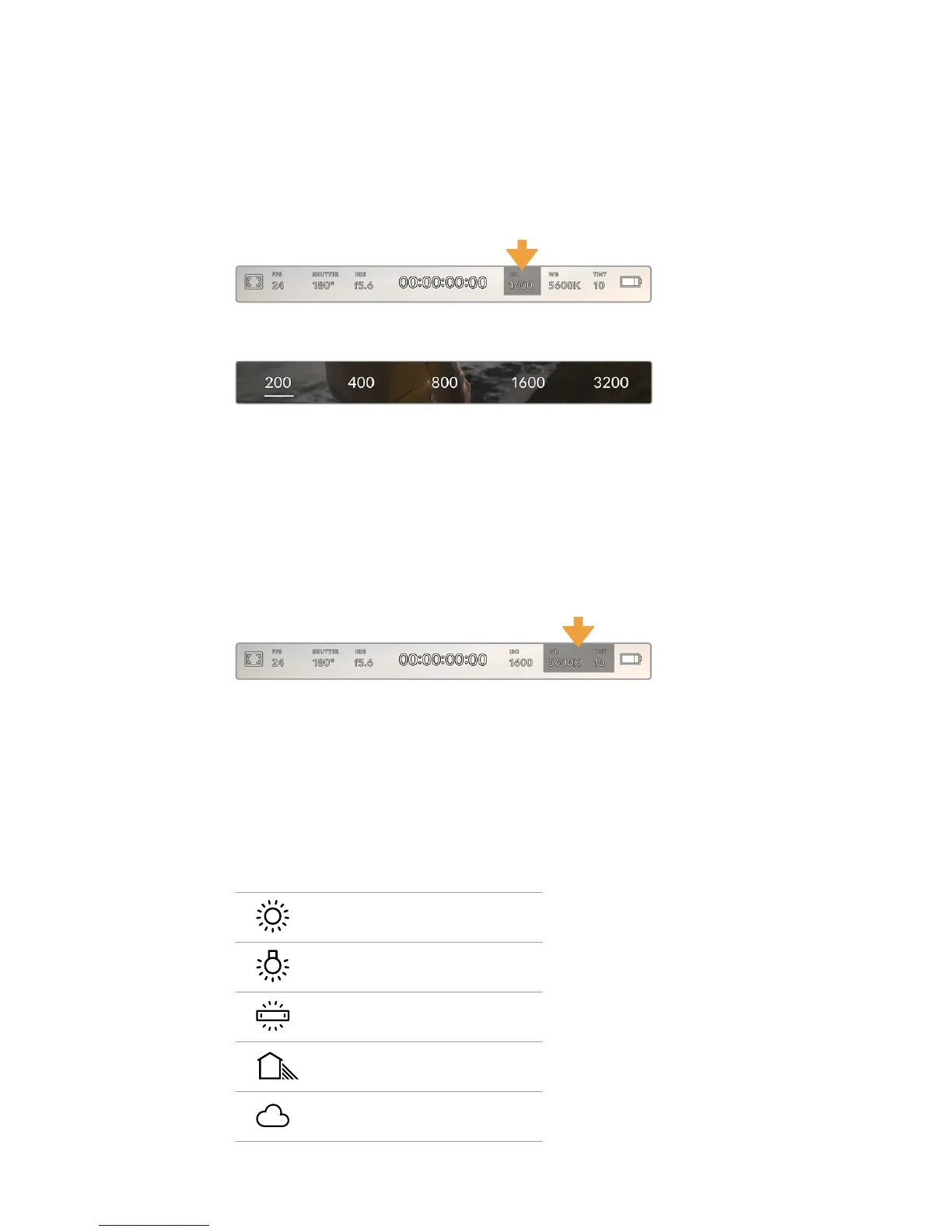
The ‘ISO’ indicator displays your URSA Mini’s current ISO setting, or light sensitivity. Tapping this
indicator lets you adjust your ISO to suit varying lighting conditions.
The optimum ISO for URSA Mini 4K is 400. The optimum ISO for URSA Mini 4.6K and URSA Mini
Pro 4.6K is 800.
Your URSA Mini's ISO indicator. Tap this to access ISO settings
While in the 'ISO' menu, your URSA Mini's ISO settings appear along the bottom of
the LCD touchscreen. ISO 3200 is available on the URSA Mini Pro 4.6K only
Depending on your situation, you may choose a lower or higher ISO setting. For example,
inlowlight conditions ISO 1600 can be suitable when shooting on URSA Mini 4.6K but may
introduce some visible noise. In bright conditions ISO 200 can provide richer colors.
White Balance
The ‘WB’ and ‘TINT’ indicators display your camera’s current white balance and tint.
Tappingthese indicators lets you adjust your camera’s white balance and tint to suit varying
lighting conditions.
Your URSA Mini's white balance and tint indicators.
Tapthese to access white balance and tint settings
Every light source emits a color. For example, a candle flame emits a warm color, and an
overcast sky emits a cool color. White balance settings are used to color balance your image so
white stays white by adjusting the mix of orange and blue in your image. For example, when
shooting under tungsten lamps which emit a warm, orange light, selecting 3200K adds some
blue to the image. This balances the color so white is accurately recorded.
Your URSA Mini comes with white balance presets for a variety of color temperature conditions.
These are:
Bright sunlight (5600K)
Incandescent bulbs (3200K)
Fluorescent bulbs (4000K)
Mixed light (4500K)
Cloud (6500K)
82Touchscreen Controls










 To Next Page