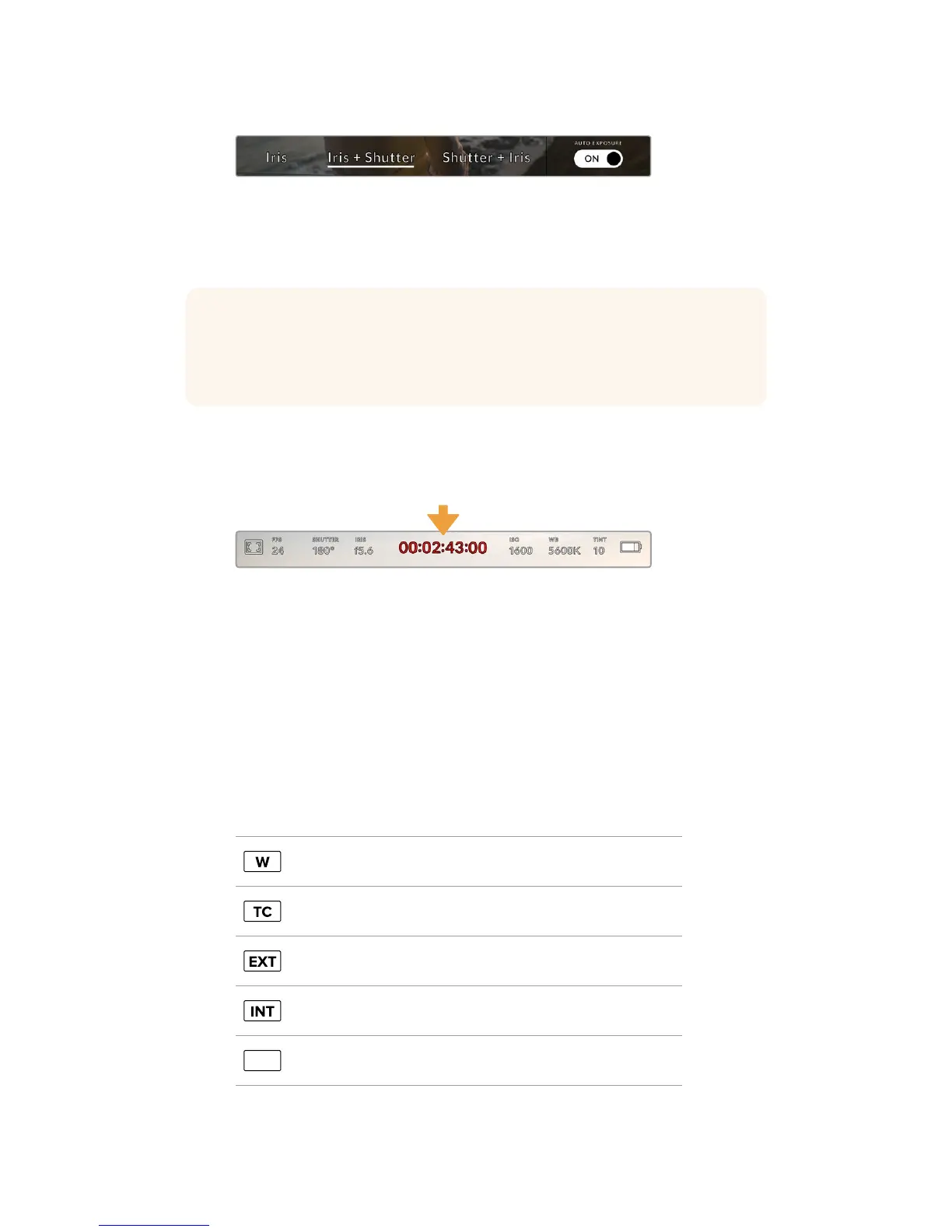
While in the iris menu, tap 'auto exposure' to access
iris based auto exposure modes
When an auto exposure mode that effects the iris is enabled, a small 'A' will appear next to the
iris indicator at the top of your URSA Mini touchscreen.
Duration Display
At the top of your URSA Mini LCD touchscreen, you’ll see your camera’s duration display.
Your URSA Mini's duration display. This will turn red while recording
The duration display provides a timecode counter for checking the duration of your clips and
monitoring timecode during recording and playback. The counter displays a time sequence
showing Hours:Minutes:Seconds:Frames and will progress through the sequence as you record
or play back clips. The timecode will turn red during recording.
The displayed duration of each clip starts from 00:00:00:00 for each clip. The clip duration of
the current, or last recorded, clip is displayed on the touchscreen. Time of day timecode is
embedded into clips for easier post production.
To see the timecode, simply tap the duration display. Tap the duration display again to return
toclip duration.
Additional status indicators may appear around the duration display:
Appears to the left of the duration display when your URSAMini is
using a windowed sensor mode.
Appears to the right of the duration display when showing timecode.
Appears to the right of the duration display if an external timecode is
connected and valid.
Appears to the right of the duration display if the camera is running off
an internal timecode after being ‘jam synced’ anddisconnected.
REF
Appears when a valid reference source is connected andlocked,
based on the reference input settings.
TIP Automatic exposure works smoothly with compatible B4 or PL lenses which are
designed for video or film production. EF lenses may produce noticeable ‘steps’ in
exposure when changing aperture. For this reason, werecommend using only ‘shutter’
auto exposure mode if shooting on URSA Mini EF.
81Touchscreen Controls










 To Next Page