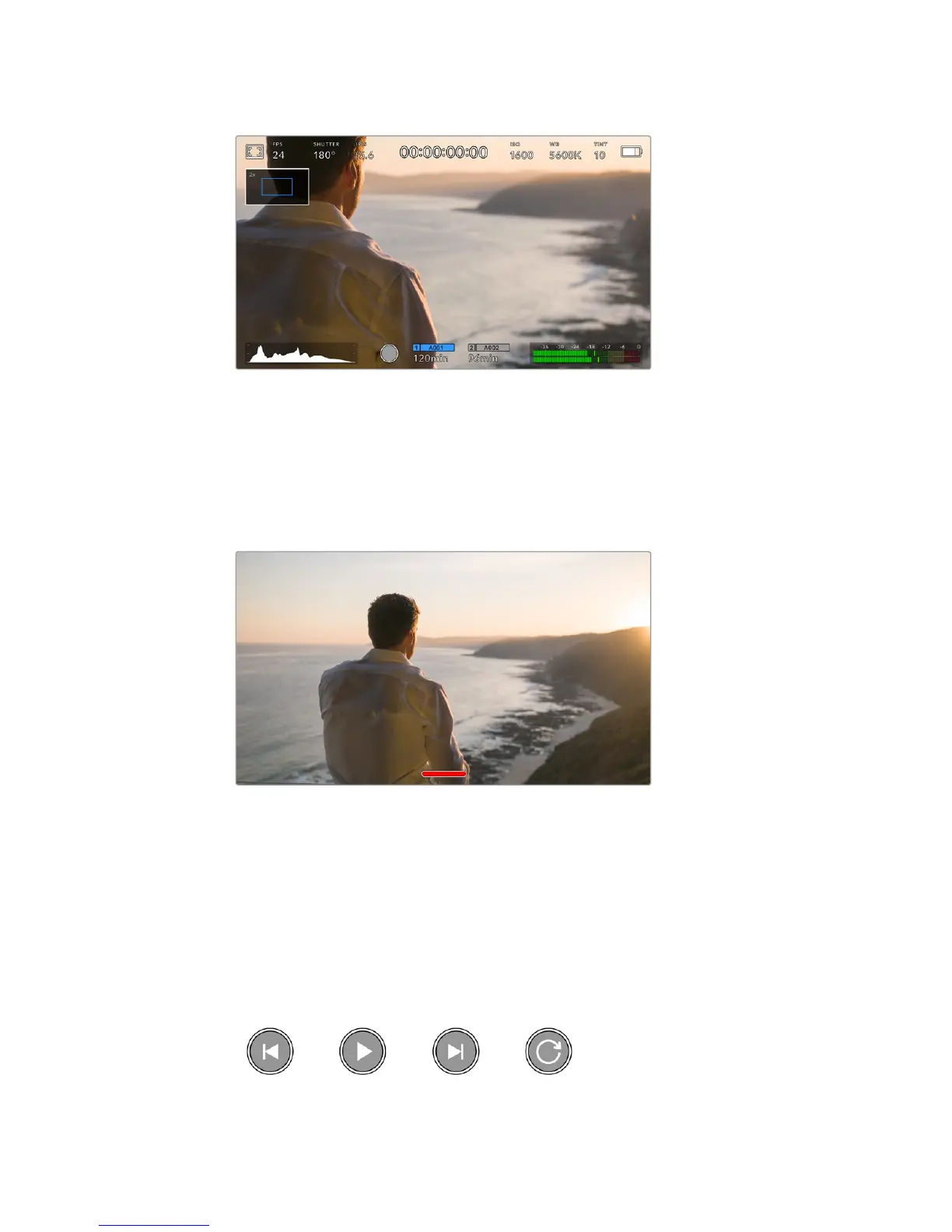
While zoomed in, an indicator in the top left of your LCD touchscreen will show
which part of the image you are viewing. You can move around the image by
dragging your finger along the screen as you would on a smartphone or tablet
Full Screen Mode
It can be useful when framing or focusing a shot to temporarily hide your touchscreen’s
statustext and meters. Simply swipe up or down on URSA Mini’s LCD touchscreen to hide
these. Therecord indicator, frame guides, grids, focus assist and zebra will remain visible.
Swipe up or down to hide all status indicators
on your URSA Mini LCD touchscreen
Playback Menu
Tap the ‘play’ control button on your URSA Mini to access the playback menu. You can control
previously recorded clips with your camera’s control buttons or the LCD touchscreen.
When using the LCD touchscreen, tap ‘play’ once to start playback and again to pause. Use the
forward and reverse buttons just as you would on a CD player. Tapping ‘forward’ once will move
you to the next clip, while tapping ‘reverse’ once will move you back to the beginning of the
current clip. Tapping ‘reverse’ twice will move to the beginning of the previous clip. Playback of
clips can also be looped by activating the loop icon.
The reverse, play, forward and loop icons
88Touchscreen Controls










 To Next Page