109
4.6 "Service" menu 4.6 "Service" menu
Creation of reports
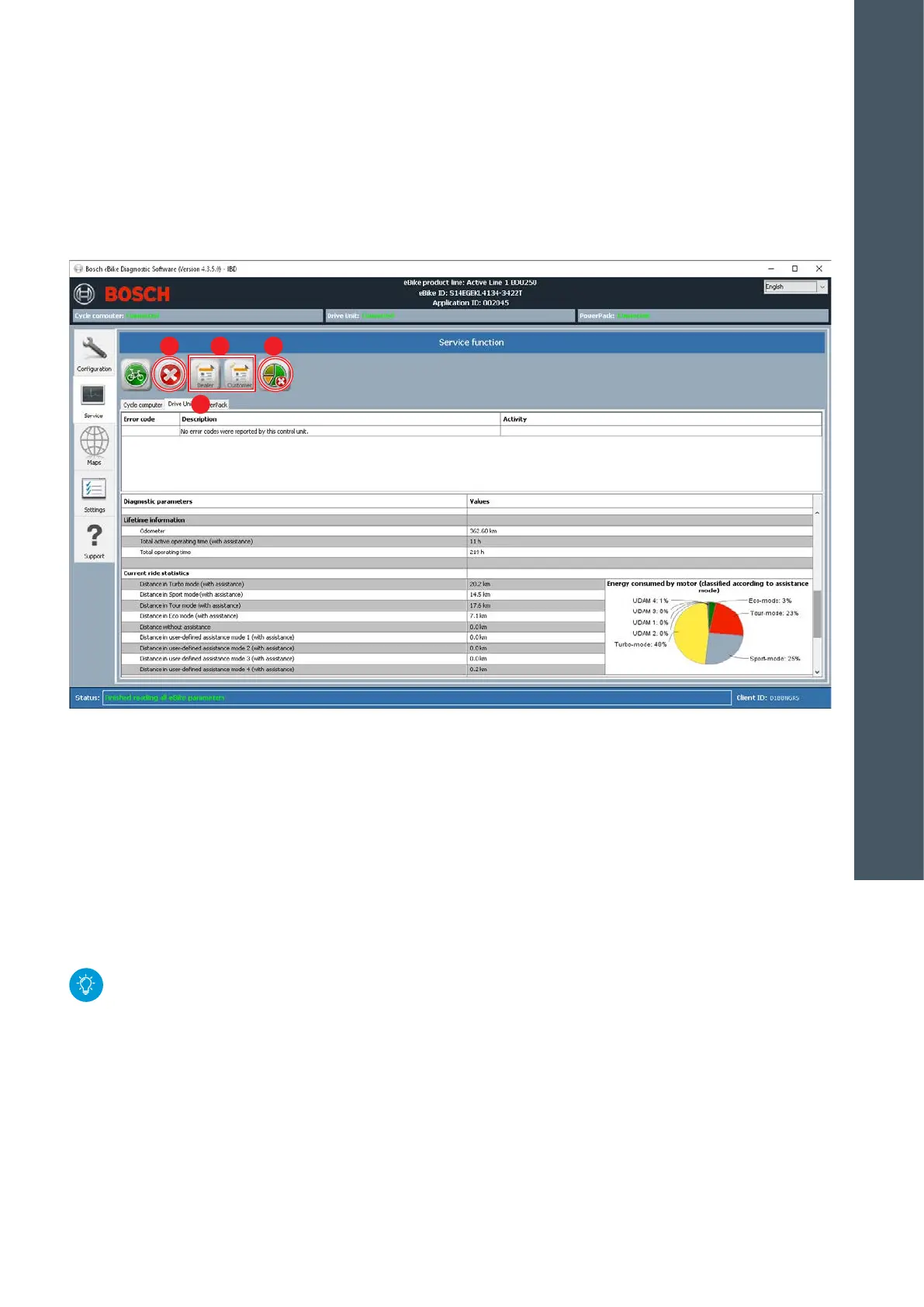
1. Click "Dealer" or "Customer" (D) button to generate
the desired report type. Create
eBike Diagnostic Report (for dealers) or
eBike Service Report (for customers).
2. Select storage location.
3. Either accept the suggested file name (eBike ID +
date) with/without any additions (e.g. customer
name) or modify.
4. Save the report file on the computer.
The dealer logo and address details for the eBike
Service Report can be stored in the "Settings"
menu (see p. 114). Both are automatically
entered when the report is saved.
Delete error messages
1. First either print out or save the diagnostics or
service report.
2. Separately delete error messages for each system
component: to do so, select each tab (A) succes-
sively and click on the "Delete" (E) button.
Deleting statistical data
1. Click on the "Reset statistical data" (F) button.
2. All saved statistical data (distance driven per riding
mode) will be irretrievably deleted.
E F
A
D
4
DIAGNOSTICS










 To Next Page