37
1.12 Intelligently Networked with Nyon 1.12 Intelligently Networked with Nyon
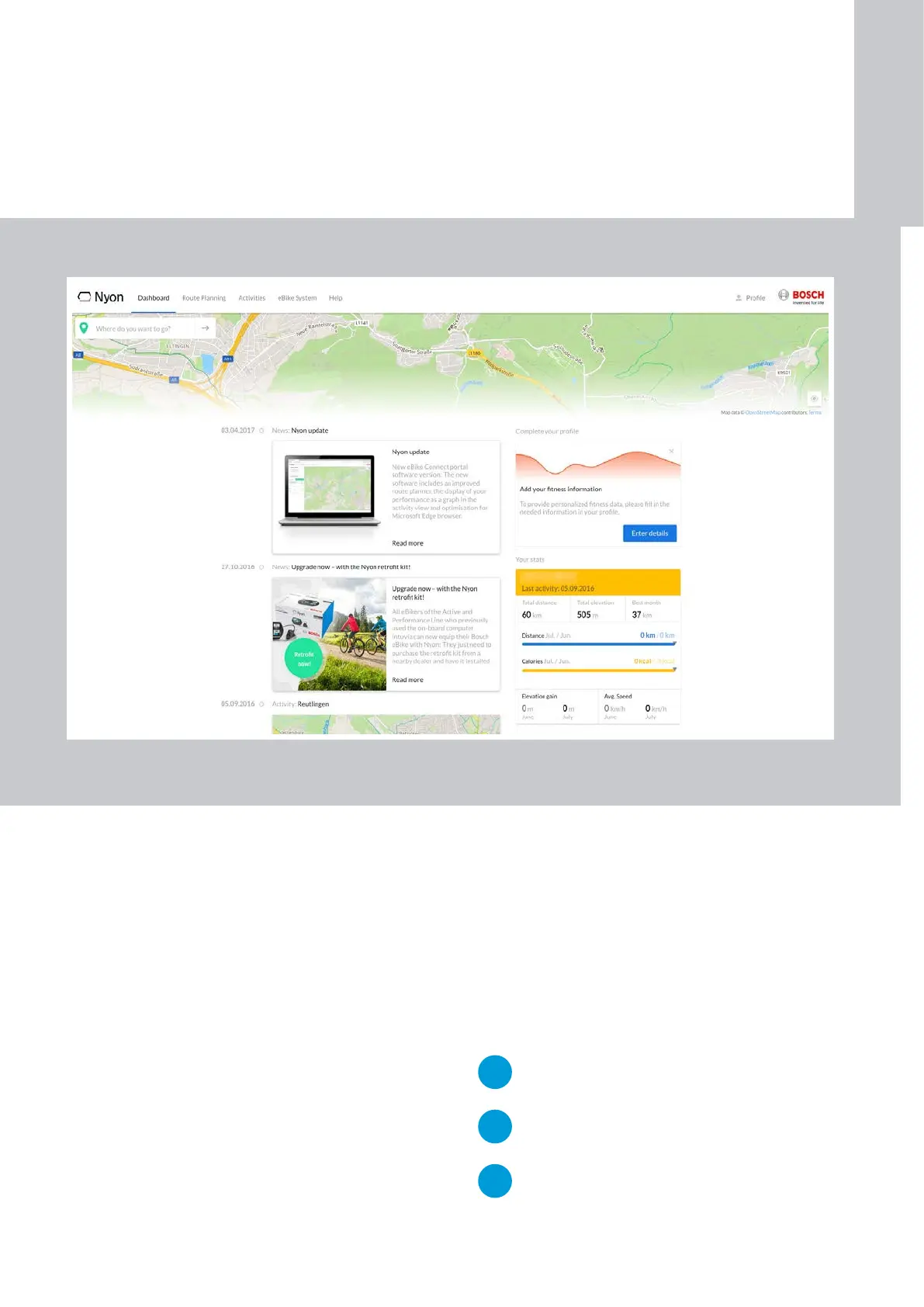
"Dashboard" menu
X Display of the current location if the position local-
ization is activated in the web browser
X Short-cut to route planning
X New features and tips regarding Nyon
X Statistics about the latest activities
"Route Planning" menu
See figure on p. 39
X Destination entry via the keyboard by selecting a
destination previously saved under "Saved Loca-
tions", "Saved Routes" or "POI" (Points of Interest)
X Multi-point navigation: with up to eight waypoints
X Once you have entered the destination, you will be
offered three different routes including display of
the altitude profile:
– "FAST", "SCENIC", "MTB"
(with Cruise drive, 25 km/h)
– "FAST", "SCENIC", "SHORT"
(with Speed drive, 45km/h)
X Planning directly on the map: Starting point, desti-
nation and waypoints can be selected or deleted
directly on the map.
NEW
Undo/Redo button (A in Fig. on p. 39)
for the last ten actions
NEW
"Reverse route" button (B in Fig. on p. 39)
exchanges starting point and destination
NEW
The mouse can be used to change the route
by relocating any of the waypoints.
Online portal eBike-Connect.com
1
ON-BOARD
COMPUTER










 To Next Page