ECO
OFF
MPH
KM/H
KM
62
2.12 eShift – Integrated Gear Shift Function
1 s
Increase cadence
NuVinci Cadence
Decrease cadence
> 1 s
Upshift (increase gear)
Downshift (decrease gear)
2.12 eShift H|Sync
NuVinci H|Sync
X Electronically actuated shifting system with continuously variable gear ratio based on the desired cadence
predefined by you
– Active Line (BDU350, BDU310 and BDU250C/255C): 30–100 RPM
– Performance Line: 30–120 RPM
X Ride with uniform loading and always with the optimal gear ratio – even on uphill grades
X Alternatively, manual gear selection (9 gears) is possible
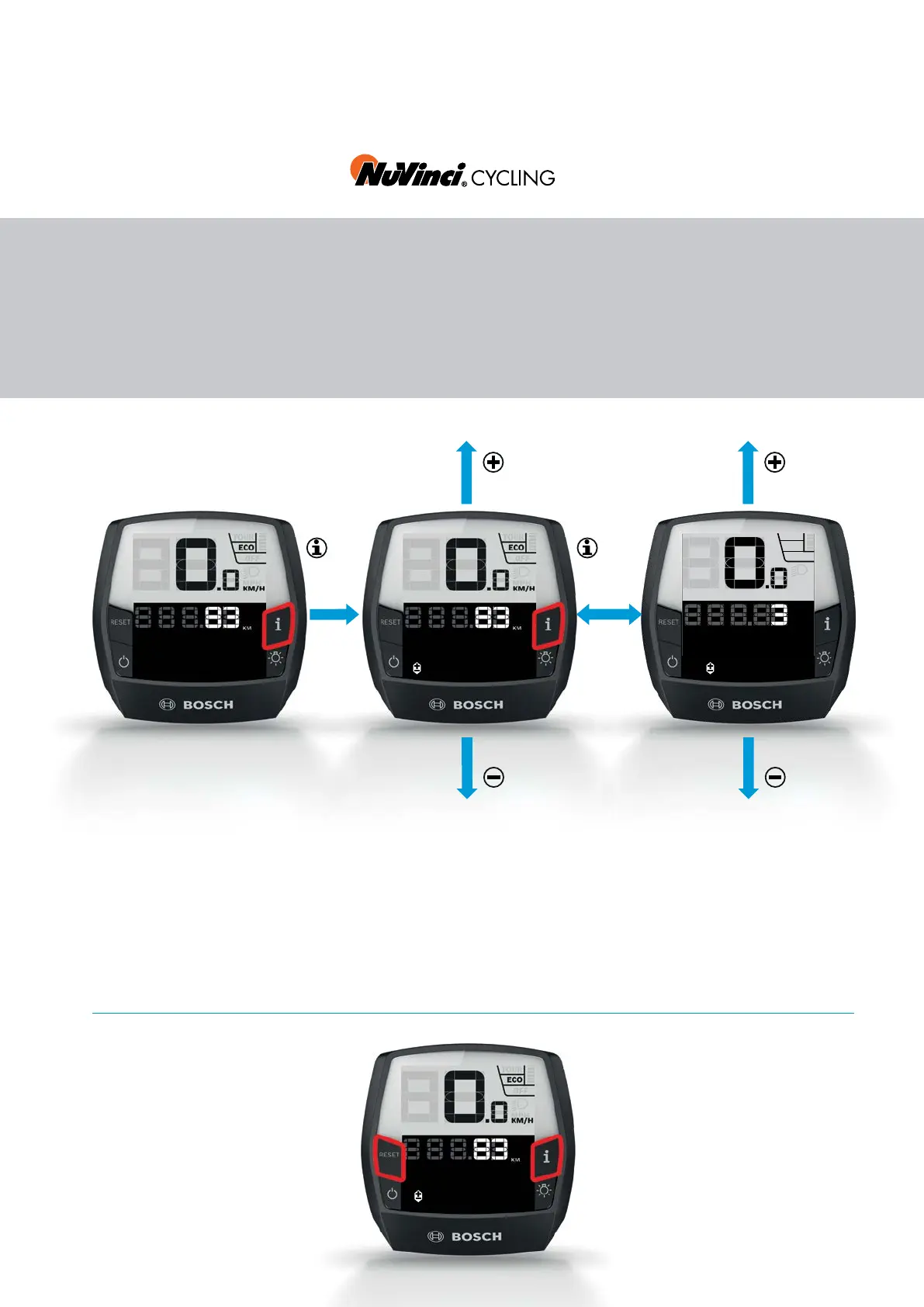
NuVinci Gear
X Press the "i" button for 3 sec-
onds to switch between the
"NuVinci Cadence" and "NuVinci
Gear" operating modes
X The "+" and "–" buttons increase,
respectively, decrease the
cadence and/or gear.
eShift operation with Intuvia
X Press the "i" button for more
than 1s until the NuVinci menu is
displayed.
Gear calibration
X Continuously press "RESET" and
"i" at the same time until the text
display "Settings" appears.
X Repeatedly press the "i" button
until "Gear calibration" is dis-
played.
X Press the "Bike lights" button
and then follow the instructions.
Gear calibration
[any display]










 To Next Page