Table of contents
1
Agency Approvals and Requirements 6
1.1 Certifications and Approvals 6
1.2 FCC 6
1.3 Industry Canada 7
1.4 SIA 7
1.5 Underwriters Laboratories (UL) 9
1.6 PD6662 and DD243 Requirements 11
1.7 EN50131 Requirements 11
1.8 INCERT 12
1.9 cUL 12
1.10 NF A2P 12
2
Overview 17
2.1 Installation Workflow 17
2.2 System Components and Wiring 18
2.3 Phone Menus 21
2.3.1 Installer Phone Menu 21
2.3.2 User Phone Menu 23
3
System Installation and Configuration 25
3.1 Plan the Installation 25
3.2 Install System Components 25
3.2.1 Install the RADION receiver 26
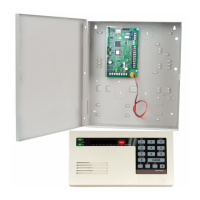
3.2.2 Install the Control Panel Enclosure 26
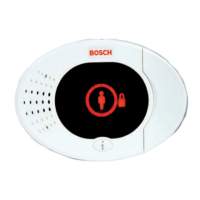
3.2.3 Install the Control Center 26
3.2.4 Route Power-limited Wiring 28
3.2.5 Install the B450 with a compatible B44x 28
3.2.6 Install the B426 30
3.2.7 Install the DX2010 Input Expander 31
3.2.8 Connect Supervised Points 31
3.3 Apply System Power 32
3.4 Initial System Startup 32
3.5 Configure the System 32
3.5.1 Upgrade the Control Panel (Optional) 32
3.5.2 Initiate a Phone Session from the Control Panel 33
3.5.3 Configure Required Control Panel Settings 33
3.5.4 Walk Test Wireless Devices 33
3.5.5 Add Users, Tokens, and Key Fobs 34
3.6 Configure Wireless Devices from Installer Phone Menu 34
3.6.1 Set Point Type 35
3.6.2 Add a device 35
3.6.3 Replace a device 35
3.6.4 Delete a device 36
3.7 Configure Wireless Devices from RPS 36
3.8 Configure the B426 37
4
Programming Access Options 38
4.1 System Access by Phone 38
4.2 RPS 39
4.2.1 RPS Connection Methods 39
Easy Series Control Panel Table of Contents | en 3
Bosch Security Systems, Inc. System Reference Guide 2014.09 | 01 | F.01U.306.221





 To Next Page

