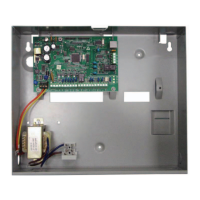
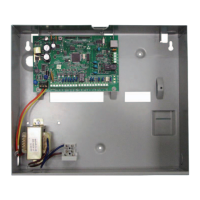
Figure 3.4: Antenna installation
Callout ᅳ Description
1 ᅳ B44x plug-in cellular communicator antenna (routed through any knock-out)
2 ᅳB44x plug-in cellular communicator antenna cable (connected to the module)
Install the B426
The control panel supports one B426 Conettix Ethernet Communication Module for Ethernet
connectivity.
Setting the bus address:
The B426 Conettix Ethernet Communication Module address switch provides the value for the
module's address. Set the address to 6.
After you set the address switch for the proper address, install the module.
Mount the B426 into the enclosure’s 3-hole mounting pattern using the supplied mounting
screws and mounting bracket.
3.2.6
30 en | System Installation and Configuration Easy Series Control Panel
2014.09 | 01 | F.01U.306.221 System Reference Guide Bosch Security Systems, Inc.

 To Next Page
 Loading...