M410 User Manual 25
General Operation
Using the Keyboard
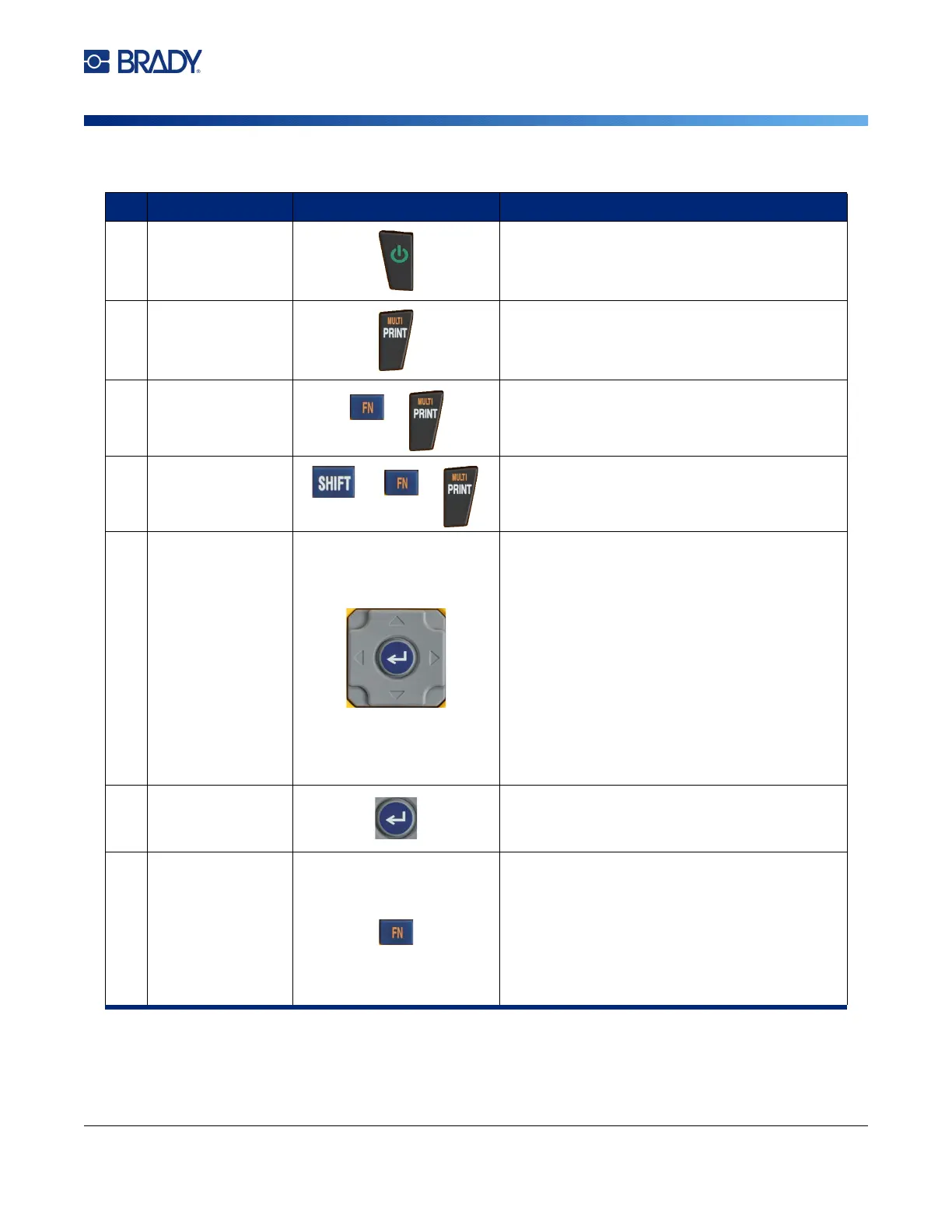
Function Key Description
1Power
Turns the printer on and off.
2Print
Prints all labels in a label file.
Multi
Brings up options to set various print
parameters (such as number of copies, print
range, and mirror print) before printing.
Cancel Printing
Cancels printing.
3 Navigation
Navigation keys:
• In a line of text, move the cursor left or right a
character at a time, or up and down a line at
a time.
• In menus, move the selection left or right in a
primary menus; up or down through a
secondary, or sub-menu.
• In a dialog box, move up/down or left/right
through the fields. In a field with a drop down
list, after pressing OK, moves the cursor up or
down through the list.
• In Print Preview, scrolls left or right through
multiple areas on a label.
4 Enter
Located in the center of the navigation keys.
• Adds a new blank line to a label.
• Accepts menu items and attributes.
17 Function
• Used in conjunction with the alternate function
(displayed in orange) on some of the keys.
Press the FN key, then press the alternate
function key. (Alternatively, hold the FN key
while simultaneously pressing the key that
has the alternate function.)
• Used to access special characters on the
alphabetical keys.



 To Next Page