M610 Label Printer User Manual 3
2 Setup
Unpacking the Printer
Carefully unpack and inspect the exterior and interior of the printer.
What’s in the Box
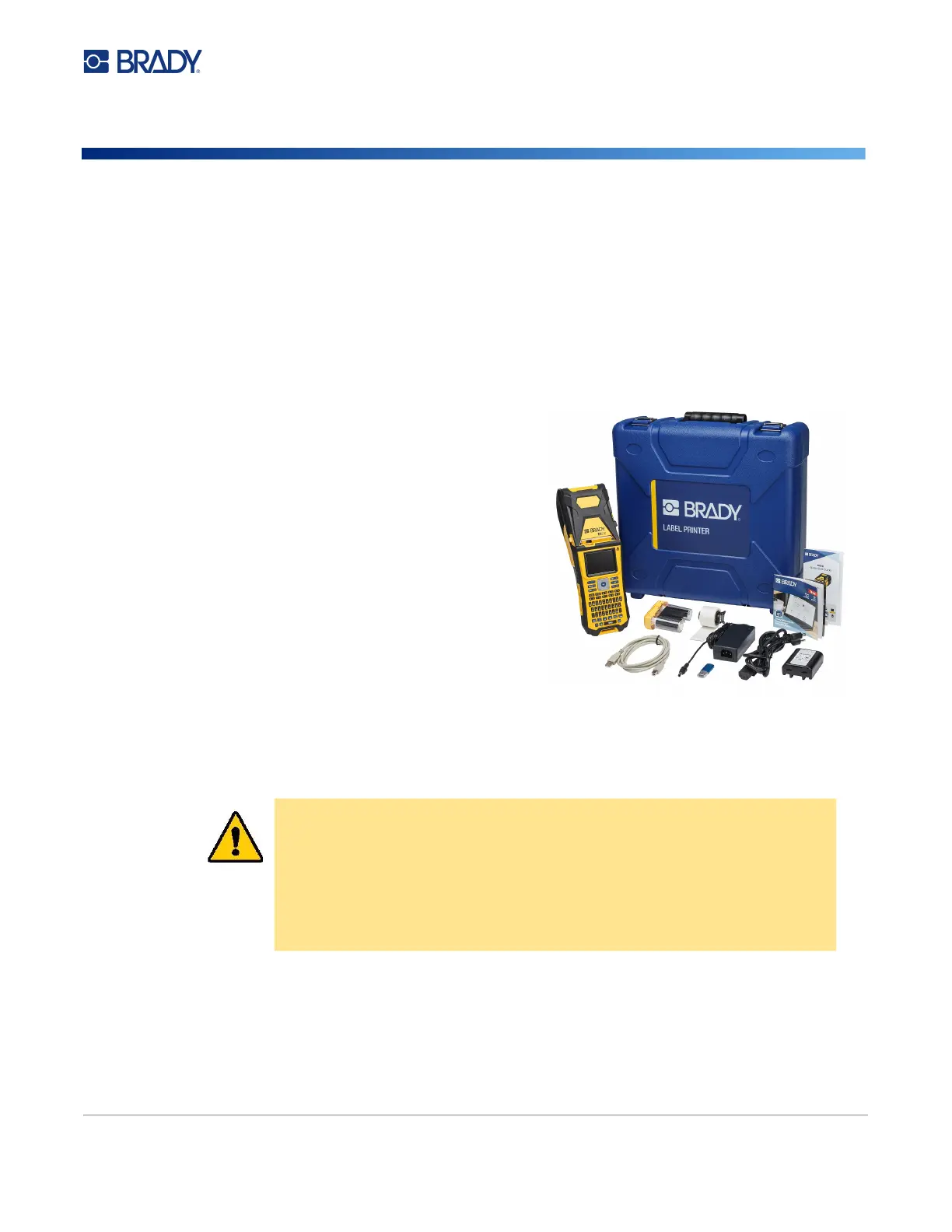
Before setting up the printer, verify that you have received the following items in the packaging:
• M610 Label Printer
• Hard-sided carrying case (M610-KIT only)
• Li-ION Battery pack
• AC adapter and power cord
• USB cable
• One black ribbon (M61-R4310)
• One roll of self laminating wraps (M6-11-427)
• Quick Start Guide
• Brady Workstation Basic Label Design Suite insert
• USB drive containing User Manual, Quick Start
Guide, and Windows driver
Save the Packaging
Save the packaging surrounding your M610 Label Printer in case you have to ship the printer and
accessories back to the supplier.
Registration
Register your printer on-line at www.bradycorp.com/register to receive free product support and
updates!
CAUTION! Never ship the M610 printer without first removing the rechargeable
battery pack from the printer.
If shipping both the printer and battery pack, remove the battery
pack from the printer and place the items in the original shipping
material before transporting. Consult with your transportation carrier
for state, federal, municipal, and international shipping regulations
regarding the lithium battery pack.



 To Next Page