M610 Label Printer User Manual 13
Setup
Connecting the Printer
Second, on the mobile device:
Follow the instructions in the Brady Express Labels
mobile app. When found, the printer is represented by
its serial number (unless you have changed the printer
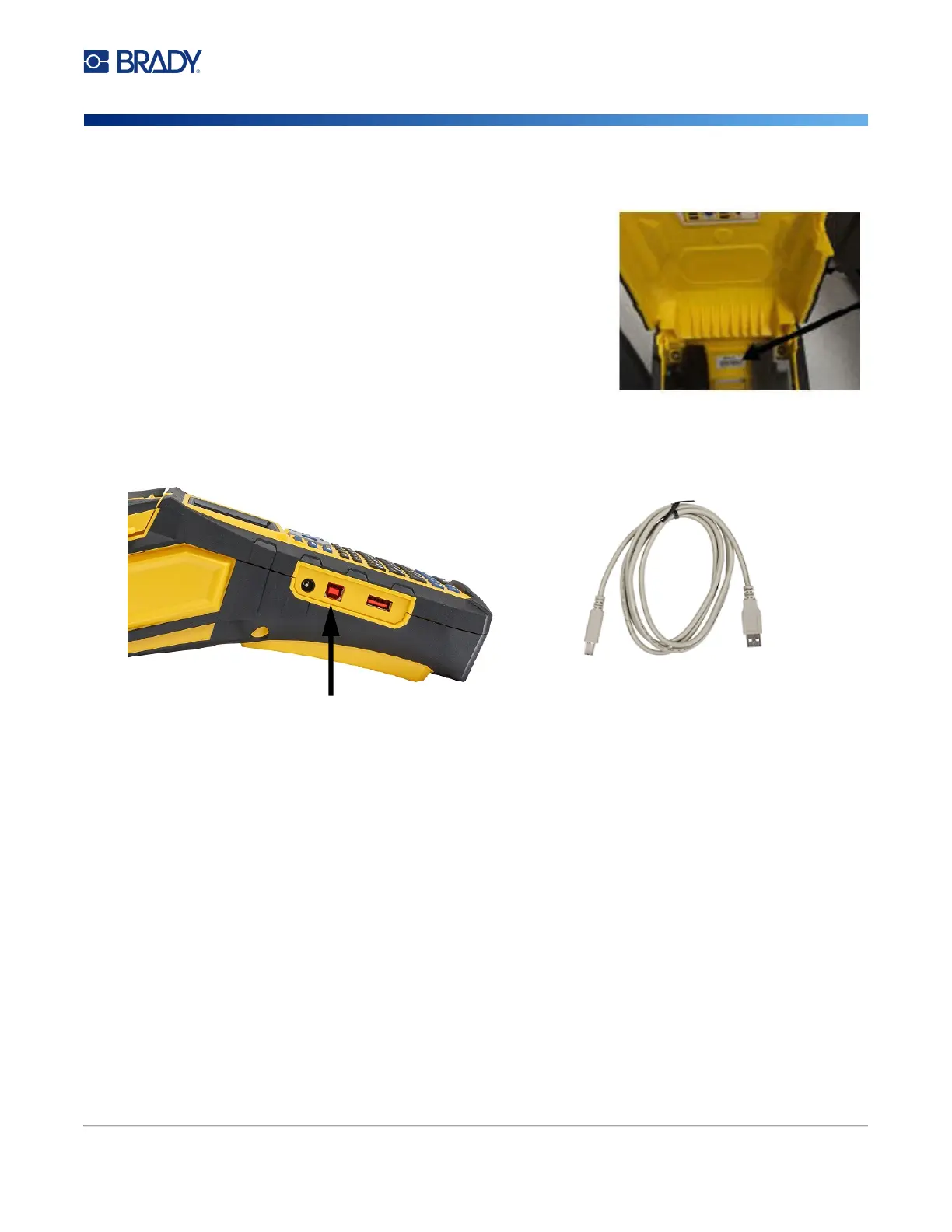
name). The serial number is located inside the printer
behind the label roll. Select the printer on the mobile
device.
Note: If you change the name of the printer after it has been
paired with the Brady Express Labels mobile app,
you must pair it again.
In the Brady Express Labels
app, go to settings and add the printer again.
USB
To connect to a computer via USB 2.0, plug the provided USB cable into the printer and the computer.
Brady Workstation software automatically detects the printer when connected via USB cable.
Note: If you are not using Brady Workstation software, you need to install the printer driver. See the
Driver Installation Guide PDF file on the USB drive that came with the printer.
To computer
To printer
Connect USB cable from this port
to the computer



 To Next Page