M610 Label Printer User Manual 20
General Operation
Screen Components
Screen Components
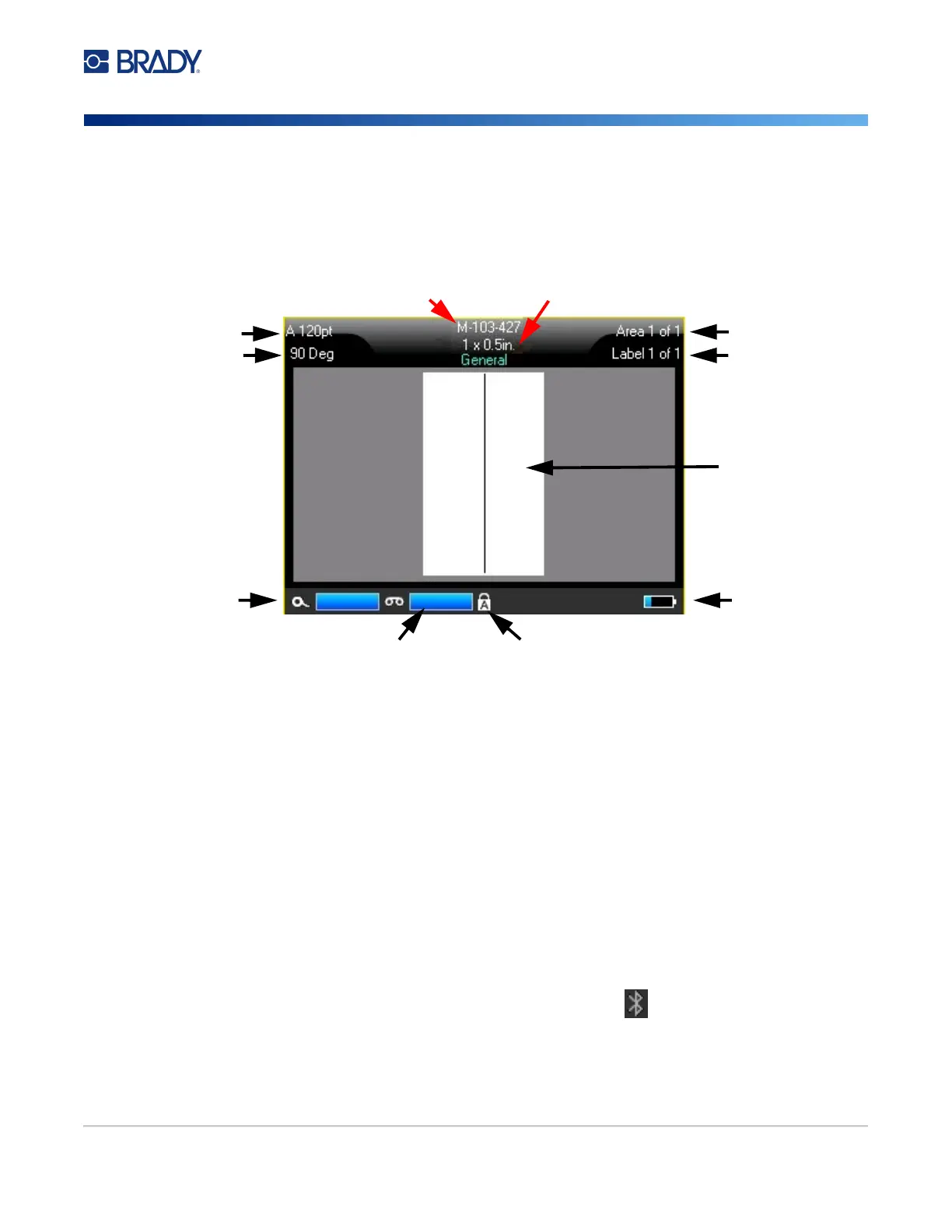
The screen shows a representation of the installed label supply and ribbon. It displays one label, or
one area on a multi-area label, at a time. The header bar (top) and status bar (bottom) display
permanently on the screen and contain the following information:.
1. Font size. The letter "A" indicates that it is set to Auto. See “Font Size” on page 33.
2. Rotation. Degrees that the label is rotated. See “Rotation” on page 39.
3.
Label supply & size.
The part number of the installed label supply. If labels are not installed this
displays the printer name. The word
Auto
after the label size indicates that a continuous label
supply (as opposed to pre-sized) is set to automatically size to the label contents.
4. Label type. The printer provides tools for editing labels for specific purposes, such as wire
markers, terminal blocks, and vials. See “Label Types” on page 55.
5. Area number. The total number of areas on the label and the area currently being edited. See
“Labels and Areas” on page 36.
6. Label number. The total number of labels in the file and the label currently being edited. For
information on navigating between labels see “Go to Label or Area” on page 37.
7. Label editor. Insertion point for data entry.
8. Ribbon remaining. The gauge turns red when only 10% of the ribbon remains.
9. Label supply remaining. The gauge turns red when only 10% of the label supply remains.
10. Caps lock. This symbol is visible when the caps lock is on.
11. Battery charge remaining. The gauge turns red when only 10% of the charge remains.
If the printer has the Bluetooth option and it is enabled the symbol will appear in the status bar.
1
2
5
6
3
4
7
8
9 10
11



 To Next Page