M610 Label Printer User Manual 52
Editing Labels on the Printer
List (Importing Data)
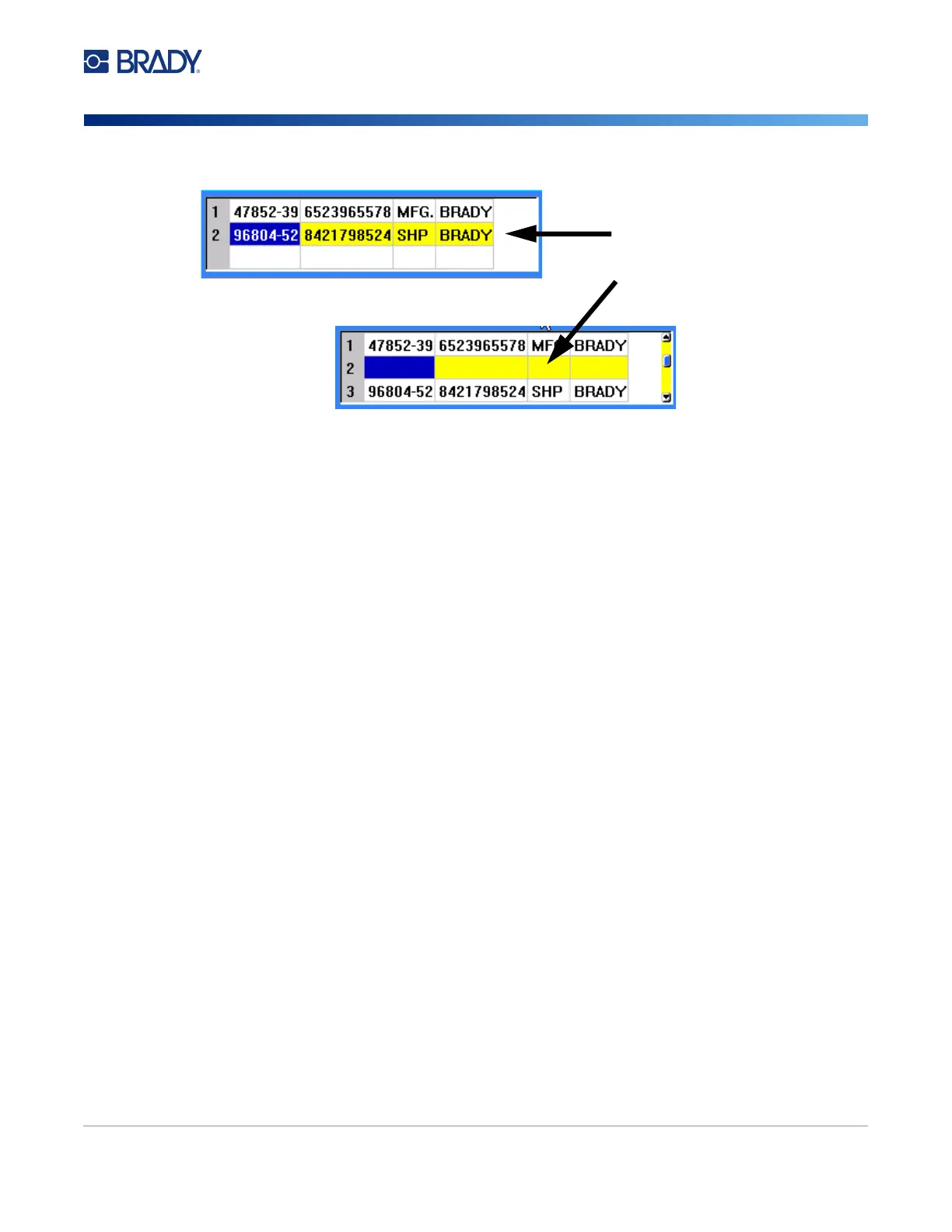
The row selected moves down and a new, blank row is inserted above it.
To remove a row in the data source:
1. Select any field in the row you want to delete.
2. Select Delete.
Merging Files
Fields from the data source merge into specific areas defined on the label.
To merge the data source with the label:
1. Create, or open, the label that will receive the data from the data source.
If using a pre-sized label supply, you must choose a supply that has areas pre-defined. If using
a continuous label supply, it is best to create the areas before proceeding with the merge,
although the software will prompt you to add areas during the merge. See “Add Label or Area”
on page 36.
2. With the label in the editing scree, press LIST.
3. Select Merge.
4. Select Internal or External to indicate where the data source file is stored.
5. Select the data source file and press ENTER. See “File Management” on page 66.
6. If your label does not have the same number of defined areas as there are fields (columns) in
the data source, the software alerts you and gives you the option to add more areas.
• Use
Add
if you want the printer to define as many areas on the label as there are fields
(columns) in the data source. Once the merge is complete, you can go back into the label and
format the added areas.
The data in the data source file is merged to the label. Each field displays in a different
area of one label. Each record (row of data) displays on a different label.
• Select
Ignore
if you do not want to add additional areas.
The fields from the data source sequentially merge into the label, depending on how many
areas are defined on the label. If you have four fields in the data source but only two areas
defined on the label, the first two fields merge on to the label. The other fields are ignored.
Row selected
Row inserted



 To Next Page