M610 Label Printer User Manual 16
Setup
Loading Supplies
Unloading
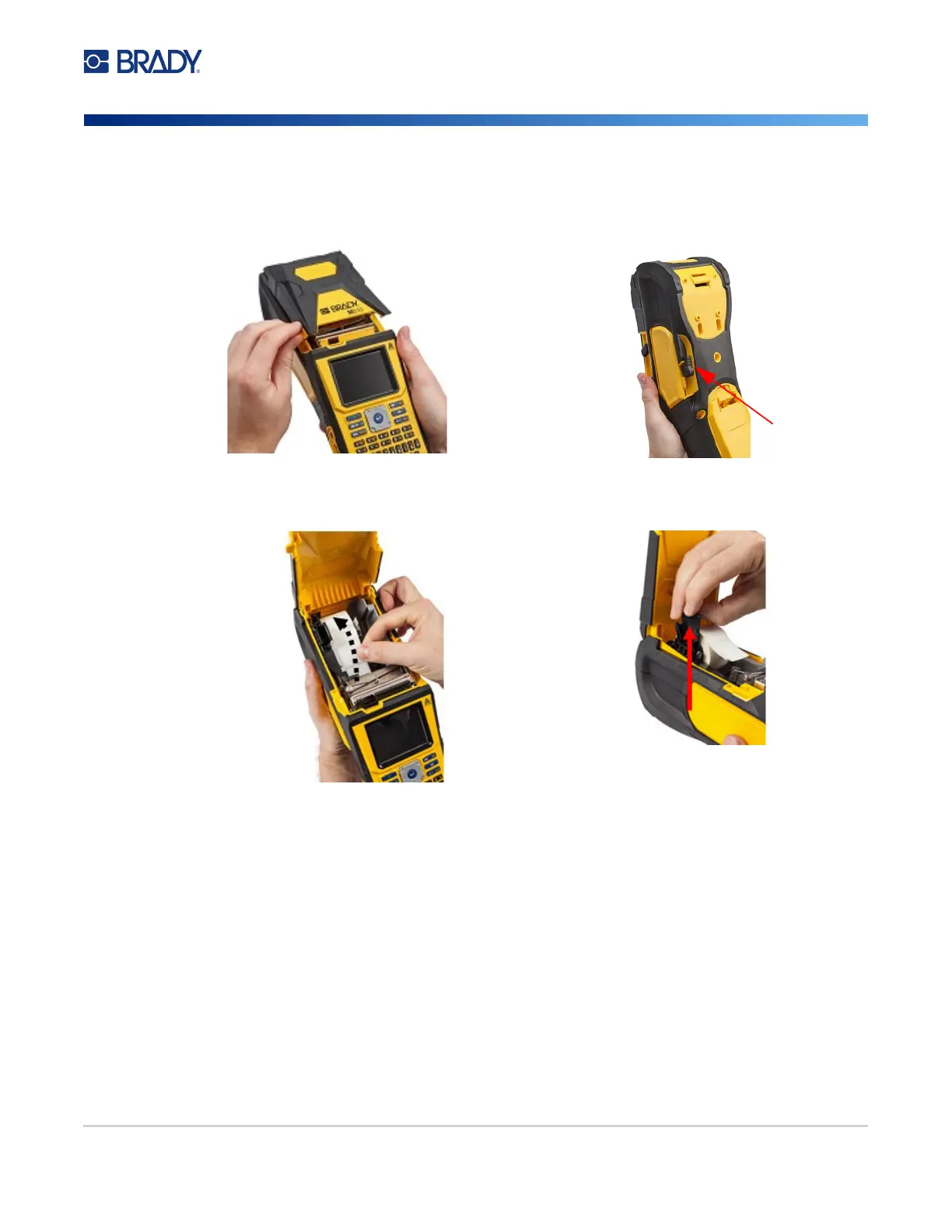
1. To open the printer cover, put your thumb
under the finger tab and push up.
2. Flip the printhead lock lever backward (to
the right) to disengage the printhead.
3. If label core is not empty, gently rewind the
core with your finger to back the unused
labels out from under the printhead.
4. Grasp the smart cell handle and gently pull
up out.
5. If you do not want to load any more label supply, close the printer cover by pressing down
until it catches.



 To Next Page