M610 Label Printer User Manual 5
Setup
Power
Power
Power is supplied to the printer through a lithium ion battery pack or through an AC power adapter.
AC Power Adapter
The printer can be powered through an AC power adapter (included). When the adapter is plugged in,
it is also charging the battery.
To plug in the printer:
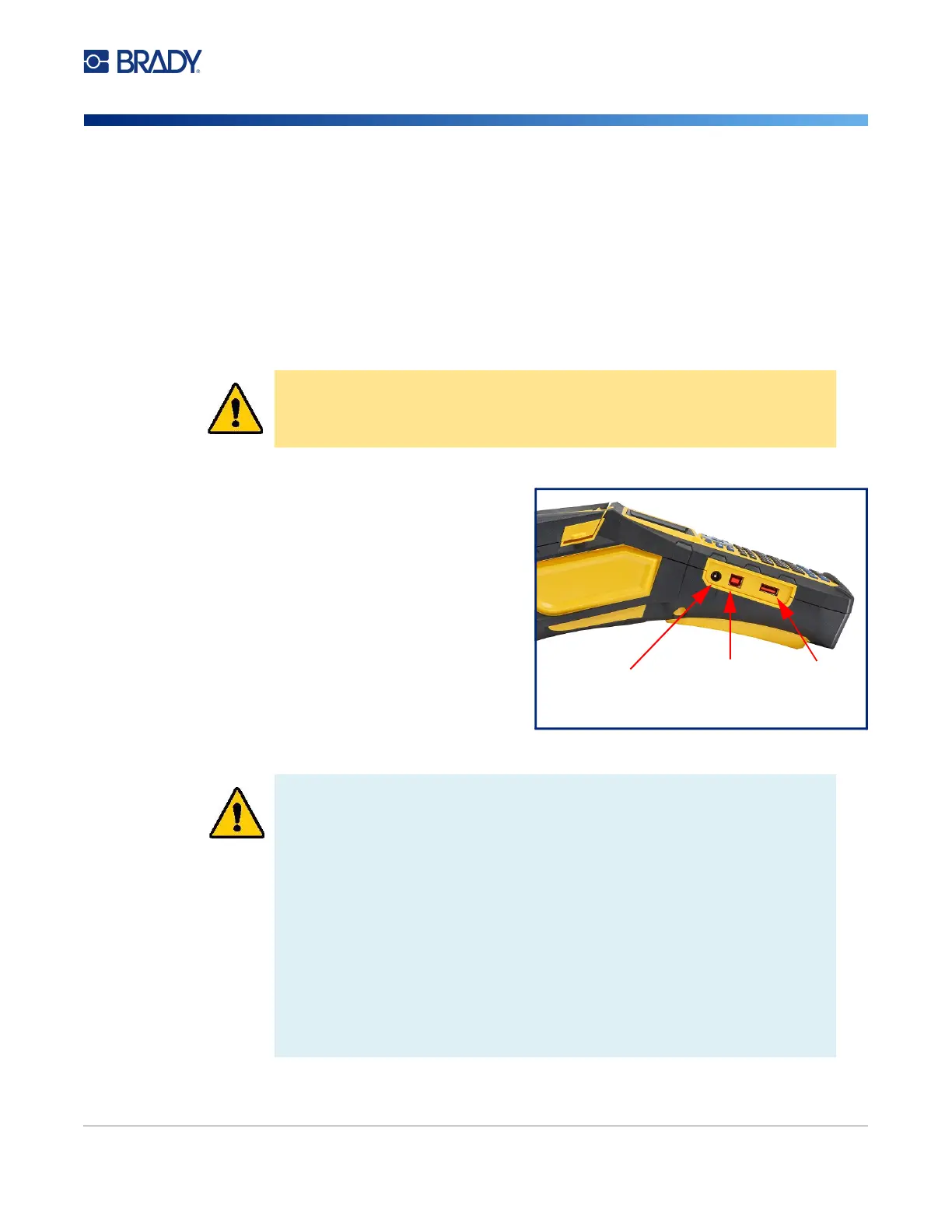
1. Insert the round end of the adapter cable
into the plug-in port on the side of the
printer.
2. Plug the female end of the electrical cord
into the opposite side of the adapter.
3. Plug the other end of the cord into an
electrical outlet.
CAUTION! Only use approved Brady power adapters for the M610 Label
Printer.
WARNING! To prevent risk of fire, electrical shock, explosion, or damage:
• Do not operate the printer in temperatures above 115° F (46° C) or below
0° F (-18° C).
• Do not store the printer in temperatures above 140° F (70° C) or below -22° F
(-40° C).
• Do not disassemble, mistreat, or attempt to replace components in the printer.
• Do not use any AC adapter other than that specifically for use with the M610
Label Printer.
• Do not incinerate the printer. Keep the printer away from heat sources.
• Keep the printer away from water.
• Never lay objects on top of the printer.
• Store the printer in a cool, dry place.
• The printer must be recycled or disposed of properly according to federal,
state, and municipal regulations.
AC
Adapter
USB to
computer
Port for
USB drive



 To Next Page