M610 Label Printer User Manual 22
General Operation
Screen Components
Settings Screens
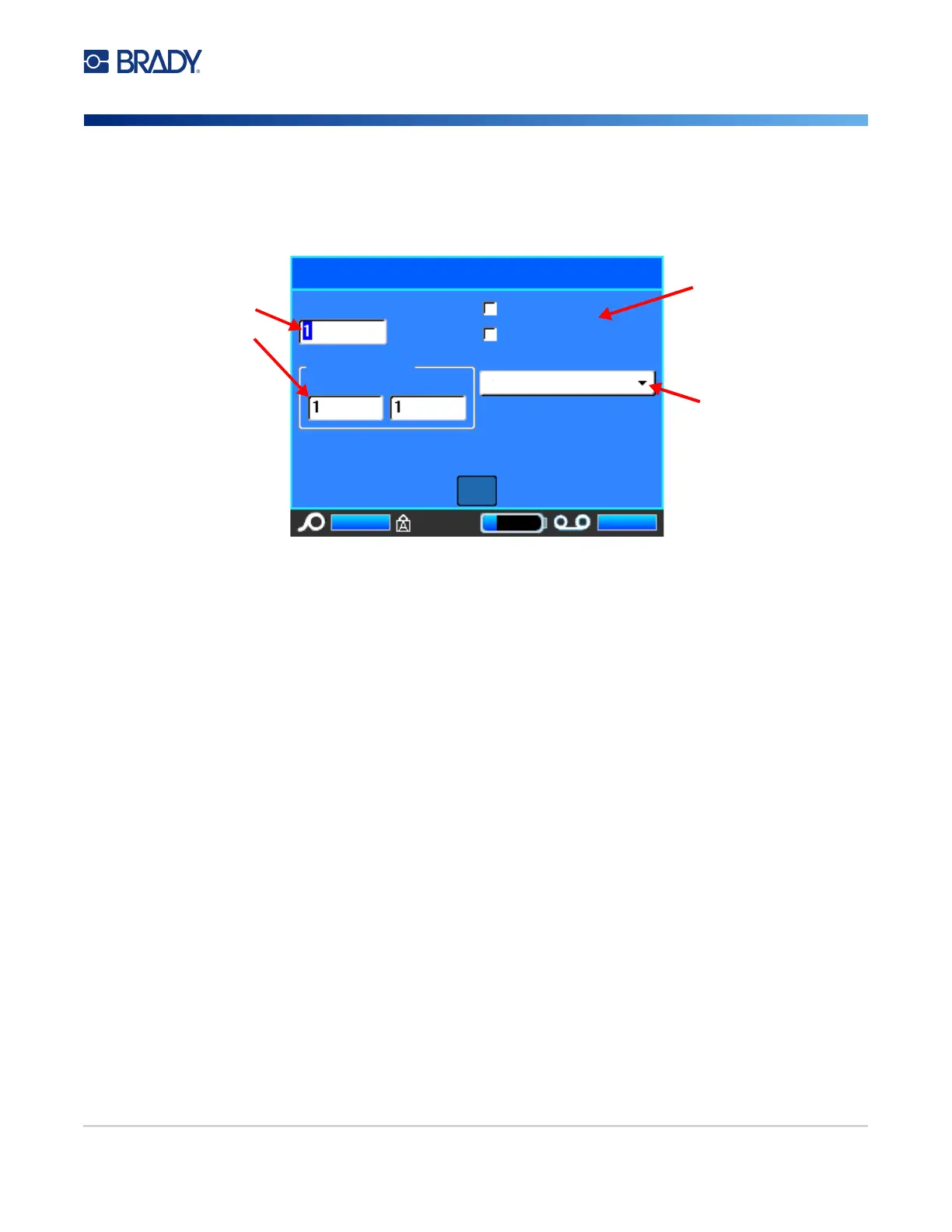
Some menu items open a screen with controls to set.
To save the changes, navigate to OK and press ENTER.
To cancel the changes, press the Backspace key on the keyboard.
To make selections using the keyboard:
• Use the navigation keys to move between settings and highlight the desired setting.
• Press ENTER to choose a highlighted selection.
• To enter data, type on the keyboard and press ENTER to go to the next line.
• To open a list, highlight it, press ENTER, use the navigation keys to make your selection, and
then press ENTER again.
• To save the changes, use the navigation keys to highlight OK on the screen and then press
ENTER.
For more details on using the keyboard see “Using the Keyboard” on page 23.
Cancel Functions
To cancel a function, exit a menu or a dialog box without making changes, press the backspace key.
When pressing backspace in the middle of a function, you are walked out of the function a screen at a
time. You may have to press backspace several times to completely exit the function.
Enter data in text fields.
Options for selection.
Pull-down menus.
Multiple Print
No. of Copies
Collate
Mirrored Print
Print Range
OK
Separator
None



 To Next Page