M610 Label Printer User Manual 61
Label Types
110-Block, Bix Block
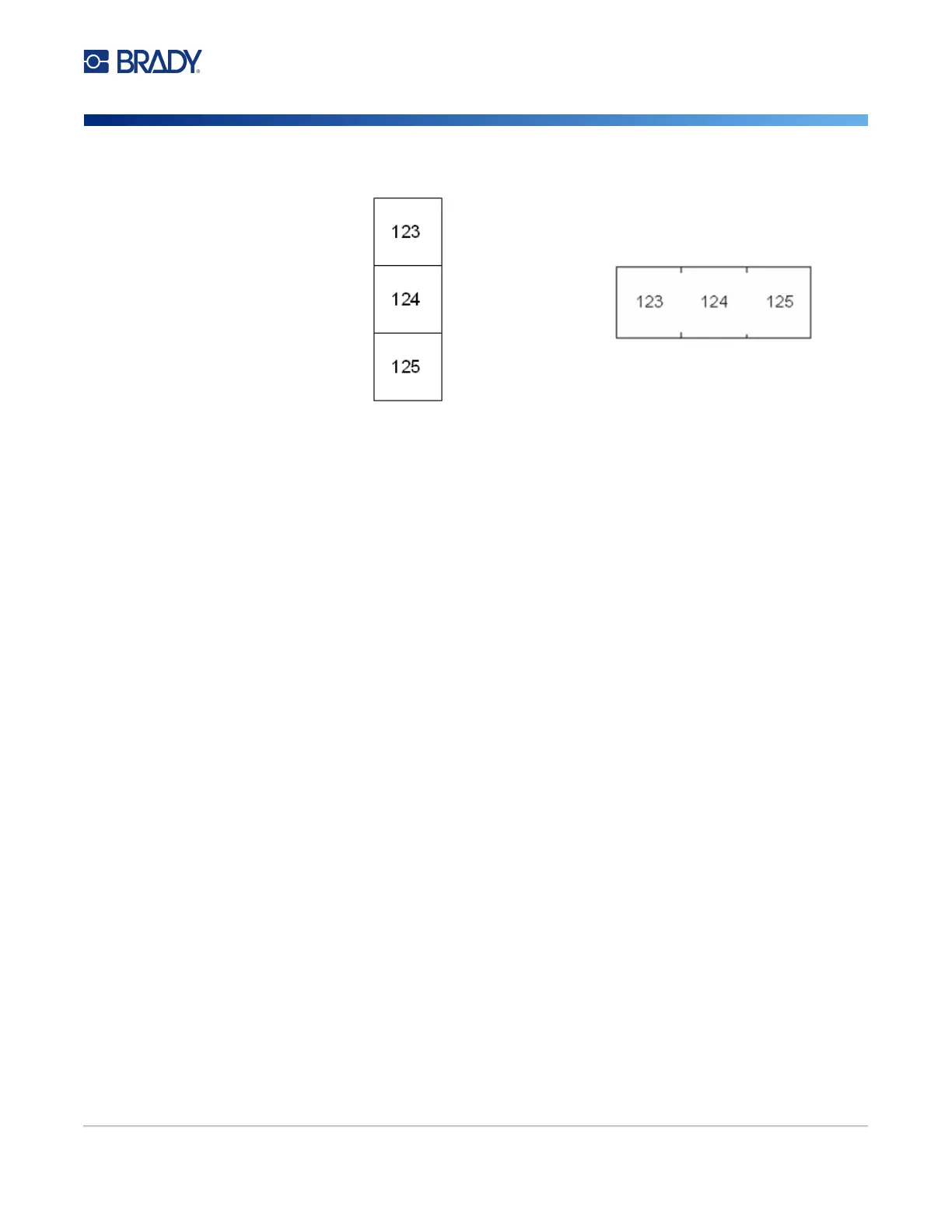
7. In the Separator list, select None, Line, or Tic to mark the division between labels.
8. In the Orientation list, select either Vertical or Horizontal. See above.
9. When finished, navigate to OK and press ENTER.
10. If the Serialize option box is checked, the settings screen for sequences displays.
a. Set up the sequence or sequences.
For instructions on setting up the sequence, see “Add Serialization” on page 48. For
information about serialization see “Serialization (Sequential Data)” on page 47.
b. Navigate to OK and press ENTER.
The number of terminal blocks are created as labels with the serialization characters
displayed on each label.
11. If serialization was not used, the editor opens on label 1. Enter data for each label. For help
navigating labels see “Go to Label or Area” on page 37.
Note: Labels can be added or deleted, if serialization was not used. See “Add Label or Area” on
page 36 or “Delete Label or Area” on page 38.
12. Press FN + PREVIEW to view the labels before printing.
110-Block, Bix Block
110-Block and Bix Block use continuous label supplies with widths of 0.625 or 0.475 inches (15.9 or
12.1 mm).
The 110-Block label type is based on user-selected pair configurations, with the length of the label
determined by the pair type selected. The label height uses a dedicated 110-Block part height of 0.475
inch (12.1 mm). The length of a 110-Block label is 7.5 inches (190.5 mm), with a total strip length of
7.9 inches (200.7 mm). The number and formatting of areas is based on pair configuration and
serialization selected.
Bix Block template information is similar to the 110-block, with some variations on height and length of
the strip. The label height uses a dedicated Bix Block part height of 0.625 inch (15.9 mm). The length
of a Bix Block label is 6.2 inches (157.5 mm) with a total strip length of 6.6 inches (167.6 mm).
Line Separator, Vertical Orientation Tic Separator, Horizontal Orientation



 To Next Page