M610 Label Printer User Manual 58
Label Types
Flags
The range for the cable diameter is 0.25 inches to 8 inches. By entering the diameter of the
wire or cable, the system automatically calculates an additional length of label to allow
complete wrap of the wire or cable with additional label material left for the flag.
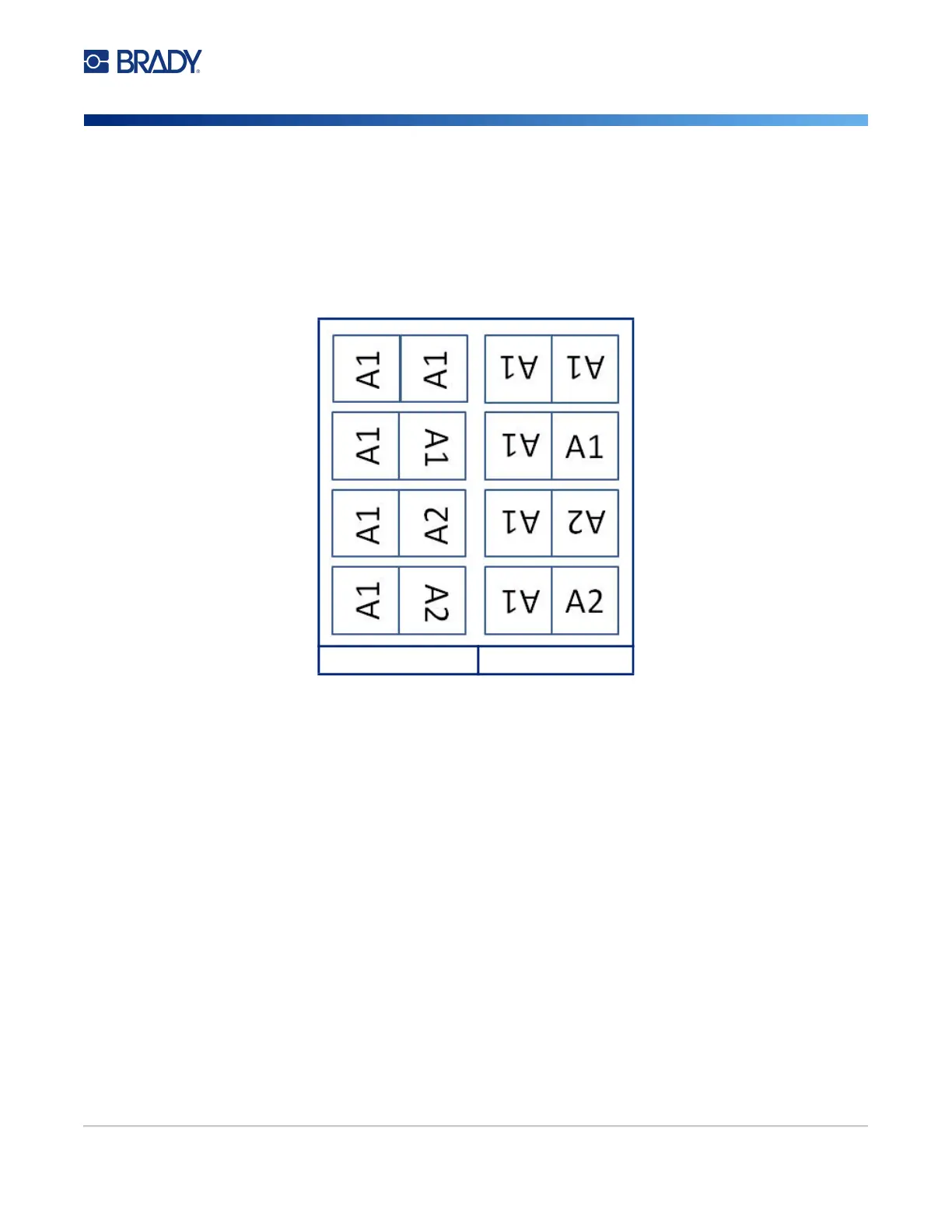
6. If you want the text rotated 90°, select the Rotate check box.
If Rotate is selected, each element of the text layout in the selected template (Text 1, Text 2)
rotates 90 degrees left or right from its original position.
7. When finished, navigate to OK and press ENTER.
8. On the editing screen, enter the text that will display on the flag.
Depending on the layout you chose, you may have to navigate to the second area to enter all
the text.
• If the layout chosen puts the same text element on both sides of the flag, the printer
automatically duplicates the entered text for the other area, rotating according to the
predefined layout.
• If the layout chosen uses different text on each side of the flag, enter the text in the first area
and then navigate to the second area and enter text. The upper right portion of the screen
indicates which area is currently visible. Use the NEXT AREA and FN + PREV AREA keys
to navigate between areas. See “Go to Label or Area” on page 37.
9. Press FN + PREVIEW to view the labels before printing.
Original Layout Rotation Applied



 To Next Page