Resizing
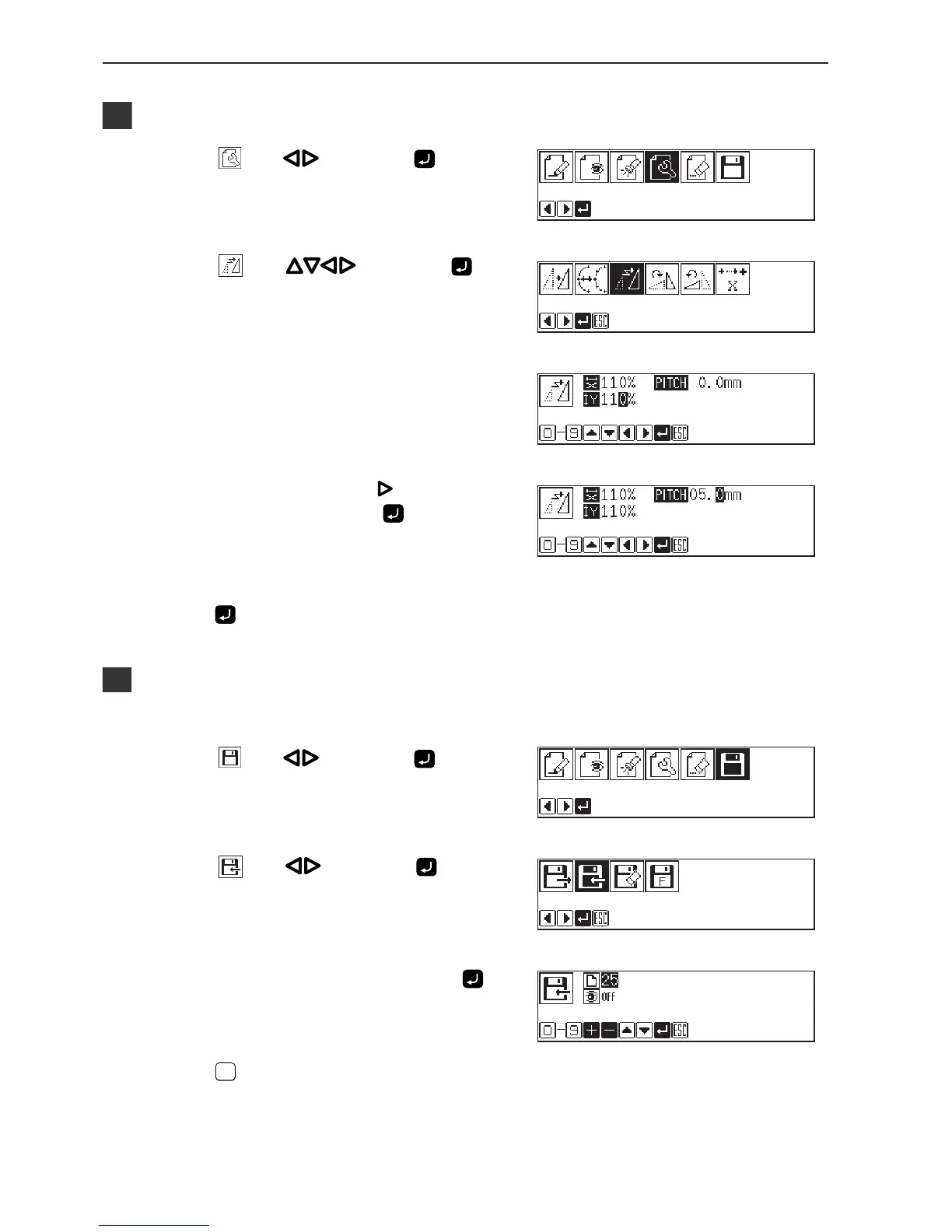
1. Select with , then press .
2. Select
with , then press .
3. Input the resizing percentage for the X and
the Y axes.
110% is input in the example.
To magnify the pattern by 110%, input 110.
4. Select the stitch length with and input the
numerical value, then press
.
If the stitch length is 0.0, the pattern is resized with the same
number of stitches as the original data.
Stitch length of the needle tacking data is not changed.
5. Press .
Calculation is made. The pattern is resized.
Saving
Refer to "Writing data" (page 129) for detailed operation.
1. Select with , then press .
2. Select
with , then press .
3. Input the program number, then press
.
4. Press
ESCESC
.



 To Next Page