Programmer
86
Chapter 3 Programming with Command Function
Saving
1. Specify the program number on the
operation panel, then press
switch for
writing into the floppy disk.
Refer to "Using the operation panel of the main body"(page 131)
for detailed operation.
Ending program
1. Press
P
.
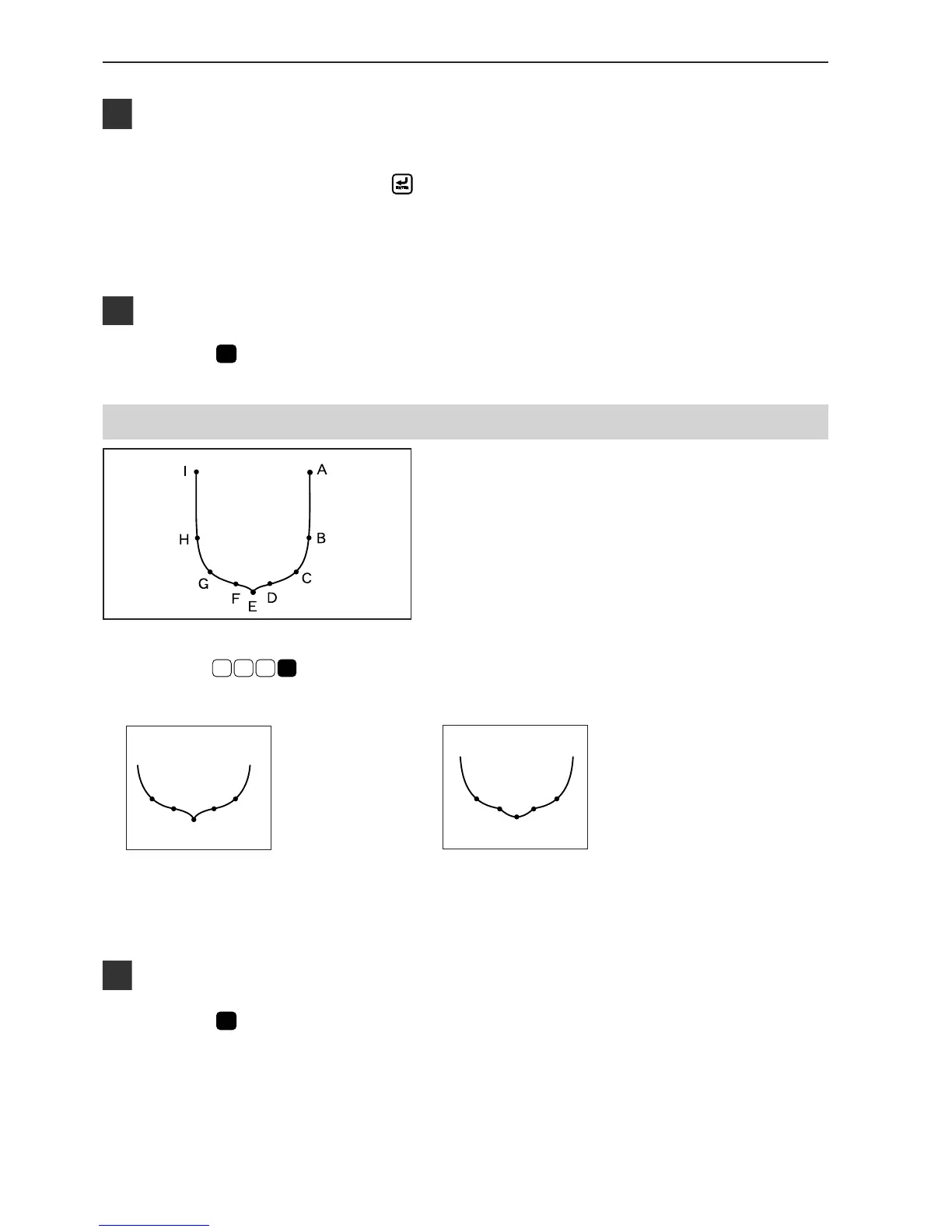
Curve
A pattern with curves is programmed.
Be sure to press
L
7
8 9
for a split at corner point E. If a split is not made, the corner will be round.
When a split is made When a split is not made
More intermediate points such as points B, D, F, G or H will create smooth curves.
Programming
1. Press
P
.
The work clamp comes down and the programmer screen is
displayed.



 To Next Page