3 - 4
Operation panel
Main unit
3
LCD attachment
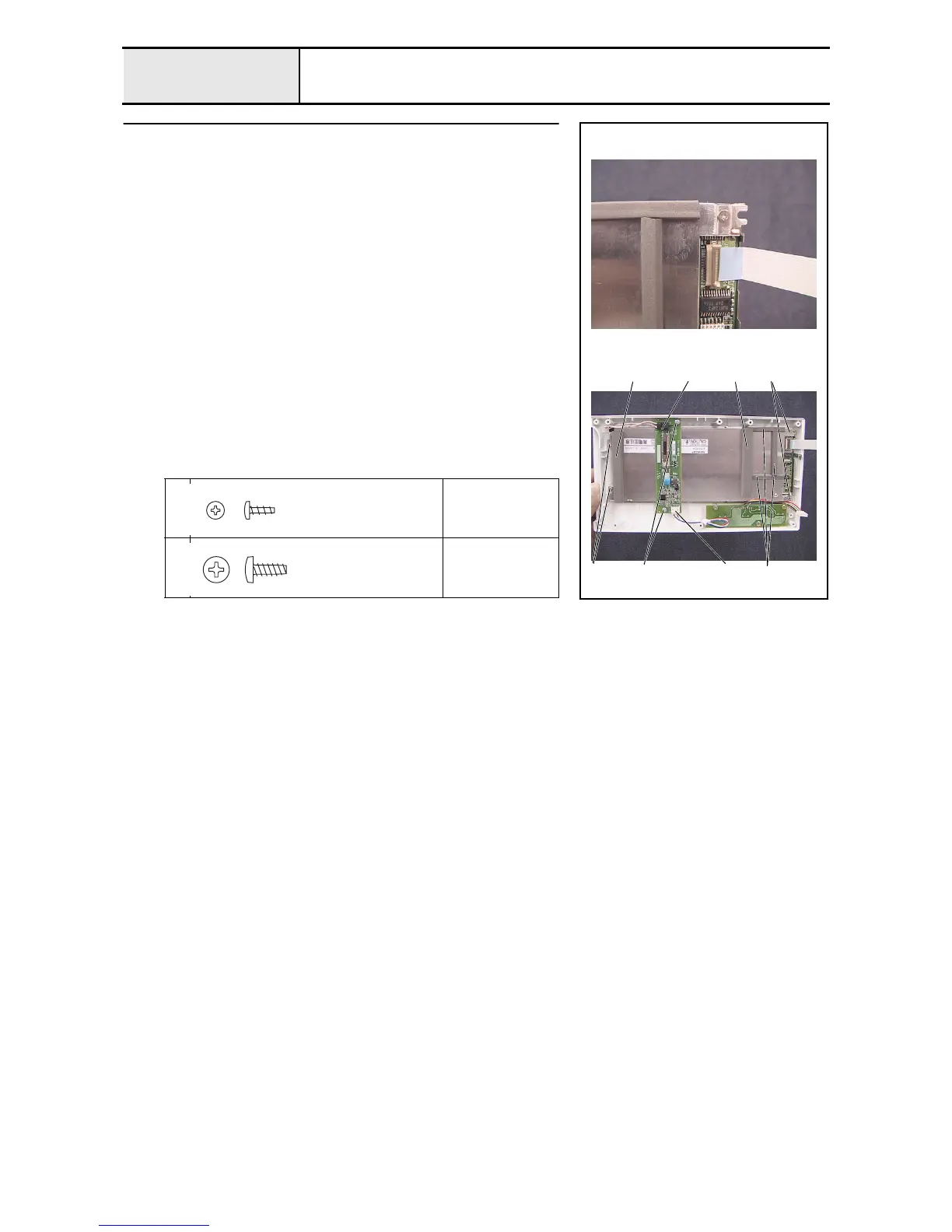
1. Connect the LCD cable to the LCDM (LM8M64) and lock the connector.
*Key point
• Connect the LCD cable so that the blue face of the cable is on
the front side.
2. Attach the LCDM (LM8M64) to operation panel A with the 4 screws 1.
3. Connect the lead wire (LCDM8M64) to the inverter (IM4302) 1.
4. Attach the inverter (IM4302) to operation panel A with the 2 screws 2.
5. Connect the inverter lead wire 2 to the inverter (IM4302).
6. Attach the 2 gaskets A 3 and the 3 gaskets B 4 to the LCDM (LM8M64)
1
Torque
0.19 –
0.39 N-m
2
Torque
0.39 –
0.78 N-m
2
3
1 2 4
3 1 1
Taptite, Bind P
M2X6
Color; Gold
Taptite, Bind B
M3X8
Color; Gold




 To Next Page