2 - 35
Thread wiper unit
Main unit
Disassembly
5
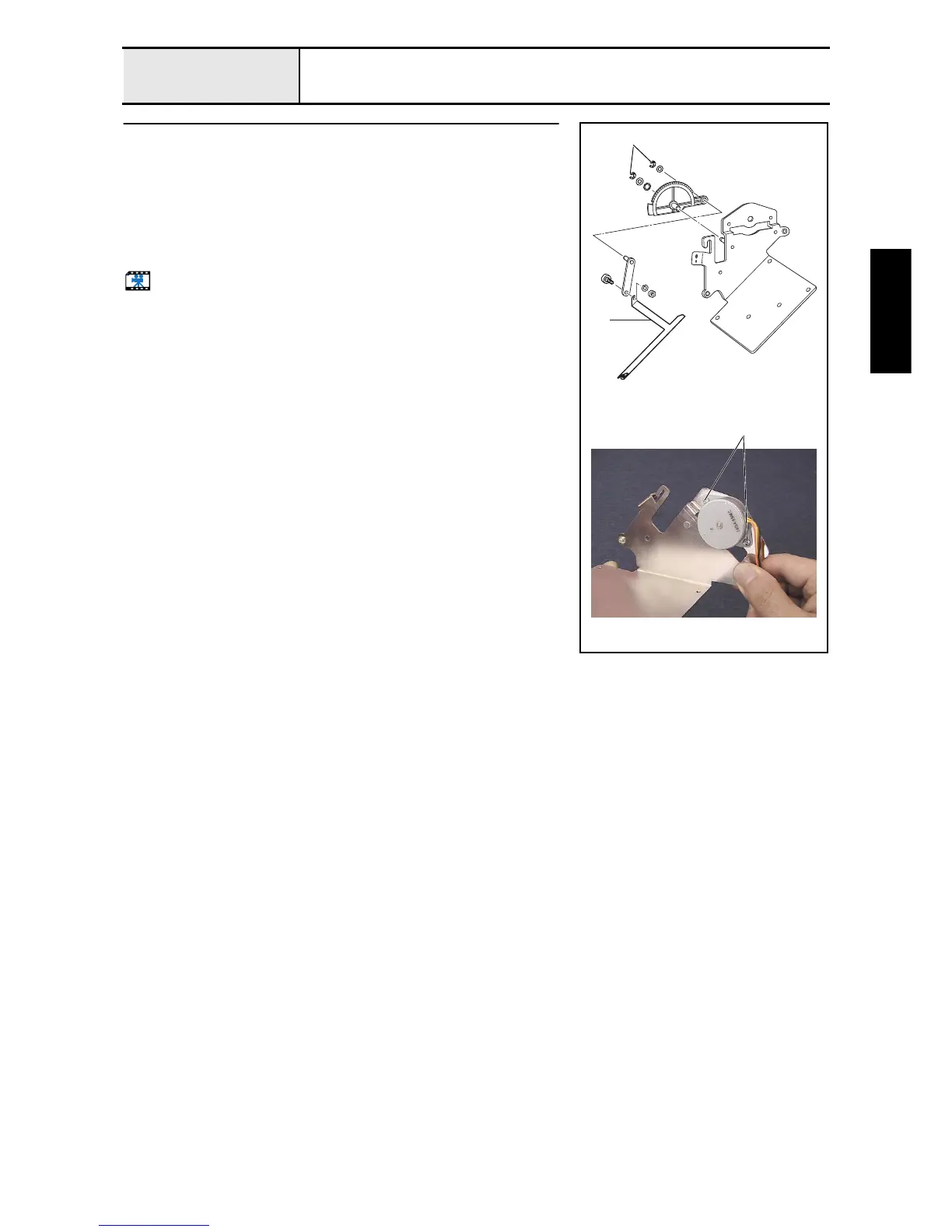
Wiper set disassembly
1. Remove the nut (3, M4), spring washer (2-4), and wiper shoulder screw,
and then remove the wiper hook 1.
2. Remove the retaining ring E4, plain washer (M6), and washer, and then
remove the wiper lever assembly.
3. Remove the retaining ring E4 and plain washer (M5), and then remove the
wiper link assembly from the wiper lever.
4. Remove the 2 screws 1, and then remove the wiper motor assembly.
Start movie clip (CD-ROM version only)
1
1
Retaining rings E4















 To Next Page